
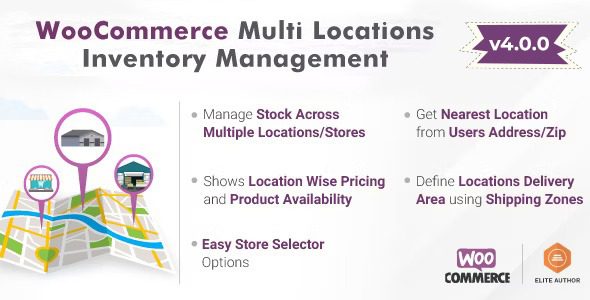
MultiLoca v4.2.15 Chinese version is a multi-location inventory management plugin specifically designed for WooCommerce, helping e-commerce sellers efficiently manage inventory across multiple warehouses or stores. This plugin automatically detects the nearest product location and displays corresponding stock and pricing, improving order fulfillment efficiency.
Core Features of MultiLoca WooCommerce Multi-Location Inventory Management Plugin
The MultiLoca plugin offers a rich set of features to optimize multi-location inventory operations:
- Assign specific payment methods to different locations
- Allow visitors to select a preferred location on the product page
- Restrict customer access to specific locations in the WordPress backend
- Support email notifications for location orders and WooCommerce location managers
- Assign store managers to specific locations
- Retrieve and update product inventory via REST API
- Display product quantity or availability based on location
- Boost conversion rates by suggesting the nearest location with stock
- Automatically detect user geographic location and assign WooCommerce location
- Manage product inventory across multiple locations, warehouses, or stores
- Visitors can view the selected warehouse/location on checkout and cart pages
- Assign delivery areas through WooCommerce shipping zones
- Add location-specific inventory to default WooCommerce stock
- Support multi-location management for simple and variable product types
- Display distance to selected location in kilometers or miles
- Rotating inventory control
- Option to add location-based pricing
- Automatically select the nearest product location based on user address
Why Choose the MultiLoca Multi-Location Inventory Management Plugin?
For WooCommerce merchants with multiple warehouses or retail stores, MultiLoca is an essential inventory management solution. It not only syncs inventory in real-time but also automatically assigns the nearest shipping point, reducing delivery time and costs. The plugin integrates seamlessly with WooCommerce, is easy to install, and is suitable for e-commerce businesses of all sizes.
For more information on optimizing WordPress plugins, visit related anchor text.
MultiLoca Plugin Compatibility and Chinese Localization
MultiLoca v4.2.15 is fully localized into Chinese, supporting a Chinese interface, and is compatible with the latest versions of WooCommerce and WordPress. The plugin has been rigorously tested to ensure stable operation with mainstream themes and extension plugins. The developer provides regular updates to fix bugs and add new features.
Frequently Asked Questions
How to install the MultiLoca multi-location inventory management plugin?
After downloading the plugin package, install it via the WordPress backend under "Plugins" > "Add New" > "Upload Plugin". Once activated, you can configure multi-location inventory in the WooCommerce settings.
What product types does MultiLoca support?
The plugin supports simple and variable products, and allows managing inventory and pricing individually for each location.
Is MultiLoca compatible with other WooCommerce plugins?
MultiLoca is designed to be compatible with most WooCommerce extensions. Please refer to the official documentation or conduct testing for specifics.
Does the plugin offer Chinese language support?
Yes, MultiLoca v4.2.15 is fully localized into Chinese, with the backend interface and instructions available in Chinese.
How often is the plugin updated?
The developer releases regular updates to ensure compatibility with the latest WooCommerce version and to fix issues. It is recommended to enable automatic updates.


Comments (1)