
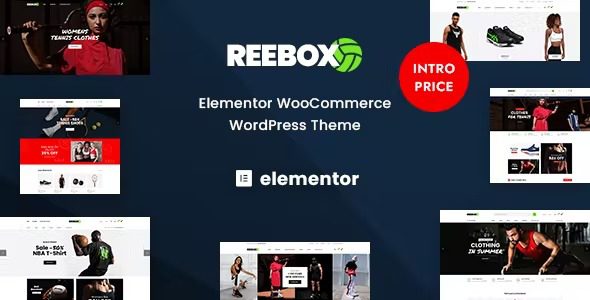
Comprehensive Analysis of the Reebox Elementor WooCommerce WordPress Theme
Reebox is a WooCommerce WordPress theme built specifically for online store shopping scenarios. With the powerful drag-and-drop capabilities of the Elementor page builder, it makes e-commerce site building intuitive and efficient. Whether for sporting goods, sneakers, furniture, organic food, groceries, fashion apparel, electronics, footwear, eyewear, accessories, or supermarket categories, Reebox offers highly adaptable visual solutions. The theme comes with multiple pre-designed homepage and product page layouts, providing a rich customization starting point for online stores across different industries.
For site owners looking to launch quickly, the combination of Reebox's template library and the Elementor visual editor means a professional-grade store can be built without writing any code. The theme's deep integration with WooCommerce ensures a smooth experience for product display, shopping cart, and checkout processes. If you're looking for more quality resources, you can visit WordPress resource site to access related tools and tutorials.
Core Features and Design Highlights of the Reebox Theme
Reebox has been optimized around e-commerce conversion goals. Its pre-designed homepages cover various scenarios from brand showcase to promotional campaigns, while product page layouts focus on visual guidance for image display and purchase buttons. The Elementor builder allows users to adjust colors, fonts, spacing, and module positions in real time, and the WYSIWYG editing approach significantly lowers the barrier to site building.
Elementor Visual Editing and WooCommerce Integration
The theme works seamlessly with the Elementor page builder, offering a large number of custom widgets and blocks for quickly building commonly used e-commerce modules such as product grids, carousels, and pricing tables. Meanwhile, Reebox's compatibility with WooCommerce has been tested, supporting standard features like product categories, filtering, and quick view, ensuring the completeness of the shopping flow. For more technical details, refer to the Reebox official page.
Reebox Theme Installation and Usage Tutorial
Reebox v1.0.8 has been tested in practice, and the installation process is simple and straightforward. First, upload the theme package in the WordPress admin panel and activate it, then install the required plugins online as prompted (including Elementor, WooCommerce, etc.), and finally import the demo templates to quickly achieve a site effect consistent with the preview. The entire process requires no manual configuration of complex parameters, making it suitable for beginner site owners to get started quickly.
During installation, it is recommended to maintain a stable network connection to ensure complete plugin downloads. After importing the demo data, you can replace the logo, adjust the color scheme, and edit the homepage module content according to your own brand needs. Reebox's flexibility is reflected in the fact that every block can be independently modified through Elementor, keeping the store image consistent with the brand tone.
Frequently Asked Questions
How do I install the Reebox theme?
In the WordPress admin panel, go to Appearance - Themes - Add New Theme, upload the Reebox theme zip package, and activate it. After activation, install the required plugins such as Elementor and WooCommerce as prompted, then import the demo templates to complete the basic setup. For specific steps, please refer to the official documentation.
What types of online stores is Reebox suitable for?
Reebox is suitable for various e-commerce scenarios including sporting goods, sneakers, furniture, organic food, groceries, fashion apparel, electronics, footwear, eyewear, accessories, and supermarkets. Its pre-designed templates cover the common layout requirements of these industries, and users can also customize freely through Elementor.
Is the Reebox theme compatible with the latest version of WordPress?
Reebox v1.0.8 has been tested against current mainstream WordPress versions and is compatible with stable versions of Elementor and WooCommerce. It is recommended to confirm the matching of theme version and plugin version before installation. For specific compatibility information, please refer to the official documentation.
How often is the Reebox theme updated?
Theme updates are released periodically by the development team based on WordPress core version iterations and feature requirements. It is recommended to follow the official changelog for the latest version information and upgrade promptly for better security and feature support.

