
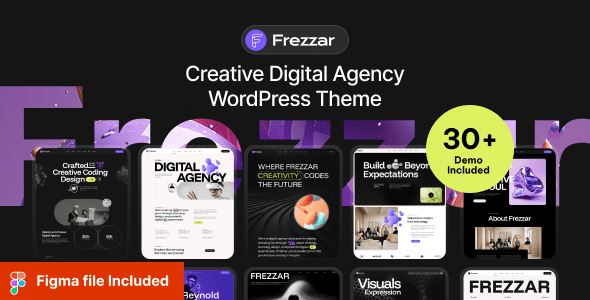
Frezzar is a WordPress theme designed specifically for creative digital agencies, perfectly blending modern design with powerful functionality. Whether you are a digital agency, creative studio, or individual designer, Frezzar helps you quickly build a professional and engaging website. This article provides a detailed overview of Frezzar's features, applicable scenarios, and installation methods.
Core Features of the Frezzar Creative Digital Agency WordPress Theme
Frezzar offers a rich selection of homepage layouts and inner page templates, supporting one-click demo data import. The theme is built on the Elementor page builder, with drag-and-drop editing that makes it easy to customize pages. Additionally, Frezzar comes with preset modules such as various portfolio display styles, dynamic counters, team introductions, and client testimonials, meeting the display needs of creative agencies.
Applicable Scenarios for the Frezzar Theme
Frezzar is best suited for digital agencies, creative agencies, digital marketing companies, digital studios, IT agencies, software agencies, agency portfolios, personal portfolios, work showcases, web design, development agencies, SEO agencies, and startups. Its flexible layout and rich elements adapt to various business types.
Installing and Localizing the Frezzar Theme
Installing the Frezzar theme is very simple: upload the theme file in the WordPress backend, activate it, and then import the demo data. For localization, you can use the Loco Translate plugin to load language files or manually translate the .po file. The theme already includes some localized strings, making it convenient for Chinese users.
If you are looking for more high-quality resources, you can visit WordPress Theme Recommendations for more information.
Compatibility and Updates of the Frezzar Theme
Frezzar is compatible with major browsers and the latest WordPress version, supporting common plugins like WooCommerce and Contact Form 7. The theme is regularly updated to fix bugs and add new features, ensuring security and stability. Official link: Frezzar on ThemeForest.
Frequently Asked Questions
How to install the Frezzar theme?
In the WordPress backend, go to "Appearance" -> "Themes", click "Add" -> "Upload Theme", select the Frezzar zip file, and activate it. Then import the demo data to get the full effect.
Which browsers does the Frezzar theme support?
Frezzar is compatible with major browsers such as Chrome, Firefox, Safari, and Edge, ensuring good performance across different devices.
Does the Frezzar theme support localization?
Yes, Frezzar supports localization. You can use the Loco Translate plugin to load the theme's language files or directly edit the .po file for translation. Some parts of the interface already include Chinese translations.
How often is the Frezzar theme updated?
The Frezzar theme is updated regularly, typically monthly or quarterly, with new features, performance optimizations, and security fixes. Please refer to the official changelog for details.
Can the Frezzar theme be used for a personal portfolio?
Of course. Frezzar includes multiple portfolio display layouts, making it ideal for individual designers or photographers to showcase their work.


Comments (1)