
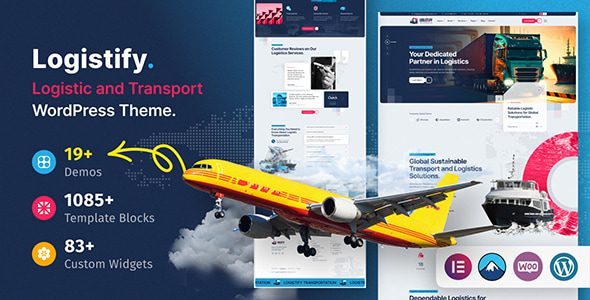
Logistify WordPress Theme: A Complete Site-Building Solution for Freight and Logistics Sites
Logistify is a transportation and logistics WordPress theme launched by themexriver, officially positioned to cover freight companies, logistics enterprises, supply chain and express delivery service providers. It offers more than six pre-built sites, each corresponding to a different business focus—simply import one and modify the copy to go live. For users who need to quickly build a professional logistics site, the Logistify WordPress theme is an option worth considering.
Logistify's Editor and Component System
Page building is based on Elementor, and the theme additionally provides more than fifty custom elements, covering shipment tracking bars, service cards, fleet displays, pricing tables, customer testimonials and stats bars. The header and footer each have independent builders that can be configured separately by page type.
Theme options use a proprietary framework, with color schemes, typography and header behavior adjusted centrally in the panel. There are also page-level and post-level options, so a single page can override global settings—no need to change the entire site's color scheme for a campaign page.
Backgrounds support parallax images and video, and video can be placed in sliders, regular sections and headers. Unlimited color schemes plus a dynamic color toggle mean that when you change the primary color, the whole site follows—no need to adjust page by page.
Logistify's Pre-Built Sites and Inner Page Layouts
The six pre-built sites are divided by business type: warehousing and distribution, international freight, express delivery, enterprise logistics solutions and other directions each have one. More than twenty inner pages cover About, service list and service details, projects, team, quote, FAQ and contact pages.
The service details page is suitable for presenting scope of operations, time commitments and quoting methods, while the projects page showcases routes and warehousing-distribution cases in case-study form. The contact page comes with a form and map, and "coverage area"—the question logistics companies are asked most often—can be written directly into this page. If you need other corporate theme references, you can check out Recommended WordPress Corporate Themes for more options.
Logistify's Add-Ons and Compatibility
The theme package includes the Booked booking plugin, used for scheduling pickup, warehouse tours or consultation appointments. The store's add-to-cart and cart are handled by WooCommerce, supporting multiple product types, so freight-type services can also be sold as products.
Email subscriptions connect to Mailchimp via the officially recommended connection plugin; forms use Contact Form 7; breadcrumbs and multilingual support connect to Polylang and RTL solutions respectively.
Navigation supports Mega Menu, the header can be set to sticky, and mobile has its own separate sticky header. AJAX lazy loading is enabled site-wide, making fleet pages with many images load more smoothly. For more theme details, refer to the official themexriver page.
Logistify's Frequently Asked Questions
Can single-page and multi-page modes be mixed?
Yes. Single-page navigation strings the same set of sections into a scroll-to-the-bottom structure, while a multi-page site splits the sections across pages; both modes share content, and switching only requires changing the navigation.
What preparations are needed for importing the demo site?
First confirm the upload limit, then follow the official import order. You don't need to import all six pre-built sites—after importing one, the sections from the other sites can be used individually.
Do I need to purchase the booking plugin separately?
No, the official package already includes the booking plugin. Note that it updates in sync with the theme version, so check the official documentation before upgrading the plugin separately.
Which plugins is Logistify compatible with?
The theme is compatible with commonly used plugins such as Elementor, WooCommerce, Contact Form 7, Mailchimp and Polylang. For specific compatible versions, please refer to the official documentation.
How often is the theme updated?
The official team updates the theme and bundled plugins with each version iteration. For specific update frequency, please refer to the official documentation or changelog.

