
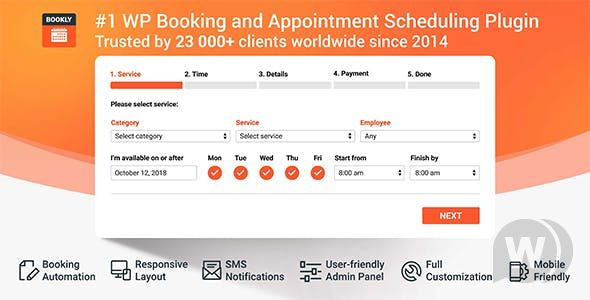
Bookly PRO is a powerful WordPress booking system plugin designed for websites that need online appointment scheduling and calendar management. This article introduces Bookly PRO v10.1, which includes all add-ons to help you easily achieve automatic online booking, payment integration, and calendar synchronization. Whether you run a beauty salon, clinic, or consulting agency, the Bookly WordPress plugin can meet your needs.
Detailed Overview of Bookly PRO Core Features
Bookly PRO offers fully customizable booking forms accessible from any device. You can manage booking lists with filtering, sorting, and search functions, and print or export them as CSV. Unlimited staff members can have individual work schedules, prices, and manage their profiles and online booking calendars. Services can be grouped and assigned unique colors for easy viewing in the Bookly calendar. Customer data supports import/export, displaying payment statistics and internal notes. Email and SMS notification templates are customizable, and the Bookly calendar syncs bidirectionally with Google Calendar, automatically reflecting all updates. It integrates PayPal Express Checkout, supports lists of completed and pending payments, and includes built-in analytics for booking statistics. It is compatible with WooCommerce, supports 9 languages, and offers 24/7 customer support.
List and Features of Bookly Add-ons
Bookly PRO includes the following add-ons: Bookly, Bookly Pro, Bookly PayU Latam, Bookly Recurring Appointments, Bookly Locations, Bookly Custom Fields, Bookly Files, Bookly Customer Information, Bookly Compound Services, Bookly Packages, Bookly Invoices, Bookly Special Hours, Bookly Payson, Bookly Mollie, Bookly Special Days, Bookly Waiting List, Bookly Service Extras, Bookly Multiply Appointments, Bookly Coupons, Bookly Cart, Bookly Service Schedule, Bookly Multisite, Bookly Custom Duration, Bookly Chain Appointments, Bookly Group Booking, Bookly Collaborative Services, Bookly Advanced Google Calendar, Bookly Ratings, Bookly Google Maps Address, Bookly Staff Cabinet, Bookly Stripe, Bookly PayPal Checkout, Bookly Discounts, Bookly Customer Cabinet, Outlook Calendar. These add-ons can be freely combined to expand the functionality of your online booking system.
Bookly PRO Installation and Usage Guide
After installing Bookly PRO, you will activate the Bookly plugin and the Bookly Pro add-on. The default configuration includes fully customizable booking forms, staff management, service grouping, customer management, notification templates, Google Calendar synchronization, payment integration, and analytics. You can further customize the system by adding add-ons. For example, use Bookly advanced features to implement more complex booking logic. If you are using an older paid version of Bookly, follow the instructions on the migrator page to switch to the new Bookly PRO for free.
Bookly PRO and Google Calendar Synchronization
Bookly PRO supports bidirectional synchronization with Google Calendar, ensuring all appointment updates are automatically reflected in your calendar. This is especially useful for agencies managing multiple staff members and services.
Frequently Asked Questions
How to install the Bookly PRO plugin?
After downloading the plugin package, upload and activate it via the WordPress admin panel under "Plugins" -> "Add New" -> "Upload Plugin." All add-ons are included, so no separate installation is needed.
What scenarios is Bookly PRO suitable for?
It is suitable for beauty salons, clinics, consulting firms, educational institutions, and any website requiring online appointment scheduling and calendar management. Fully customizable forms and a variety of add-ons can meet the needs of different industries.
Is Bookly PRO compatible with the latest WordPress version?
Yes, Bookly PRO v10.1 has been tested for compatibility with the latest WordPress version and supports multilingual and WooCommerce integration.
Does Bookly PRO include Chinese localization?
This version includes Chinese localization files, so the Chinese interface is available after installation. Some add-ons may require additional language packs; please refer to the official documentation for details.
How often is Bookly PRO updated?
The Bookly team regularly releases updates to fix bugs and add new features. It is recommended to follow the official changelog for the latest information.


Comments (1)