
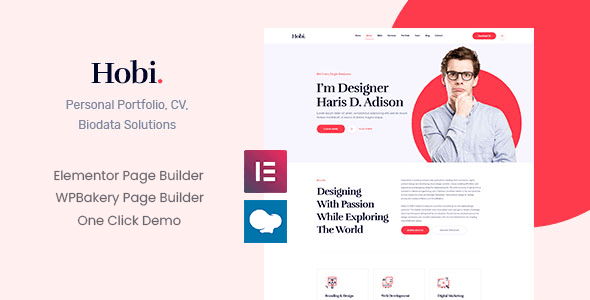
Hobi WordPress Theme: A Complete Solution for Building an Efficient Personal Portfolio Site
The Hobi WordPress theme is a theme designed specifically for personal portfolios, helping designers, photographers, and creative professionals showcase a professional image in a short amount of time. Recruiters and clients spend very limited time browsing portfolios: the first screen determines your direction, the second screen evaluates the quality of your work, and the third screen decides whether to get in touch. Most portfolio sites fail at the first screen—a full screen of large images paired with a single line saying "passionate about design," and visitors still don't know what kind of work you can take on after viewing it. The Hobi theme makes information delivery more efficient through a clear layout structure and content organization.
First-Screen Information Architecture: Three Essential Elements
When building a portfolio with the Hobi theme, the first screen should contain three things: a one-line identity statement that clearly states your professional direction and years of experience; a set of selected works, three to four pieces, that make your style clear at a glance; and a clear entry point, which can be a contact form or an email address. Everything beyond these three can be placed further down to avoid overloading the first screen.
Narrative Logic of Project Pages and Hobi Theme Adaptation
Project detail pages are key to demonstrating professional depth. The Hobi theme typically provides project list and detail page templates, and it is recommended to organize content in the following order:
- A one-sentence background. Who the client is and what problem needs to be solved, within two lines.
- Your role. Which part you were responsible for, whether you completed it independently or collaboratively, and clearly define the boundaries.
- Two or three process images. Sketches, revisions, and final drafts, so people can see your judgment rather than only the result.
- Results and retrospective. If there is data, write the data; if not, write what happened after delivery.
For more WordPress theme usage tips, you can refer to the tutorials on Bobo Hello Resource Site.
Image Optimization and Loading Performance
The most common performance problem in portfolios is serving full-size images directly. Compressing each image to an appropriate size, cropping according to container dimensions, and enabling lazy loading—once these three steps are done, first-screen time can be reduced by half. Do not embed video players directly for video works; use a cover image and load the player after a click, and the effect is especially noticeable on mobile. Fonts are also a source of weight; Chinese font files are often several megabytes, so it is recommended to use a system font stack or subset the font.
Layout Trade-offs and Motion Control
Portfolio themes easily fall into two extremes: either everything is scroll animation and the content is fragmented, or it looks like a resume template with no personality. A reasonable approach is to let motion serve rhythm only. Scroll fade-ins are fine, but mouse-following parallax is not recommended because the experience on touchscreens is poor. The Hobi theme is oriented toward personal portfolios and usually includes pages such as the homepage, project list and details, about, and contact. Whether modules such as resume download and client testimonials are included is subject to the official demo and documentation. After installation, delete the demo content first, then replace pages one by one for greater efficiency.
SEO Details and Content Organization
Write a unique title and description for each project page. Portfolios also benefit from search traffic, especially long-tail terms such as "city + category," which are easier to find than the homepage. Work pages should indicate the year; if work from three years ago is placed together with work from last month, clients cannot judge your current level. Group by year, or clearly state the completion time on the detail page. Also, do not put all projects on the homepage—select four to six, and put the rest on an archive page. The homepage is a featured slot, not a warehouse.
Frequently Asked Questions
How do I install the Hobi theme?
In the WordPress dashboard, go to Appearance - Themes - Add New Theme, upload the theme zip package, activate it, and follow the prompts to install required plugins and import demo content. Please refer to the official documentation for specific steps.
What use cases is the Hobi theme suitable for?
It is suitable for personal portfolio websites, such as designers, photographers, illustrators, and other creative professionals showcasing works and contact information.
Is the Hobi theme compatible with the latest version of WordPress?
The theme usually updates alongside WordPress versions. It is recommended to check the official compatibility notes before use; please refer to the official documentation for details.
How often is the Hobi theme updated?
The update frequency is determined by the theme author, generally fixing vulnerabilities and adding new features. It is recommended to follow the official changelog.


Comments (0)