
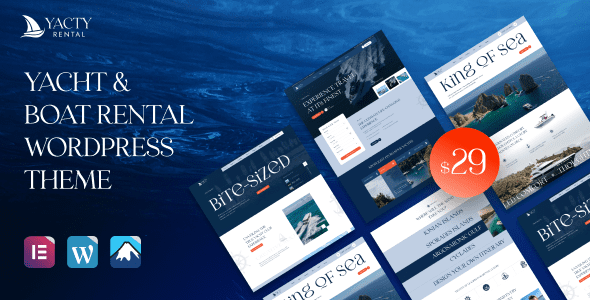
Yacty v1.0 Chinese Version – An In-Depth Look at the Yacht and Boat Rental WordPress Theme
Yacty is a WordPress theme built specifically for yacht and boat rental businesses, and it solves the industry's most critical pain point: schedule management. A single boat can only make one trip at a time, which means the website can't just be a pretty gallery—it must be a booking system that reflects real-time availability, supports date filtering, and enables online slot locking. Through the Elementor page builder and dedicated boat listing and detail page templates, Yacty lets rental companies efficiently showcase their fleet, manage the booking process, and reduce reliance on manual order-taking via WeChat.
Boat Information Field Design in the Yacty Theme
In Yacty, each boat's detail page is built around the key information customers need to make decisions. Passenger and crew information must clearly state the certified capacity and whether a captain and deckhands are included, which directly affects legal departure. Size and power parameters such as length, cabins, and cruising speed are the basis on which knowledgeable customers judge comfort. Departure time slots are divided into half-day, full-day, and sunset cruises, each corresponding to different prices and routes. The inclusions section needs to clearly state whether fuel, dock fees, catering, and water toys are billed separately, avoiding surprise charges after boarding. The weather policy specifies rescheduling or refund terms when trips are cancelled due to wind and waves—this is key to building trust.
How Search and Filtering Work
Yacty's filter dimensions are customized for yacht rental scenarios, including departure dock, travel date, number of people, boat type, and budget range. Date filtering is linked to the schedule system, ensuring customers only see boats that are genuinely available, avoiding the disappointment of clicking through only to find no boat to rent. Map functionality has limited value in this category; Yacty places more emphasis on image quality, recommending three real photos each of the exterior, deck, cabin interior, and sunset—this is more persuasive than a large number of retouched photos from the same angle.
Booking Process and Deposit Management
Yacty supports an inquiry-first, then lock-the-slot process, which suits charter businesses with larger transaction amounts—collecting a deposit first is more realistic than requiring full online payment upfront. Contracts and documents such as the rental agreement, insurance certificate, and passenger list can be sent automatically after payment, reducing communication costs. Rescheduling rules are best presented in table form, clearly stating how many days in advance rescheduling is free and how charges are calculated for last-minute changes. The final payment milestone is set according to cash flow but must be stated clearly in advance. For more WordPress theme tips, you can refer to related resources.
Technical Parameters and Considerations for the Yacty Theme
Yacty is built on Elementor and includes templates for boat listings, details, team, FAQ, and contact pages, with one-click import and child theme support. The official documentation states the minimum WordPress version requirement, so please verify your server environment before installation. The boats and prices in the demo are examples only and must be replaced with your own fleet and real schedule data before going live. On compliance, operating qualifications, vessel inspections, and insurance coverage should be publicly displayed in the footer or on a dedicated page, and water activities also require safety notices and rules for children. In addition, publicly sharing maintenance and inspection records for some boats—such as engine servicing, annual life-saving equipment inspections, and crew qualifications—can significantly enhance trust among professional customers. Always use real photos and avoid manufacturer promotional images. To learn more about building a yacht rental website, refer to the official Yacty documentation (please refer to the official documentation for details).
Frequently Asked Questions
How do I install the Yacty theme?
In the WordPress admin, go to Appearance > Themes > Add New Theme and upload the Yacty theme ZIP file to install. After installation, you need to import the demo content and install the required plugins; please refer to the official documentation for specific steps.
Which page builders does Yacty support?
The Yacty theme is developed based on the Elementor page builder. We recommend using Elementor for page editing to achieve the best compatibility and visual results.
Can Yacty integrate with WooCommerce?
The Yacty theme is designed primarily for yacht rental businesses. For whether WooCommerce integration is supported, please refer to the official documentation or contact the developer to confirm.
How often is the Yacty theme updated?
The update frequency depends on the developer. We recommend following official channels for the latest version information; please refer to the official documentation for details.


Comments (0)