
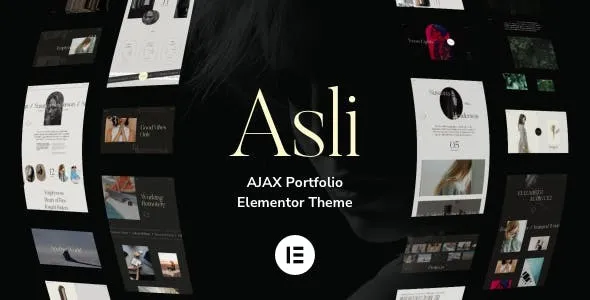
Asli v1.9.14 is a unique Ajax & WebGL-powered WordPress theme crafted for creative professionals such as designers, photographers, creative agencies, and production studios. Powered by Elementor Page Builder, this theme dazzles your visitors with refined aesthetics and interactive experiences. Asli focuses on unlimited lists and showcase sliders, highlighting your best portfolio projects. Its seamless infinite-scroll Ajax transitions allow visitors to browse through portfolios by scrolling without clicking navigation links, delivering a smooth browsing experience.
Core Features of the Asli WordPress Theme
The standout aspects of the Asli theme are its Ajax-driven page loading and WebGL animation effects, bringing an unprecedented sense of dynamism to portfolio websites. The theme includes multiple portfolio layouts and display options, including grids, sliders, and fullscreen galleries, all fully compatible with Elementor, allowing you to customize pages effortlessly through its drag-and-drop editor. Additionally, Asli prioritizes performance optimization, ensuring fast loading times even with rich visual effects.
Ideal Use Cases for the Asli Theme
Whether you are a freelance designer, photographer, or creative studio, Asli helps you showcase your work with striking visual impact. It is especially suited for websites that rely heavily on visual presentation, such as portfolios, photography blogs, and creative agency websites. The theme's Ajax infinite-scroll feature is particularly effective for displaying large volumes of projects, allowing visitors to immersively explore your work.
Installing and Configuring the Asli Theme
Installing the Asli theme is straightforward. First, upload the theme package via "Appearance" -> "Themes" -> "Add New" in your WordPress dashboard, then activate it. After activation, install and activate the recommended plugins, including Elementor and the theme's bundled extension plugins. Next, import the demo data (if available) to quickly set up your website framework, then use Elementor to customize page layouts. It is recommended to refer to the official documentation for detailed configuration to ensure all features function properly.
Asli Theme Compatibility and Updates
The Asli theme is compatible with mainstream WordPress versions and supports commonly used browsers. It has been deeply optimized for Elementor while also supporting popular plugins like WooCommerce. The theme receives regular updates to fix bugs, enhance performance, and add new features. We recommend enabling automatic updates or keeping an eye on the official changelog for the latest version. For specific compatibility information, please refer to the official product page.
Why Choose the Asli Theme?
The Asli theme stands out among many Ajax Portfolio Elementor themes, offering an exceptional user experience through its unique WebGL effects and smooth Ajax transitions. The theme features high-quality code and is SEO-friendly, facilitating search engine indexing. Additionally, Asli provides extensive customization options and demo templates, enabling you to create a professional portfolio website without coding. For creative professionals seeking visual impact and interactivity, Asli is a rare find. To discover more WordPress resources, feel free to visit our related resource site.
Frequently Asked Questions
How do I install the Asli theme?
Navigate to "Appearance" -> "Themes" in your WordPress dashboard, click "Add New," upload the Asli package, and install and activate it. Then install and enable the necessary plugins, such as Elementor, and import the demo data (if available) to get started quickly.
What types of websites is the Asli theme suitable for?
Asli is specifically designed for creative portfolio websites, making it ideal for designers, photographers, creative agencies, and other scenarios that require showcasing visual work. Its Ajax infinite-scroll feature is perfect for displaying large numbers of projects.
Which plugins is the Asli theme compatible with?
Asli is deeply compatible with Elementor and supports popular plugins such as WooCommerce. Please refer to the official documentation for the full compatibility list.
How often is the Asli theme updated?
Asli receives regular updates to fix issues and add new features. We recommend monitoring the official changelog or enabling automatic updates. For specific update frequency, please refer to the official page.

