
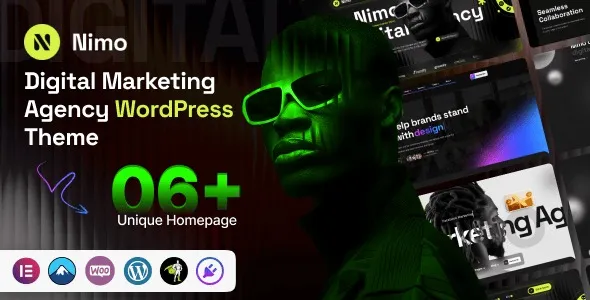
Nimo v1.0.2 Digital Marketing Agency WordPress Theme: Explain Your Services Clearly So Clients Are Willing to Pay
Nimo is a WordPress theme built for digital marketing agencies and creative studios, and version v1.0.2 brings notable improvements to layout flexibility and mobile responsiveness. Many agency websites fill their service pages with piles of adjectives, leaving clients unable to see any difference and forcing them to compare on price alone. Nimo's layout structure is well suited to clearly laying out three things: "what exactly you do, how long delivery takes, and who does it." This article draws on real-world use cases of the Nimo theme to break down practical approaches to service lists, case showcases, pricing rhythm, and visual trade-offs, helping you turn your website into a genuine client acquisition tool.
How to Structure the Nimo Theme Service List
When building service pages with Nimo, write by "deliverables" rather than by skills. The deliverables of brand strategy are positioning documents and visual guidelines; the deliverables of paid media are account structure, creative matrices, and weekly reports; the deliverables of content are topic lists, drafts, and publishing schedules. Attach a timeline and number of participants to each item, and clients can immediately estimate the budget range. Nimo's modular blocks make this checklist-style layout easy to implement, and with icons and accordion panels, the information density stays high without feeling cluttered.
Presentation Tips for Case Studies and Team Pages
For case study pages, a three-part structure is recommended: the client's situation, what we did, and what it looked like three months later. If there's no publicly shareable data for the third part, use process descriptions instead—for example, how many versions of creative went live and how many rounds of testing were run. Fabricated numbers look good short-term but hurt you in the long run. Nimo's portfolio template supports mixed layouts of large images and video, making it suitable for showing comparisons between process drafts and final deliverables.
On the team page, only include people who actually work on projects, and clearly state which modules each person is responsible for. The most common mistake agencies make is putting salespeople on the team page—clients sign the contract and then discover their point of contact has changed, and trust is broken in one stroke. Nimo's team module supports custom job titles and social links; it's recommended to keep only core delivery roles.
Page Design for Pricing and Delivery Rhythm
- Give ranges, not unit prices. The same service varies greatly depending on industry and competition level, so a range plus "determined after diagnosis" is the most reliable approach.
- State settlement milestones clearly. The boundary between monthly services and project-based billing should be clarified upfront to avoid disputes when requirements change mid-project.
- Specify what the client needs to provide. Materials, account permissions, and approval turnaround times—writing these three items into the page can filter out unsuitable clients.
Nimo's pricing table module supports a three-column comparison layout, ideal for displaying different service packages side by side and reducing the cost of clients going back and forth with questions. For more WordPress themes and website-building resources, see the curated collection at Bobo Hello Resource Site.
Visual Trade-offs and Mobile Optimization
Creative agencies love large typography, animations, and irregular layouts. This style looks great on desktop but tends to fall apart on mobile. When building with Nimo, first get the mobile font sizes and line spacing right, then go back and add animations—doing it in reverse will lead to repeated rework. If the hero section features a large video, be sure to change it to click-to-load. Nimo v1.0.2 has optimized mobile navigation, but custom animations still need to be tested page by page.
Nimo is published by an independent author on ThemeForest; for the exact number of demo sets and built-in components, refer to the official demo site and documentation. After installation, first check against the demo for missing items, then replace generic copy with your own real clients and data—the difference in conversion is striking. For the official page, see the ThemeForest theme page for the latest version information.
Collaboration Process and Boundary Statement Page
There's another page that often gets skipped: the collaboration process. From initial communication to project completion—who is responsible for what, how many regular meetings, who provides materials, how many rounds of revisions—laying it all out clearly in a table is more effective than burying clauses in a contract. Clients only dare to hand over their budget when they understand the process. Nimo's table and timeline modules are well suited for this kind of process explanation.
It's also recommended to create a separate "What We Don't Take On" statement: pure traffic inflation, guaranteed rankings, and promised sales volumes—don't take on these three categories. Writing this out isn't about being aloof; it's about letting knowledgeable people confirm that you know where the boundaries are, and it conveniently filters out the clients who would drain you the most.
Frequently Asked Questions
How do I install the Nimo theme?
In the WordPress admin, go to "Appearance - Themes - Add New Theme," upload the Nimo theme zip file, and activate it. After activation, follow the prompts to install recommended plugins and import demo content to quickly set up basic pages. For detailed steps, please refer to the official documentation.
What use cases is the Nimo theme suitable for?
Nimo is primarily aimed at digital marketing agencies, creative studios, brand consulting firms, and other business websites that need to showcase service lists, case studies, and team members. Its modular layout is also suitable for freelancers building personal portfolios.
Which plugins is the Nimo theme compatible with?
Nimo is generally compatible with mainstream page builders such as Elementor and WPBakery, as well as form plugins like Contact Form 7 and WPForms. For the specific compatibility list, please refer to the official documentation.
How often is the Nimo theme updated?
Nimo is maintained by an independent author on ThemeForest, and update frequency depends on the author's release schedule. It's recommended to check the changelog on the ThemeForest product page or follow the author's announcements for the latest version information.


Comments (0)