
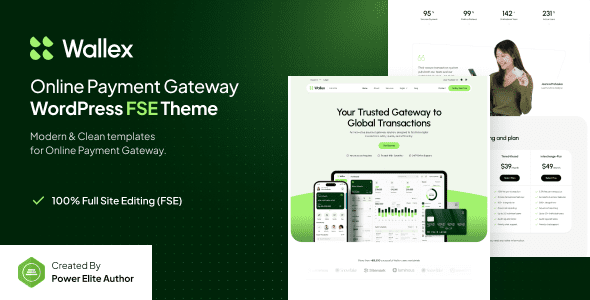
Wallex Online Payment Gateway WordPress Theme: Built for FinTech
The Wallex Online Payment Gateway WordPress Theme is a modern theme designed specifically for online payment platforms, internet banking, financial startups, and various FinTech websites. It supports full site editing and is fully compatible with the Gutenverse plugin, allowing you to easily build a professional and powerful financial platform. Whether you are a startup or an established enterprise, Wallex delivers an exceptional website-building experience.
Wallex's core strengths lie in its flexibility and ease of use. Through the core version and the bundled Gutenverse plugin, you can freely customize page layouts, colors, and fonts without writing a single line of code. The theme includes multiple pre-built templates and blocks to help you launch your website quickly. Additionally, Wallex is optimized for performance, ensuring your site loads fast and provides users with a smooth browsing experience.
In terms of security and compatibility, Wallex also performs exceptionally well. It adheres to the latest WordPress standards and is fully compatible with mainstream plugins and browsers. Whether it's payment gateway integration or membership systems, Wallex runs stably to safeguard your business.
If you are looking for a reliable and feature-rich FinTech theme, feel free to visit related resource site for more information, or head over to the official page to view demos and documentation.
Key Features and Highlights of the Wallex Theme
Wallex offers a wide range of features to meet all the needs of financial websites:
- Full Site Editing Support: Adjust theme settings in real time using the WordPress Customizer.
- Gutenverse Integration: Expand the block library and enhance the editing experience.
- Responsive Design: Adapts to all devices, providing a consistent user experience.
- SEO-Friendly: Clean code that follows search engine optimization best practices.
- Multilingual Ready: Supports translation for easy international deployment.
- Custom Widgets and Shortcodes: Flexible layouts that boost page expressiveness.
Wallex Theme Installation and Configuration Guide
Installing the Wallex theme is very simple. First, upload the theme file in the WordPress admin panel and activate it. Then, click the "Install Wizard" button and follow the prompts to complete steps such as importing demo data and setting up the homepage. The entire process requires no technical background and can be completed within minutes. If you encounter any issues during installation, please refer to the official documentation or contact the support team.
Use Cases for the Wallex Theme
Wallex is suitable for a variety of finance-related businesses, including:
- Online payment gateway platforms
- Internet banking systems
- FinTech startup websites
- Investment and wealth management consulting sites
- Cryptocurrency trading platforms
Frequently Asked Questions
How do I install the Wallex theme?
Installing the Wallex theme is the same as with any regular WordPress theme. In the admin panel, go to "Appearance" -> "Themes," upload the theme zip file, activate it, and then run the installation wizard to complete the setup. For detailed steps, please refer to the theme documentation.
Is the Wallex theme compatible with other plugins?
The Wallex theme is deeply integrated with the Gutenverse plugin and is also compatible with most popular plugins, such as WooCommerce and Contact Form 7. We recommend checking plugin compatibility before installation.
Does the Wallex theme support multiple languages?
Yes, the Wallex theme supports multiple languages. You can use it with WPML or Polylang plugins to create a multilingual website.
How often is the Wallex theme updated?
The Wallex theme is updated regularly to fix bugs, add new features, and maintain compatibility with the WordPress core. We recommend enabling automatic updates to get the latest version.


Comments (0)