
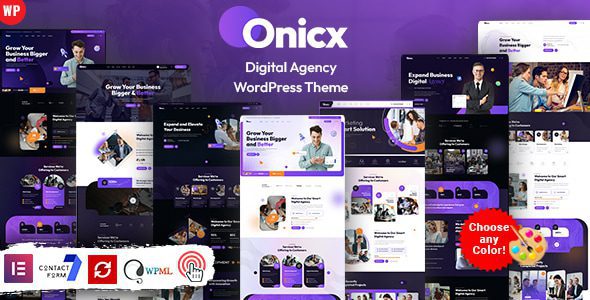
Onicx v5.0 is a WordPress theme specifically built for digital agencies and creative studios, featuring a rich set of preset web elements and modular design that lets you quickly build professional-grade websites without writing any code. Whether you're a digital marketing company, a brand design team, or a freelance creative, Onicx provides a flexible and efficient website-building solution.
Key Features of the Onicx WordPress Theme
The Onicx theme takes the real operational needs of agencies fully into account in its feature design. It comes equipped with a powerful admin panel that supports real-time adjustments to global colors, fonts, and layouts, allowing any user to easily create an outstanding website presence. The theme includes multiple preset web elements covering common sections such as service showcases, case studies, team introductions, and pricing plans, significantly shortening development time.
The theme uses a fully responsive layout that perfectly adapts to screen sizes and resolutions ranging from desktop monitors to tablets, iPads, iPhones, and various small mobile devices. No matter what device visitors use, they'll enjoy a consistent browsing experience.
Compatibility and Technical Features
The Onicx theme supports the Elementor page builder, allowing you to freely arrange page structures through drag-and-drop. It also integrates GSAP animations, scroll-triggered animations, and smooth scrolling effects to add fluid visual dynamics to your website. The theme also supports RTL (right-to-left) layouts to meet the needs of multilingual and international projects. For agencies that need e-commerce functionality, Onicx is compatible with WooCommerce, enabling quick setup of an online store.
If you're looking for more high-quality WordPress resources, you can visit BobohHello Resource Site for more theme and plugin recommendations.
Use Cases for the Onicx WordPress Theme
Onicx is designed specifically for various agencies and creative showcase needs, with a wide range of applicable scenarios including agencies, creative studios, creative portfolios, digital marketing agencies, web design companies, and more. Its modular design and rich preset templates allow users across different industries to find suitable layout solutions.
The official page provides detailed demos and documentation support. You can visit the Onicx official page to learn more.
Customization and Extension Capabilities of the Onicx Theme
The Onicx theme is easy to customize, feature-rich, and equipped with a powerful admin panel. Through the theme options panel, you can adjust global settings such as brand colors, typography, and header/footer styles. For users who need deep customization, the theme also offers child theme support and a custom CSS entry point for further feature expansion.
Frequently Asked Questions
How do I install the Onicx theme?
In the WordPress admin, go to "Appearance > Themes > Add New Theme," upload the Onicx theme installation package, and activate it. After installation is complete, follow the prompts to install recommended plugins (such as Elementor, WooCommerce, etc.), then import the demo content to quickly build your website. For detailed steps, please refer to the official documentation.
What types of websites is the Onicx theme suitable for?
Onicx is designed specifically for scenarios such as digital agencies, creative studios, portfolio showcases, digital marketing agencies, and web design companies. Additionally, due to its modular layout and WooCommerce compatibility, it's also suitable for creative business websites that need to showcase services and sell products.
Is the Onicx theme compatible with the latest version of WordPress?
Onicx v5.0 has been optimized for the latest version of WordPress and is compatible with the mainstream page builder Elementor and e-commerce plugin WooCommerce. It's recommended to confirm that your server environment meets the theme's minimum requirements before installation. For details, please refer to the official documentation.
How often is the Onicx theme updated?
The Onicx theme is continuously maintained by the official team, with regular feature updates and security patches. You can get the latest version through ThemeForest update notifications. For specific update frequency and changelogs, please refer to the official page.

