
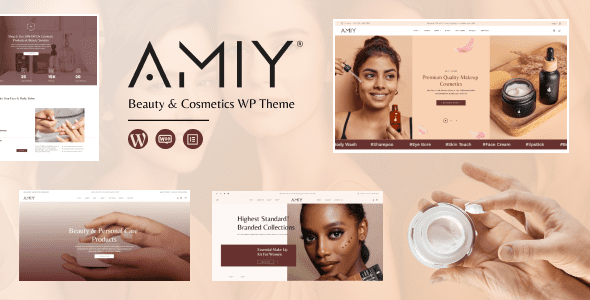
Amiy Theme: A Professional Choice for Beauty and Cosmetics WordPress Stores
Amiy is a beauty and cosmetics WordPress theme developed by venusweb, designed specifically for stores selling cosmetics, fragrances, and related products. It deeply integrates WooCommerce and Elementor, helping brand stores quickly build product display and online purchasing pages. Whether you're a startup beauty brand or a mature product catalog site, Amiy can organically connect collection images with specific specifications, allowing customers to complete precise selections while enjoying a visual experience.
Amiy Theme's Catalog Organization Strategy
The purchasing logic for makeup, skincare, fragrances, and beauty tools differs significantly. It's recommended to first establish categories by clear product types, then supplement with dedicated pages based on actual collections or usage scenarios. Category names should use expressions familiar to customers, avoiding internal product codes. Collection pages can include brief text descriptions of key features to help users make quick decisions. Small brands don't need to create too many empty categories—a small number of well-populated entry points are easier to maintain and help new customers understand your main offerings.
Amiy supports page editing and demo import. You can first add your own images, Chinese names, and specification data for testing. Long product names, different packaging ratios, and temporarily out-of-stock items all need real-world verification. You can compare other store-oriented options at WordPress Theme Resource Site; using the same set of products makes it easier to judge differences. Demo images only provide visual reference—only a real catalog can show whether the theme suits daily updates.
How Product Pages Can Clearly Present Product Differences
Product titles should clearly state the name, the main image should show the appearance, and detailed content should explain specifications and usage features. Makeup needs clear shade distinctions and images, fragrances can describe scent notes and volume, and beauty tools should emphasize dimensions, materials, and usage methods. Different categories shouldn't copy the same introductory text. Keep important parameters as text—this makes them easy to find on mobile and easy to modify later, avoiding the need to pack all information into one long image.
- Shades and options: Names, images, and actual selections should be consistent, reducing guesswork based on codes.
- Volume and combinations: Clearly state what single items, sets, or other specifications include.
- Usage and storage: Use accurate information to answer common pre-purchase questions.
Beauty copy should separate product facts from brand expression. Ingredients, materials, and specifications should be filled in based on real data—don't replace descriptions with unsupported efficacy claims. Differences that customers frequently ask about can be organized on the corresponding product pages. When images convey skin tone, packaging, or texture, they should also aid understanding rather than letting visual processing obscure the actual state. The more specific the content, the easier it is for users to judge whether a product meets their needs.
WooCommerce and Wishlist Shopping Coordination
The Amiy theme runs around WooCommerce. You can plan products, orders, and checkout in combination with WooCommerce Resources. First complete both single-variant and multi-variant products, verifying option changes, prices, inventory, and order data. Payment, shipping, and discounts need to be configured according to your actual business—you can't assume all processes are ready just because the theme pages display a purchase button. Verifying with real test orders is more reliable than just looking at backend settings.
The official description mentions YITH wishlist compatibility directions, suitable for letting customers temporarily save products they're interested in. When actually enabling it, check behavior before and after login, for out-of-stock products, and when deleting items. The wishlist should help customers continue choosing—it's not advisable to have multiple synonymous favorite components appearing simultaneously. Recommended products should also have clear relationships, such as being from the same collection or actually used together, rather than repeatedly displaying unrelated products just to fill space and adding to users' decision burden.
Elementor Pages Should Maintain Consistent Content Rules
Brand introductions, collection banners, and campaign pages can be assembled with the Elementor editor, but image ratios, headings, and button rules should be kept as consistent as possible. Product pages handle specifications and purchasing, brand pages explain background, and campaign pages explain specific scope—each has a clear task. Don't put all promotional content on the homepage, making important collection entry points increasingly hard to find. When you have limited material, keep things simple—it's easier to carry the structure forward when adding products later.
On mobile, focus on checking shade selection, long titles, and the shopping cart. Pop-ups, menus, and floating contact components must not cover specifications or submit buttons. Images should balance detail and loading size, especially for collection lists—not every image needs to use an oversized original. When customers enter a product page from an article or external link, they should also be able to find the collection and other related products without returning to the homepage to start over.
For new product launches, prepare names, images, specifications, parameters, and delivery information according to a fixed checklist. After campaigns end, clean up old entry points, and when products change, check dedicated pages and recommended content accordingly. Add common inquiries to the corresponding pages in a timely manner, letting customer service experience in turn improve the catalog. Amiy is suitable for building a clean beauty store with WordPress—accurate product information and a smooth selection path are what allow the theme's visual design to deliver value over the long term.
Frequently Asked Questions
How do I install the Amiy theme?
In the WordPress admin, go to Appearance - Themes - Add New Theme, upload the Amiy theme zip package, and activate it. It's recommended to also install the recommended plugins such as WooCommerce and Elementor, and import demo content to quickly build pages. For specific steps, please refer to the official documentation.
What use cases is the Amiy theme suitable for?
Amiy is designed specifically for beauty and cosmetics, fragrance, and personal care brands. It's suitable for building official brand stores, product catalog websites, or multi-collection beauty shops. With WooCommerce you can sell physical or virtual products, while Elementor supports flexible design of promotional pages.
Is the Amiy theme compatible with the latest version of WordPress?
The Amiy theme is regularly updated to be compatible with the latest WordPress versions. It's recommended to back up your website before updating and check the official changelog for compatibility notes. For specific compatible versions, please refer to the official documentation.
How often is the Amiy theme updated?
venusweb typically releases theme updates based on WordPress core updates and security patches. You can check update notifications in the theme settings or visit the official page for the latest version information. For specific update frequency, please refer to the official documentation.

