
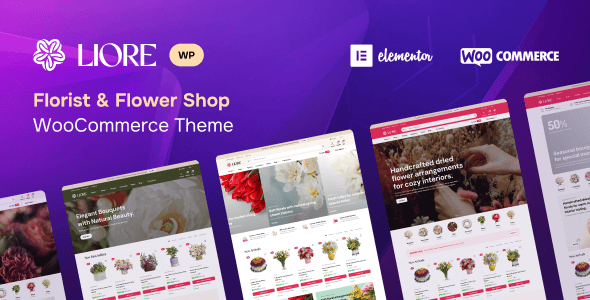
When looking for a WooCommerce theme suitable for a flower shop, Liore is undoubtedly a choice worth considering. This modern and elegant theme is specifically designed for florists, flower artists, plant boutiques, and floral gift shops. With its refined visual style and carefully crafted layout, it creates a delightful shopping experience for customers while fully showcasing the freshness and natural beauty of flowers.
Liore comes equipped with advanced AJAX shopping features, offering smooth product browsing, smart filtering, and quick cart interactions, all designed to enhance usability and conversion rates. The theme includes flexible product layouts, a modern floral display section, and full compatibility with the Elementor page builder, allowing you to customize every detail of your website without writing a single line of code.
Whether you sell handcrafted bouquets, seasonal floral arrangements, indoor plants, or plant-based gifts, Liore provides everything you need to create a stylish and professional online flower shop. Its elegant aesthetics blend seamlessly with practical WooCommerce functionality, making it ideal for modern floral businesses and lifestyle brands.
If you're looking to further improve your website's SEO performance, you can refer to related resources. You can also visit the official product page for more details.
Core Features and Benefits of the Liore Theme
Liore is not just visually impressive—it's also highly functional. Its AJAX cart and quick-view features allow customers to add products without refreshing the page, significantly improving shopping efficiency. The theme includes multiple homepage layouts and product display styles that can be flexibly adjusted to suit different flower shop aesthetics.
Why Choose Liore as Your Flower Shop WooCommerce Theme?
First, Liore has been deeply optimized for the visual presentation of the floral industry, with color schemes and typography designed to highlight the colors and forms of flowers. Second, the theme integrates seamlessly with WooCommerce, supporting multiple payment and shipping options for easy order and inventory management.
Additionally, Liore is compatible with the popular Elementor page builder, allowing you to design pages through simple drag-and-drop. The theme also includes multiple custom widgets and shortcodes for displaying promotional information, product categories, and more.
Installing and Getting Started with the Liore Theme
Installing the Liore theme is very simple. You can upload the theme ZIP file via "Appearance" -> "Themes" -> "Add New Theme" in your WordPress admin panel, or upload it via FTP to the themes directory. After activation, follow the installation wizard to import demo data and quickly build a professional flower shop website.
For Chinese users, Liore supports popular multilingual plugins such as WPML or Polylang, making it easy to build a multi-language site. The theme code follows WordPress standards and is highly compatible with commonly used plugins.
Frequently Asked Questions
How do I install the Liore theme?
In your WordPress admin panel, go to "Appearance" -> "Themes" -> "Add New Theme," click the "Upload Theme" button, select the Liore ZIP file, upload and install it, then activate the theme. To import demo data, please refer to the detailed steps in the theme documentation.
What scenarios is the Liore theme suitable for?
Liore is specifically designed for flower shops, florists, plant boutiques, and floral gift stores, making it ideal for selling fresh flowers, plants, bouquets, flower baskets, and similar products. Its elegant design also works well for lifestyle brands or home decor e-commerce websites.
Which WordPress plugins are compatible with the Liore theme?
Liore is compatible with the popular Elementor page builder, as well as commonly used plugins such as WooCommerce, Yoast SEO, and WPML. For a specific compatibility list, please refer to the official documentation to ensure the best experience.
How often is the Liore theme updated?
The update frequency depends on the developer's release schedule, but compatibility updates are typically provided after major WordPress or WooCommerce releases. We recommend enabling automatic updates or keeping an eye on the official changelog.


Comments (0)