
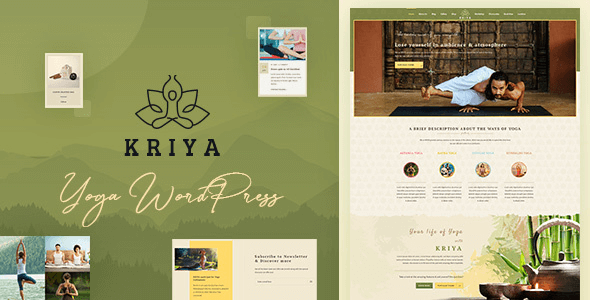
Kriya Yoga WordPress Theme: A Complete Solution Designed for the Health and Wellness Field
Kriya WordPress theme is a professional WordPress theme built specifically for yoga instructors, meditation centers, asana coaches, health and wellness centers, weight loss centers, fitness centers, and Indian culture and heritage development centers. Whether you run a modern yoga studio or an organization offering spiritual chakra, channeling, deity worship, dharma, enlightenment, and other services, Kriya can help you quickly build a fully functional and visually elegant website.
The theme comes with a rich set of built-in modules covering yoga pose displays, detailed yoga instructor information, mantras, yoga classes, workshops, and all the features needed for a yoga studio website. Without writing any code, you can adjust colors, fonts, and layouts through the intuitive customizer to make your website perfectly match your brand style. For yoga practitioners seeking efficient website building, Kriya provides a complete out-of-the-box framework.
Core Features and Modules of the Kriya Theme
The Kriya theme is deeply optimized around yoga and health and wellness scenarios. It offers a variety of pre-built page templates, including class listings, instructor introductions, event schedules, and blog layouts. You can use the WPBakery page builder (or Elementor, depending on the version) to freely combine page elements and achieve personalized page designs. The theme also integrates WooCommerce support, making it easy to sell yoga classes, memberships, or related products.
Yoga Classes and Instructor Display Modules
With Kriya's class module, you can easily publish class schedules, class details, and registration buttons. The instructor module allows you to display each instructor's photo, bio, specialties, and social media links, helping students better understand your team. These modules are all responsively designed and perform equally well on phones and tablets.
Meditation and Mental Wellness Content Support
Beyond yoga poses, Kriya also pays special attention to meditation and mental wellness content. You can create dedicated meditation class pages, mantra sharing sections, and dharma lecture information. The theme's typography style is calm and gentle, suitable for conveying the philosophy of physical and mental balance.
How to Install and Configure the Kriya Theme
Installing the Kriya theme is very simple. In the WordPress admin panel, go to "Appearance" -> "Themes" -> "Add New Theme," upload the theme ZIP file, and activate it. Then follow the prompts to install the recommended plugins (such as WPBakery Page Builder, Contact Form 7, etc.). Importing demo content can help you quickly set up the website framework, but it is recommended to back up existing data before importing. For more WordPress theme usage tips, you can refer to our resource site.
During configuration, you can adjust the site identity, color scheme, fonts, and homepage layout in "Appearance" -> "Customize." Kriya provides multiple widget areas and menu locations for flexible content organization. If you need more detailed setup instructions, please refer to the theme's official documentation.
Compatibility and Performance of the Kriya Theme
The Kriya theme is compatible with the latest WordPress version and has been tested to work well with major browsers (Chrome, Firefox, Safari, Edge). It supports responsive design, ensuring the website displays properly on all devices. The theme code follows WordPress coding standards and is optimized for loading speed, but actual performance also depends on the plugins you use and your server environment. It is recommended to use it together with caching plugins and image optimization tools.
Regarding page builder compatibility, Kriya is typically deeply integrated with WPBakery Page Builder, but may also support Elementor. Please refer to the official documentation or theme description for details. If you encounter issues during use, you can check the theme's support forum or contact the developer.
Frequently Asked Questions
How do I install the Kriya theme?
In the WordPress admin panel, go to "Appearance" -> "Themes" -> "Add New Theme," upload the theme ZIP file, and activate it. Then install and activate the recommended plugins and import the demo content to quickly set up your website. For detailed steps, please refer to the official documentation.
What types of websites is the Kriya theme suitable for?
Kriya is designed for yoga studios, meditation centers, health and wellness centers, fitness centers, weight loss centers, and Indian cultural institutions. It is also suitable for individual yoga instructors building personal brand websites.
Is the Kriya theme compatible with the latest version of WordPress?
Yes, the Kriya theme is regularly updated to remain compatible with the latest WordPress versions. It is recommended to back up your website before updating and to check the theme's changelog for compatibility notes.
How often is the Kriya theme updated?
The theme developer releases regular updates based on WordPress version updates and user feedback. For specific update frequency, please refer to the official page or the theme's changelog.

