
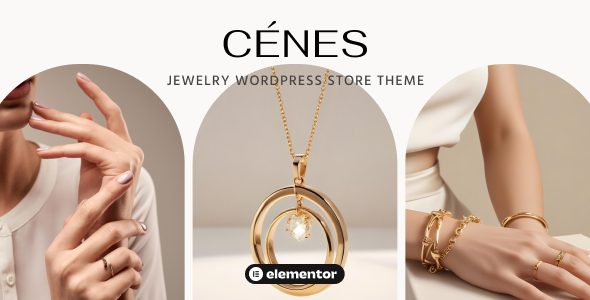
Cenes is a WordPress theme designed specifically for jewelry brands, seamlessly blending timeless elegance with modern design. Whether you are showcasing exquisite diamonds, personalized silver jewelry, or trendy accessories, Cenes makes your online store shine like a gem. The theme features a fully responsive layout, ensuring perfect visuals on desktops, tablets, and phones, allowing your customers to enjoy an immersive shopping experience on any device.
Core Advantages of the Cenes Jewelry WordPress Store Theme
Cenes deeply integrates with the Elementor page builder, allowing you to easily create a unique and stylish online store through drag-and-drop, perfectly reflecting your brand's personality. With a wealth of pre-designed templates and modules, you can build stunning jewelry display pages with just a few clicks. Additionally, the theme includes a built-in blog function, making it convenient for you to tell your brand story and share jewelry care knowledge, thereby bringing you closer to your customers.
WooCommerce Integration and E-commerce Features
Cenes works seamlessly with WooCommerce, providing a complete e-commerce solution. You can display products in an elegant layout, set up multi-attribute options (such as size, material), and support various payment gateways. The theme is optimized for conversion rates, including features like quick view, cart pop-ups, and a streamlined checkout process, helping you turn visitors into loyal customers. Learn more about best practices for WordPress e-commerce themes.
Installation and Activation Tutorial
Installing the Cenes theme is very simple. First, upload the theme file and activate it. Then, install the core plugin Neuron Builder (it is recommended to use version 1.0.2 provided on this site; test subsequent versions yourself). After that, install other required plugins online, and finally import the demo template. The activation process has been optimized to ensure you can use all features normally without a license.
Neuron Builder Activation Instructions
We have adjusted the license verification code for Neuron Builder: modified the is_license_activated function on line 713 of the file neuron-license-admin.php to always return true, thereby bypassing official verification. Other parts remain unchanged, ensuring the plugin's full functionality.
For more information, please visit the official product page.
Frequently Asked Questions
How to install the Cenes theme?
Upload the theme and activate it, then install the core plugin Neuron Builder (recommended to use the version provided on this site), install other dependency plugins, and finally import the demo data.
What scenarios is the Cenes theme suitable for?
It is suitable for online stores of high-end fashion brands such as jewelry, watches, and accessories, and can also be used to display art collections or luxury goods.
Which plugins is the Cenes theme compatible with?
It is mainly compatible with Elementor and WooCommerce, while also supporting most mainstream WordPress plugins, such as Yoast SEO, Contact Form 7, etc.
How often is the Cenes theme updated?
Please refer to the official documentation for specifics. Typically, the author updates regularly based on WordPress versions and security requirements.

