
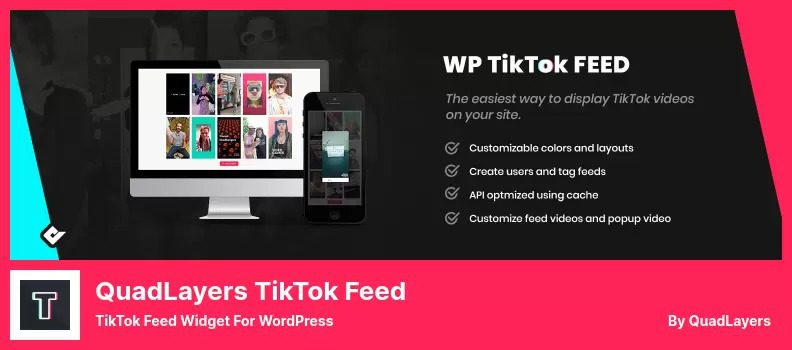
TikTok Feed PRO WordPress Plugin: The Essential Tool for Video Feed Sync
TikTok Feed PRO is a TikTok video feed synchronization plugin specifically designed for WordPress websites, helping site administrators easily embed TikTok content into their own sites. As the most user-friendly WordPress TikTok plugin, TikTok Feed PRO simplifies the integration process, reduces website update time, and ensures your site stays in sync with the best growth metrics from social media. Whether you're an individual blogger or a business website operator, this plugin provides you with an efficient and convenient TikTok video display solution.
With TikTok Feed PRO, you can seamlessly display TikTok video streams on your WordPress website without manually updating content — the plugin automatically syncs the latest TikTok videos. This not only enriches your website's content but also enhances user engagement and dwell time. If you're looking for a reliable TikTok video feed plugin, TikTok Feed PRO is undoubtedly your ideal choice.
Detailed Overview of TikTok Feed PRO's Core Features
TikTok Feed PRO offers a rich and powerful set of features to meet the needs of different users. Here are its key highlights:
Multiple User Account Support
The plugin allows you to add unlimited TikTok user accounts and display different video feeds on the same page or across your entire website. This means you can aggregate videos from multiple TikTok creators, providing your site with diverse content sources.
Video Popup Gallery
TikTok Feed PRO supports displaying videos in a popup gallery, allowing users to watch video content without leaving your website. This greatly enhances the user experience and reduces bounce rates.
Multiple Video Layouts
You can display video feeds in gallery or masonry layouts, flexibly adapting to different page design styles and making your website more visually appealing.
Customizable Video Types
Choose which video types to display in the gallery: static images, animated gifts, or full videos. You can switch flexibly based on content needs to optimize the display effect.
Video Mask Customization
Customize the colors of video masks and data to display personalized styles in the comments and likes areas, keeping your website consistent with your brand image.
Data Cache Optimization
The plugin uses an automated process to cache data received from TikTok, minimizing the number of requests, significantly reducing loading times, and improving website performance.
Why Choose TikTok Feed PRO?
Compared to other TikTok plugins, TikTok Feed PRO excels in both ease of use and feature completeness. Its installation and configuration process is simple and intuitive, allowing even users without a technical background to get started quickly. Additionally, the plugin is continuously updated to ensure compatibility with the latest TikTok API and constantly optimizes performance. If you want to add TikTok video streams to your website, this plugin is your best choice. Related resource recommendation: More WordPress plugin tips.
Installation and Activation Tutorial
Installing TikTok Feed PRO is very simple. You can upload the plugin package through the plugin installation feature in the WordPress admin panel, or manually upload it to the /wp-content/plugins/ directory. After activating the plugin, go to the settings page, enter any email address and license key to complete activation. Plugin version v4.3.9 has been tested and verified to work, and the activation process is smooth without any issues. For detailed steps, please refer to the official documentation or watch our video tutorial.
Frequently Asked Questions
How do I install the TikTok Feed PRO plugin?
You can upload the plugin zip file via "Plugins" > "Add New" in the WordPress admin panel, or manually upload it via FTP to the plugin directory. After activation, enter your email and license key on the settings page to complete activation. For detailed steps, please refer to the official documentation.
What scenarios is TikTok Feed PRO suitable for?
It is suitable for any WordPress website that wants to display TikTok content, such as corporate websites, news media, blogger aggregation pages, marketing campaign pages, and more. It helps you enrich your content and attract more visitors.
Which WordPress versions are compatible with TikTok Feed PRO?
The plugin is compatible with most modern WordPress versions. We recommend using the latest version of WordPress for optimal performance. For specific compatibility information, please refer to the official documentation.
Will the plugin be updated frequently?
Yes, the plugin is regularly updated to maintain compatibility with the TikTok API and fix potential issues. We recommend enabling automatic updates to ensure you always use the latest version.
Will using TikTok Feed PRO affect website speed?
The plugin has a built-in caching mechanism that reduces external requests, thereby lowering loading times. Properly configuring cache options can maximize website performance optimization.

