
Nexter Blocks Pro v5.0.7 Gutenberg Editor Enhancement Plugin Comprehensive Analysis
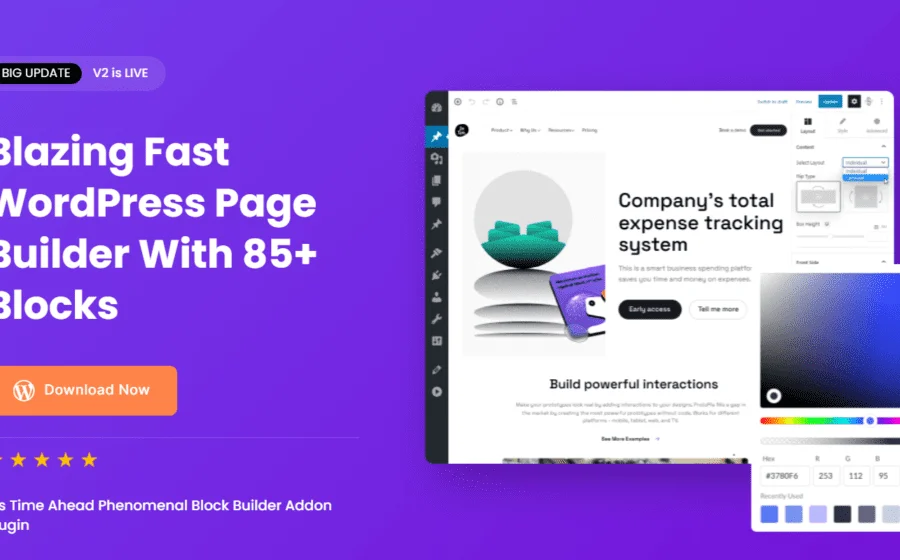
Nexter Blocks Pro (formerly The Plus Addons for Block Editor Pro) is a professional enhancement plugin built specifically for the WordPress Gutenberg editor, offering over 85 advanced blocks and 300+ pre-built UI templates, covering powerful features such as blog builder, WooCommerce builder, mega menu, gallery filtering, Ajax live search, magic scroll, responsive data tables, page loading animations, social media aggregation, Google and Facebook reviews, vertical and horizontal mega menus, global dark mode, and more. Whether you are a designer or a developer, Nexter Blocks Pro can completely transform your Gutenberg editing experience. For more WordPress resources, visit bobohello.com.
Official link: The Plus Blocks Official Website
Core Features and Advantages of Nexter Blocks Pro
Nexter Blocks Pro upgrades the Gutenberg editor from a basic content editing tool to an all-in-one page builder. Its 85+ advanced blocks cover everything from typography and image display to dynamic content, while 300+ pre-built templates make rapid site building possible. The WooCommerce builder allows you to customize product pages, shopping carts, and checkout processes without writing any code. The mega menu feature supports multiple columns, icons, and dynamic content, greatly enhancing the navigation experience. Additionally, interactive features such as Ajax live search, gallery filtering, and magic scroll can significantly improve user engagement.
Nexter Blocks Pro Installation and Usage Tutorial
Installing Nexter Blocks Pro is very simple: upload the plugin zip file to the WordPress dashboard, activate it, then follow the prompts to install the base plugin (usually the Nexter Blocks core plugin), and you will immediately see the new blocks in the Gutenberg editor. All features are activated and ready to use. It is recommended to back up your website before installation and ensure your WordPress version is up to date. For details, please refer to the official documentation.
Why Choose Nexter Blocks Pro Over Other Page Builders?
Unlike standalone page builders such as Elementor or Beaver Builder, Nexter Blocks Pro is deeply integrated into the Gutenberg editor, requiring no learning of a new interface and reducing the risk of plugin conflicts. At the same time, it maintains lightweight code output, which benefits website performance. For users already accustomed to Gutenberg, Nexter Blocks Pro is the most natural enhancement choice. Its rich template library and modular design also make website maintenance and updates more efficient.
Frequently Asked Questions
How do I install Nexter Blocks Pro?
In the WordPress dashboard, click "Plugins" -> "Add New" -> "Upload Plugin," select the downloaded zip file to install and activate. After activation, follow the prompts to install the base plugin. For details, please refer to the official documentation.
Which page builders does Nexter Blocks Pro support?
Nexter Blocks Pro is designed exclusively for the Gutenberg editor (Block Editor) and is not compatible with other builders such as Elementor. It directly extends Gutenberg blocks, providing a more native experience.
Is Nexter Blocks Pro compatible with the latest WordPress version?
Nexter Blocks Pro v5.0.7 has been tested and is compatible with WordPress 6.x and higher. It is recommended to keep both WordPress and the plugin updated to the latest versions for optimal performance.
How often is Nexter Blocks Pro updated?
The development team regularly releases updates to fix bugs and add new features. Typically, there is a major update every month or quarter. For details, please refer to the official documentation.
Does Nexter Blocks Pro support WooCommerce?
Yes, Nexter Blocks Pro includes a WooCommerce builder that allows you to customize product pages, shopping carts, checkout pages, and more. Make sure the WooCommerce plugin is installed.

