
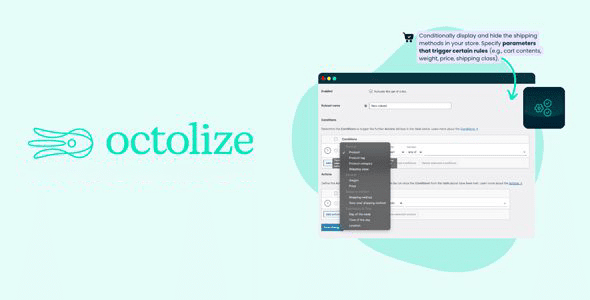
The WooCommerce Conditional Shipping Methods plugin allows you to dynamically show or hide shipping methods based on custom rules, enhancing the checkout experience. This plugin supports conditions based on free shipping eligibility, products, shipping classes, weight, price, destination, time, and more, and is compatible with real-time shipping plugins like UPS and FedEx. Below are the core features of this plugin.
Core Features of Conditional Shipping Methods for WooCommerce
This plugin offers a rich set of conditional rules to help you precisely control the visibility of shipping methods.
Shipping Display Based on Free Shipping Eligibility
When customers meet free shipping conditions (such as reaching a minimum amount threshold or selecting zero-cost shipping), other shipping methods are automatically hidden to simplify the checkout process.
Display Control for Specific Products
Achieve flexible control by hiding corresponding shipping methods when specific products, categories, or tagged items are included in the cart.
Display Control Based on Shipping Classes
Manage the display of shipping methods based on the shipping classes of products in the cart.
Weight-Based Display
Decide whether to show specific shipping methods based on the total cart weight or package weight.
Price-Based Display Control
Differentiate shipping methods based on the total cart or package price, optimizing the shopping experience based on order value.
Destination and Time-Based Display Control
Show or hide shipping methods based on customer location, day of the week, and specific time periods, providing context-aware shipping options.
View Control Based on Shipping Methods
Dynamically control display based on currently available shipping methods to ensure a smooth user experience.
Conditional Logic
Supports "OR"/"AND" logic to combine multiple conditions, building complex rule sets.
Support for Real-Time Shipping
Seamlessly integrates with real-time shipping plugins for UPS, FedEx, USPS, or DHL Express, offering flexible management of real-time shipping display.
Want to learn more WordPress optimization tips? Check out our WordPress Performance Optimization Guide.
Plugin Installation and Usage
After installation, you can find the shipping method conditional rules configuration interface in WooCommerce settings. Official documentation and step-by-step guides are available to help you get started quickly.
Frequently Asked Questions
How to Install Conditional Shipping Methods for WooCommerce?
Search for the plugin name on the WordPress admin plugin installation page, or upload the plugin ZIP file to install and activate it.
Does This Plugin Support Multisite?
Please refer to the official documentation for specifics; it generally supports WordPress multisite networks.
Which WooCommerce Versions Is the Plugin Compatible With?
The plugin is compatible with WooCommerce 3.0 and above; it is recommended to keep the latest version.
Is There a Localized Version of the Plugin?
This resource provides an official localized version, with language packs including Chinese translations.
How Often Is the Plugin Updated?
Developers regularly update the plugin to ensure compatibility with the latest WooCommerce and WordPress versions; it is advised to follow the official changelog.


Comments (0)