
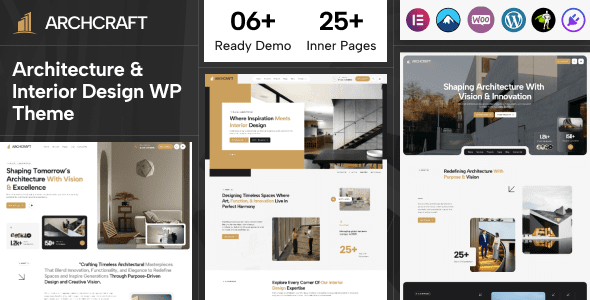
Archcraft is a WordPress theme designed for architecture firms, interior design, exterior design, furniture design, architectural business, and construction design fields. It features a fully responsive layout, Retina HD display support, and easy-to-customize backend options, helping you build a professional and stunning website in no time. This article provides a detailed introduction to the core features, use cases, and advantages of the localized version of the Archcraft theme.
Detailed Overview of Archcraft Theme Core Features
The Archcraft theme comes with a wealth of demo templates and page builder integration, allowing you to create beautiful portfolio pages without writing code. Its powerful theme options panel supports comprehensive customization of colors, fonts, layouts, and more, meeting the personalized needs of different brands. Additionally, the theme is optimized for SEO, ensuring your website ranks well in search engines.
Responsive Design and Retina Support of the Archcraft Theme
In today's mobile-first world, a responsive website is crucial. The Archcraft theme perfectly adapts to various screen sizes, delivering optimal visual effects from phones to desktops. Meanwhile, Retina HD display support ensures images and text remain sharp and clear on high-resolution screens, enhancing user experience.
Use Cases for the Archcraft Theme
Whether for architecture firms, interior design studios, furniture brands, or construction companies, Archcraft offers suitable solutions. Its built-in variety of demo styles (such as modern, minimalist, and industrial) can be imported with one click, quickly building a website aligned with your brand identity. Through related resources, you can learn more about leveraging the Archcraft theme to enhance your online presentation.
Localization and Installation of the Archcraft Theme
For Chinese users, we offer an exclusive localized version of the Archcraft theme, ensuring both the backend interface and frontend text are in Simplified Chinese, lowering the barrier to use. The installation process is simple: upload the theme file, activate it, and import demo data. For specific steps, please refer to the official documentation or our installation guide.
Compatibility and Updates of the Archcraft Theme
The Archcraft theme is compatible with mainstream WordPress versions and popular plugins (such as Elementor, WooCommerce). Developers release regular updates to fix bugs and add new features; it is recommended to keep the theme up to date to ensure security and performance. For more technical details, please visit the official product page.
Frequently Asked Questions
How to install the Archcraft theme?
After downloading the theme package, upload and activate it via the WordPress backend under "Appearance > Themes > Add > Upload Theme," then import the demo data.
Which page builders does the Archcraft theme support?
The Archcraft theme is compatible with mainstream page builders like Elementor and WPBakery. For a specific list of supported builders, please refer to the official documentation.
Is there a localized version of the Archcraft theme?
Yes, we offer an exclusive localized version that has translated most backend and frontend text, making it convenient for Chinese users.
How often is the Archcraft theme updated?
Developers release regular updates based on WordPress versions and user feedback; it is recommended to keep an eye on the official changelog.
Is the Archcraft theme compatible with WooCommerce?
Yes, the Archcraft theme supports the WooCommerce plugin and can be used to build an online store.


Comments (0)