
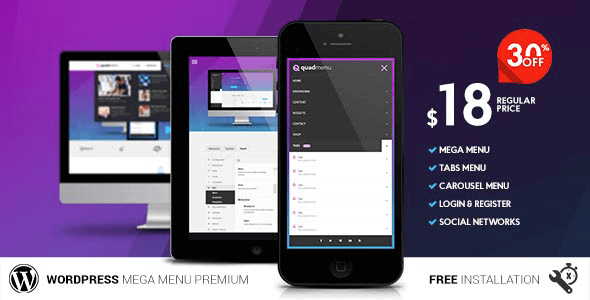
QuadMenu v3.2.2: An Essential WordPress Mega Menu Plugin for Developers
QuadMenu is a WordPress mega menu plugin designed for both regular users and developers, aiming to provide a powerful out-of-the-box menu solution for your theme projects. Whether you're building a corporate site, blog, or e-commerce website, QuadMenu helps you quickly create responsive, multi-functional mega menus to enhance your site's navigation experience. The current version v3.2.2 has been tested and verified—once installed and activated, you can enjoy all its core features.
QuadMenu Core Features and Highlights
QuadMenu was designed from the ground up with theme developers in mind, allowing menu functionality to be integrated directly into themes. It supports responsive layouts, ensuring menus display perfectly on both desktop and mobile devices. The plugin offers extensive customization options, including menu item icons, dropdown animations, multi-column layouts, and more, enabling you to build professional mega menus without writing any code.
Why Choose QuadMenu as Your WordPress Menu Plugin
Compared to other menu plugins on the market, QuadMenu is lightweight and efficient, without slowing down your website. It's compatible with most popular WordPress themes and is continuously updated to work with the latest versions of WordPress. For developers, QuadMenu provides detailed documentation and hooks for easy secondary development. If you're looking for more quality WordPress resources, visit bobohello.com to discover more plugins and themes.
QuadMenu Installation and Usage Tutorial
Installing QuadMenu is very simple: In your WordPress admin, go to "Plugins" -> "Add New", upload the QuadMenu v3.2.2 zip file, activate it, then follow the prompts to install the base version plugin online, and you can start configuring it under "Appearance" -> "Menus". You can assign menus to multiple locations and use the live preview feature to adjust styles. For detailed advanced settings, please refer to the official documentation.
Official link: QuadMenu Official Page
Frequently Asked Questions
How do I install QuadMenu?
In your WordPress admin, go to the Plugins page and click "Add New Plugin", upload the downloaded QuadMenu v3.2.2 zip file, then install and activate it. After activation, follow the prompts to install the base version plugin and you're ready to go.
What use cases does QuadMenu support?
QuadMenu is suitable for all types of WordPress websites, especially corporate sites, news portals, and e-commerce websites that require complex navigation menus. It supports multi-level dropdown menus, icon menus, and responsive layouts.
Is QuadMenu compatible with the latest version of WordPress?
QuadMenu v3.2.2 is compatible with WordPress 6.x and is continuously updated to ensure compatibility. We recommend using the latest version of WordPress for the best experience.
How often is QuadMenu updated?
The QuadMenu development team regularly releases updates to fix bugs and add new features. You can check update notifications in your WordPress admin or follow the official page for the latest version information.

