
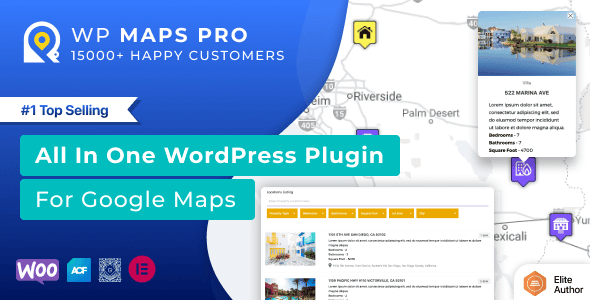
Store Locator for WordPress 6.1.9 Plugin Overview
Store Locator for WordPress 6.1.9 is a professional-grade WordPress plugin designed for users who need to display physical store locations, branch offices, or any geographic points on their website. The plugin natively supports three major map engines—Google Maps, OpenStreetMap, and MapBox—allowing you to create a feature-rich location system without writing any code. Whether for retail chains, restaurants, or service outlets, Store Locator for WordPress significantly enhances visitors' offline conversion experience through intuitive list displays, customizable info windows, route planning, navigation directions, marker clustering, nearby location search, and location management based on custom post types.
As a mature WordPress plugin, Store Locator for WordPress 6.1.9 excels in compatibility and extensibility. It allows you to add detailed addresses, phone numbers, business hours, images, and custom fields to each location, and supports quickly narrowing search results through filters. If you're looking for a reliable map location solution, you may also refer to more WordPress resource recommendations for companion tools and best practices.
Core Features of Store Locator for WordPress
Store Locator for WordPress 6.1.9 offers over 100 configurable features, covering everything from basic map display to advanced interactions. Here are the most noteworthy capabilities:
Multi-Map Engine Support and Marker Clustering
The plugin allows you to freely switch between Google Maps, OpenStreetMap, and MapBox to meet different regional and privacy compliance requirements. The Marker Clustering feature automatically merges dense markers when zooming the map, avoiding visual clutter and improving loading performance. Each marker supports custom icons, info window content, and popup animations.
Route Planning and Navigation Directions
Visitors can directly get driving, walking, or cycling routes from their current location to the target location on the map, and jump to external navigation apps with one click. This feature is particularly critical for improving offline store visits, especially for multi-store chain businesses.
Custom Post Types and Filters
Store Locator for WordPress stores each location as a custom post type, making it easy to manage in bulk from the backend. Frontend filters support filtering results by category, tag, custom field, or distance range, helping users quickly find the nearest or most suitable locations.
Installation and Use Cases of Store Locator for WordPress
Installing Store Locator for WordPress 6.1.9 is very simple: in the WordPress backend, go to "Plugins" -> "Add New", upload the plugin ZIP file and activate it. After activation, you can configure the map API key (required for Google Maps), default map engine, initial zoom level, and center coordinates on the settings page. Then add store information through the "Locations" menu and embed the map into any page using shortcodes or blocks.
The plugin is suitable for various scenarios: retail chains displaying nearby stores, real estate websites marking property locations, event organizers publishing venue distributions, logistics companies displaying service outlets, and more. For sites requiring multilingual support, Store Locator for WordPress is compatible with mainstream translation plugins, making it easy to achieve a localized interface. If you want to further optimize your website performance, you can refer to the relevant suggestions in the WordPress Performance Optimization Guide.
Official documentation and changelogs are available on the official plugin page. It's recommended to check regularly for the latest features and security patches.
Frequently Asked Questions
How to install Store Locator for WordPress?
In the WordPress backend, go to "Plugins" -> "Add New" -> "Upload Plugin", select the ZIP file to install and activate. After activation, you need to configure the map API key in the settings (if using Google Maps). Please refer to the official documentation for detailed steps.
Which map services does the plugin support?
Store Locator for WordPress 6.1.9 supports three map engines: Google Maps, OpenStreetMap, and MapBox. You can switch between them at any time in the settings.
Is it compatible with the latest WordPress version?
The plugin is continuously updated to be compatible with the latest WordPress core versions. For specific compatibility information, please refer to the "Compatibility" section of the official documentation.
How to update the plugin?
The update frequency depends on the developer's release schedule. Updates can usually be completed through the plugin update notifications in the WordPress backend, or by downloading the latest version from the official page and manually uploading it to overwrite. It's recommended to back up your website before updating.


Comments (0)