
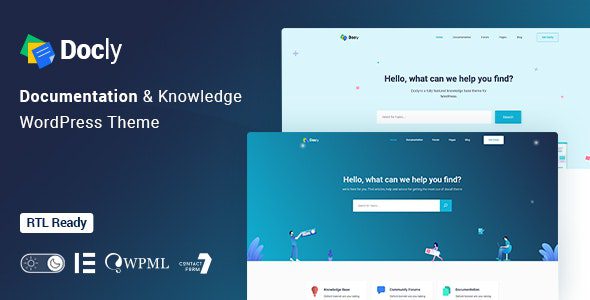
Docly WordPress Theme: The Top Choice for Building Professional Documentation and Knowledge Base Websites
The Docly WordPress theme is a premium theme specifically designed for documentation, knowledge bases, help centers, and online support platforms. It is powerful, responsive, and high-performing, helping you quickly build online documentation for your next product. Whether it's APIs, frameworks, plugins, software, or templates, Docly enables you to efficiently create interactive documentation with full mobile support, providing users with a seamless browsing experience.
For businesses and individuals alike, Docly is the perfect choice for creating fully functional and user-friendly documentation or support websites. Its arrival has made presenting technical documentation simple and elegant, greatly enhancing the efficiency of information delivery.
Core Features and Highlights of the Docly Theme
The Docly theme comes packed with rich features designed to meet all the needs of a modern documentation website. Here are some standout highlights:
Responsive Design and Knowledge Base Management
Docly features a fully responsive design, ensuring perfect display on desktops, tablets, and mobile phones. Its built-in knowledge base functionality allows you to easily create, categorize, and manage documents, guides, tutorials, and FAQs, making it ideal for technical support or product documentation projects.
Powerful Search and Content Display
The efficient full-text search feature lets users quickly locate the content they need, even searching within document details. Additionally, Docly supports multiple article formats such as text, video, and images, and offers code highlighting for technical documentation, making code examples clear and easy to read.
Customization and SEO Optimization
The theme offers extensive customization options, including colors, fonts, layouts, and more, making it easy to match your brand style. Furthermore, Docly is SEO-optimized, helping improve the ranking of your documentation and articles in search engines and increasing website visibility.
Community and Commerce Extensions
Docly integrates seamlessly with bbPress and BuddyPress, supporting the creation of forums or communities to provide users with an interactive platform. It also supports WooCommerce, making it convenient to sell digital or physical products. The theme also supports RTL languages and multilingual websites, catering to a global audience.
Installation and Usage Guide for the Docly Theme
Installing the Docly theme is very simple: upload the theme file and activate it, then install the recommended plugins online, and finally import the demo template. If some content fails to import successfully, simply repeat the process a few times. No activation is required throughout the process to use all features. For more details, refer to the related documentation.
For official information, you can visit the official theme page to learn more.
Frequently Asked Questions
How do I install the Docly theme?
To install the Docly theme, simply upload the theme file and activate it, then install the recommended plugins and import the demo template. Please refer to the official documentation for detailed steps.
What scenarios is the Docly theme suitable for?
Docly is suitable for creating product documentation, knowledge bases, help centers, technical support websites, and online communities. Whether you are a software company, hardware manufacturer, or service provider, you can benefit from it.
Which WordPress versions are compatible with the Docly theme?
The Docly theme is generally compatible with the latest version of WordPress, but please refer to the official documentation for specific version requirements.
How often is the Docly theme updated?
The update frequency depends on the developer's release schedule. It is recommended to regularly check the official changelog to get new features and fixes.

