
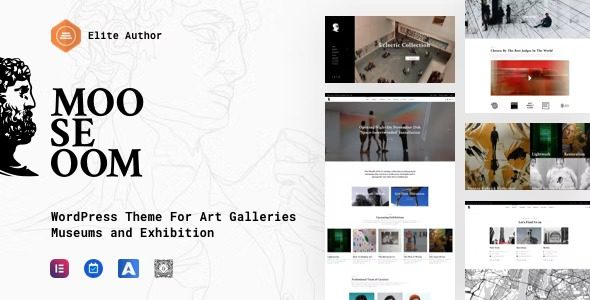
Mooseoom WordPress Theme: A Complete Solution for Art Galleries and Exhibitions
Mooseoom is a WordPress theme designed specifically for art galleries, museums, and exhibition scenarios, powered by the Aheto plugin with a large number of niche features and modules built in. Whether you want to build a portfolio showcase site for an independent artist or create an online exhibition platform for a large museum, Mooseoom provides ready-to-use page structures and visual components. It includes service pages customized for service needs, as well as dedicated pages for About Us, Leadership, Locations, Magazine, Awards, Exhibitions, Galleries, and more, helping you complete a professional-grade website in a short time. It's worth mentioning that Mooseoom is not limited to the art field—with flexible adjustments, it is equally suitable for creative agencies, cultural centers, event planning, and a wide range of other scenarios.
Mooseoom's Core Features and Design Highlights
As a WordPress theme aimed at the art industry, Mooseoom fully takes into account the actual operational needs of galleries and exhibitions in its functional design. It offers a variety of preset layouts and modules, making content presentation more immersive.
Page Templates Optimized for Art Exhibitions
Mooseoom comes with built-in page templates for exhibition lists, exhibition details, artist profiles, gallery grids, and more. Each template is carefully designed to ensure artworks are presented in the best possible way. You can quickly adjust layouts, colors, and fonts through the Aheto plugin, completing brand customization without writing any code.
Deep Integration with the Aheto Plugin
The Aheto plugin provides Mooseoom with a rich set of elements and blocks, including sliders, carousels, portfolios, pricing tables, team showcases, and more. These components are all adapted for art scenarios and can be used directly via drag and drop, greatly lowering the barrier to building a site. If you're interested in other resources in the WordPress ecosystem, you can refer to BoboHello Resource Site for more theme and plugin recommendations.
Mooseoom's Use Cases and Extensibility
Although Mooseoom is positioned as an art gallery and exhibition theme, its actual range of applications goes far beyond that. Many users have used it for photography studios, design companies, cultural foundations, and even personal portfolio websites. The theme's modular structure allows you to freely combine page blocks and quickly build a website that fits your own business logic. In addition, Mooseoom is highly compatible with mainstream page builders, so you can choose the appropriate workflow based on your team's habits.
If you'd like to learn more technical details about Mooseoom or get official support, you can visit the official page to check the latest version and documentation.
Frequently Asked Questions
How do I install the Mooseoom theme?
Installing the Mooseoom theme follows the same steps as other WordPress themes: upload the theme ZIP file in the admin under "Appearance" -> "Themes" and activate it, then install and activate the Aheto plugin as prompted. For specific instructions, please refer to the official documentation.
What types of websites is Mooseoom suitable for?
Mooseoom is primarily aimed at art galleries, museums, and exhibition planning agencies, while also being suitable for photography studios, creative agencies, cultural centers, and other scenarios that need to showcase visual works.
Is Mooseoom compatible with the latest version of WordPress?
Mooseoom is regularly updated to remain compatible with the latest WordPress core. It is recommended to back up your website before updating and check the official changelog to confirm compatibility. For details, please refer to the official documentation.
How often is Mooseoom updated?
The theme's update frequency depends on the development team's release schedule, typically releasing new versions after major WordPress updates or when important issues are discovered. You can get update notifications through official channels.


Comments (0)