
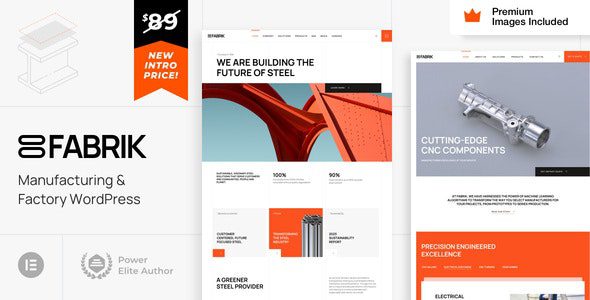
Fabrik WordPress Theme: A Professional Solution for the Industrial Manufacturing Sector
Fabrik WordPress Theme is a niche theme built specifically for the industrial sector, suitable for businesses in agriculture, construction, fishing, forestry, and manufacturing. Whether you are a user with zero programming experience or a seasoned developer, Fabrik provides targeted design support. The theme is fully compatible with Elementor and Elementor Pro, enabling highly customized page building without writing any code. The package includes $340 worth of Getty Images premium stock photos for free, and all images on the demo site can be used directly in your project without purchasing additional licenses.
Fabrik's theme code only extends Elementor and Elementor Pro widgets and adds cool styles and animations, which ensures long-term stability and security. You can also choose to remove the theme code from widgets one by one to keep your website lightweight. The theme comes with extensive setup guides and 23 HD video tutorials, making it easy even for beginners to get started quickly. The average support response time is 8 hours, ensuring you get timely help when you encounter issues.
If you are looking for more high-quality WordPress resources, you can visit bobohello.com for a rich collection of themes and plugins. The best practice with Fabrik is that you only need WordPress + Elementor + Elementor Pro, with no need to learn a new theme options panel, greatly reducing the learning curve. Elementor Pro's global styles panel serves as the theme panel, providing full control over mobile and tablet versions as well as custom breakpoints, while also supporting RTL layouts.
Fabrik Theme's Core Features and Advantages
Fabrik uses Elementor Pro to build headers, footers, dynamic content layouts (including products, blog posts, blog and product archives, 404 pages, maintenance mode pages, etc.), and also supports mega menus, forms, and popups. Dynamic content layouts will soon include pattern pages and search results pages. These features make Fabrik an ideal choice for manufacturing and factory websites. The theme's demo content importer and theme settings require Elementor Pro support, so it is recommended that you also install Elementor Pro to unlock all features.
Official link: Fabrik Official Page. On the official page, you can view the latest demos and changelogs to ensure you get the most accurate product information.
Fabrik Theme Installation and Usage Tutorial
Installing the Fabrik theme is very simple. First, upload the theme file in the WordPress admin panel and activate it. Then, install and activate the required plugins. If clicking "Apply" does not install them automatically, you can install them manually one by one. Next, install Elementor Pro (which you can obtain from official channels), and finally import the demo template to start customizing. According to testing, Fabrik v25 can be installed and activated normally, and after installing the required plugins online, you can import the demo content and start using it. Specific steps may vary by version, so it is recommended to refer to the official documentation.
Frequently Asked Questions
What plugins does the Fabrik theme require?
The Fabrik theme requires the Elementor and Elementor Pro plugins. The demo content importer and theme settings features depend on Elementor Pro, so it is recommended to install the Pro version to unlock all features.
Is the Fabrik theme compatible with the latest version of WordPress?
The Fabrik theme is continuously updated and is generally compatible with the latest version of WordPress. For specific compatibility information, please refer to the official documentation or the theme changelog.
How do I import Fabrik's demo content?
After installing and activating Elementor Pro, you can import the demo template with one click through the theme's demo content importer. If automatic import fails, you can try importing manually or contact support.
How often is the Fabrik theme updated?
The Fabrik theme is regularly updated by the official team to fix bugs and add new features. The update frequency depends on the development schedule; please refer to the official documentation for details.
Does the Fabrik theme support multiple languages?
The Fabrik theme supports RTL layouts and can be used with multilingual plugins such as WPML. For specific multilingual support details, please refer to the official documentation.

