
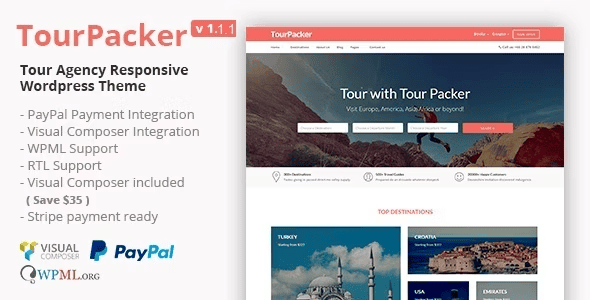
Tour Packer v2.0 is a WordPress theme built specifically for travel agencies and tour companies. Based on the Twitter Bootstrap framework, its overall design is clean and refreshing while keeping up with modern aesthetic trends. As a mature WordPress theme for the travel industry, it offers six different versions for you to choose from freely, and adopts a responsive layout that delivers consistent, high-quality visuals across mobile phones, tablets, and desktop devices. For travel agencies that need to quickly launch a business website, Tour Packer is a practical solution that balances efficiency and visual appeal.
Core Highlights of the Tour Packer WordPress Theme
The theme's biggest advantage lies in balancing industry-specific features with general website-building capabilities. Travel businesses typically need to showcase routes, destinations, prices, and booking entry points, and Tour Packer's page structure is organized around this information, allowing visitors to find key content faster. The grid system brought by the Bootstrap framework also keeps pages stable across various screen sizes, preventing misalignment or overflow.
The built-in Elementor page builder makes the setup process more intuitive. You don't need to write code—simply drag and drop modules to adjust the homepage, landing pages, and content blocks. For small and medium-sized travel agencies without dedicated developers, this visual editing approach can significantly reduce maintenance costs. If you'd like to further explore website-building ideas within the WordPress ecosystem, you can refer to related articles in WordPress Resources and Tutorials.
Six Versions and Responsive Experience
Tour Packer offers six different versions, covering common travel website display needs. You can choose a lighter version or a more feature-complete version based on your business stage, and then expand as needed later. The responsive feature is not simply adaptive scaling, but rather reorganizing content hierarchy at different breakpoints to ensure mobile visitors can smoothly browse route details and contact information.
The Practical Value of Elementor Drag-and-Drop Website Building
The addition of Elementor makes Tour Packer more than just a fixed template. You can reuse the modules provided by the theme or combine new blocks yourself for promotional campaign pages, seasonal route features, or destination guides. For the frequent update needs common in the travel industry, this flexibility means you don't have to redevelop from scratch every time you redesign.
It should be noted that the specific available modules and options will change with theme version updates. It's recommended to refer to the official documentation and the actual interface after installation. You can visit the Tour Packer official page for the latest information.
Applicable Scenarios and Usage Recommendations
Tour Packer is suitable for travel agencies, local tour operators, customized travel studios, and destination marketing websites. If your business focuses primarily on route display and inquiry conversion, you can prioritize building the homepage, route listings, and individual route detail pages; if brand presentation is the main focus, you can concentrate on the About Us and destination story sections. The theme's responsive foundation can reduce subsequent adaptation work, but content quality and image optimization still need to be managed on your own.
Before going live, it's recommended to check the usability of forms, maps, and booking entry points on mobile devices, and confirm that the plugins you use are compatible with the current WordPress version. Keeping the theme and plugins updated helps ensure a more stable experience.
Frequently Asked Questions
How do I install the Tour Packer theme?
Go to Appearance > Themes > Add New in the WordPress admin panel, select the theme installation package, upload it, and activate it. If your server limits upload size, you can place the theme folder into the wp-content/themes directory via FTP and then activate it. Please refer to the official documentation for specific steps.
What travel business scenarios is Tour Packer suitable for?
It's suitable for travel agencies, tour operators, customized travel, and destination showcase websites. It offers six versions, allowing you to choose the appropriate one based on different goals such as route display, brand promotion, or inquiry conversion.
Is this theme compatible with mobile devices?
Yes, Tour Packer uses a responsive design based on the Bootstrap framework and displays properly on mobile phones, tablets, and desktop devices. The actual result still depends on the content and image sizes you add.
How often is Tour Packer updated?
Theme updates are released by the official team. For specific frequency and update details, please refer to the official documentation or theme page description. It's recommended to back up your site before updating and verify compatibility in a testing environment.
Do I need to install Elementor separately?
Tour Packer is built on Elementor, so you typically need to install and activate Elementor to get the full drag-and-drop editing experience. For specific dependencies and version requirements, please refer to the official documentation.

