
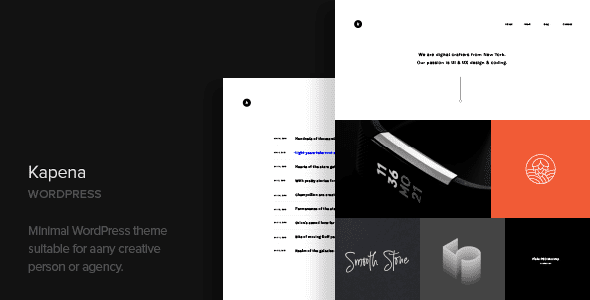
Kapena WordPress Theme: A Minimalist Solution That Lets Your Work Speak for Itself
Kapena is a minimalist portfolio WordPress theme built specifically for visual creators. Its core philosophy is "let the images do the talking"—interface elements are reduced to a minimum, and works fill the page in a grid layout, relying on the images themselves to deliver visual impact. It's especially suited to content types that don't need extensive text explanation, such as photography, art albums, and visual works. If you're looking for a WordPress theme that highlights your work and minimizes distractions, Kapena is worth a closer look.
Core Functional Mechanisms of the Kapena Theme
- Ajax loading: Both portfolio and blog support scroll loading or button loading, so pagination doesn't jump pages and the browsing experience stays smooth;
- 6 portfolio layouts: Offers different grid densities and image ratios to flexibly accommodate various portfolio display needs;
- Slider components: Built-in simple image slider and text slider for easily creating focal display areas;
- Shortcode generator: No need to hand-write tags when laying out content, lowering the barrier to operation;
- Multilingual support: Compatible with WPML and Polylang, and the .pot file can be used with Loco Translate for Chinese localization.
Technical Composition and Design Orientation
Kapena is produced by CocoBasic and includes a child theme, XML demo data, responsive layout, cross-browser compatibility, and detailed documentation. The design orientation is minimalist, leaving limited room for style changes, but precisely because of this, it's hard to make the finished product look bad. For portfolio sites pursuing a clean visual style, this restraint is actually an advantage.
Key Considerations in Practice
- Infinite scroll and SEO. Content loaded via scroll is often only indexed on the first page. For important works, it's recommended to create separate standalone pages and link them to each other to ensure search engines can crawl the core content.
- Image consistency. Minimalist layouts are very sensitive to image ratios; mixing landscape and portrait images looks messy, so uniform cropping dimensions are more reliable.
- Captions and metadata. Write the work title, year, and shooting location into the captions—these will be needed for exhibitions and licensing.
- Mobile loading volume. Loading too many large images at once causes lag, so it's advisable to reduce the number per batch as needed.
- Font selection. Minimalist style relies on the character of the font; Chinese sites should choose Chinese fonts with a complete range of weights.
Who Is the Kapena Theme Suitable For
Photographers and imaging creators, illustrators and visual designers, architecture and spatial photography, art album and portfolio websites, and minimalist creative studios are all ideal users of Kapena. There's a practical approach to arranging images in a minimalist layout: first crop to a uniform ratio, then group by project, keeping each group to six to nine images. Too many makes people lose patience, while too few makes the work seem insufficient. Write the project name and year clearly in the captions and reveal them on mouse hover—this keeps things clean without losing information.
For image cropping, it's recommended to process images uniformly locally before uploading; the cropping parameters in the theme are only for fine-tuning. If the original image sizes are inconsistent, no matter how you adjust on the front end, there will be blank space or distortion. Write the image file names and alt text clearly as well, for example "project name-category-year." This isn't just for accessibility—image search can also bring in some organic traffic. If you don't have many works yet, you can first build an "archive by year" structure, with one entry per year. This way, even with only a dozen or so projects, it looks systematic rather than scattered across a single page.
For more WordPress theme and plugin resources, see the curated recommendations at BoboHello Resource Site. For official information about the Kapena theme, visit the CocoBasic official page.
Frequently Asked Questions
How do I install the Kapena theme?
In the WordPress admin, go to Appearance - Themes - Add New Theme, upload the theme zip file, activate it, and then import the XML demo data to quickly set up the basic pages. For specific steps, please refer to the official documentation.
Which page builders does the Kapena theme support?
The Kapena theme has a built-in shortcode generator and can be used with common page builders, but for specific compatibility, it's recommended to refer to the official documentation or contact the developer to confirm.
Is the Kapena theme compatible with multilingual plugins?
Yes, Kapena is compatible with the WPML and Polylang multilingual plugins and provides a .pot file that can be used with Loco Translate for localized translation.
How often is the Kapena theme updated?
The theme update frequency is determined by the developer CocoBasic. It's recommended to follow the official channels for the latest version information; for details, please refer to the official documentation.
What types of websites is the Kapena theme suitable for?
Kapena is suitable for photography portfolios, art album displays, visual design works, architectural photography, and other image-centric websites, as well as minimalist creative studios.


Comments (0)