
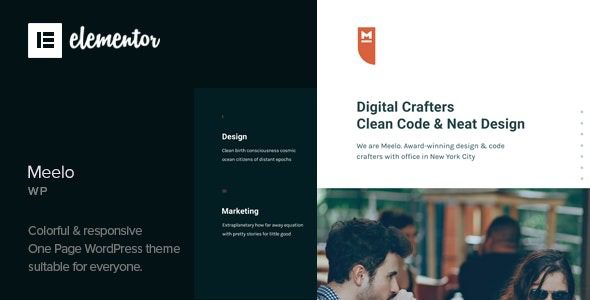
What Is the Meelo Corporate One-Page WordPress Theme?
The Meelo Corporate One-Page WordPress Theme is a one-page website solution designed specifically for startups, small studios, and single-service brands. It breaks down the core content needed for a corporate website into 11 pre-built sections—from homepage, services, portfolio, clients, news, skills, team, milestones, about, pricing, to contact—all integrated into a single scrolling page. Visitors don't need to click through menus to navigate; they can get a full picture of the company simply by scrolling, resulting in an extremely short decision path. For businesses with a single line of business and limited content, this structure can significantly reduce visitor bounce rates and boost inquiry conversions.
Core Technical Components of the Meelo Corporate One-Page WordPress Theme
The theme is built on the Elementor page builder, and all section content supports visual editing—no need to touch code to modify copy or images. A Revolution Slider component is included in the package for creating eye-catching hero visuals. Anchor navigation combined with smooth scrolling effects makes jumping within a long page feel natural and fluid. The portfolio uses a custom content type and supports Ajax loading, making it ideal for showcasing case studies. Additionally, the theme includes a child theme, XML demo data, and .pot translation files, and is compatible with WPML and Polylang multilingual plugins for easy future expansion.
Technical Advantages and Limitations of the One-Page Structure
The biggest advantage of a one-page site is the short decision path—customers don't need to search for information across multiple pages. But the drawbacks are equally obvious: too much content makes the page lengthy, and a single URL can only target one set of core keywords, so long-tail traffic needs to be captured through blog posts or subpages. Therefore, the Meelo Corporate One-Page WordPress Theme is better suited for scenarios with streamlined content and brand presentation and conversion guidance as core goals.
Practical Tips for the Meelo Corporate One-Page WordPress Theme
There are several details worth noting during use. First, anchor navigation items can feel crowded when there are many sections—on mobile, it's recommended to collapse them into a hamburger menu. Second, since a one-page site packs all content into a single URL, uncompressed images will noticeably slow down first-screen loading—be sure to enable caching and image optimization. Third, section order directly affects conversion; a reliable arrangement is: one-sentence positioning, three core services, two or three case studies, client logos, team, pricing or collaboration approach, contact. Placing the team before case studies can cause visitors to see the people before they've been convinced of your capabilities, leading to drop-off. Fourth, the rhythm of alternating dark and light backgrounds shouldn't be too rapid—switching every two sections is visually more stable. Fifth, for the pricing section, it's recommended to directly present three tiers—basic, standard, and custom—with deliverables clearly stated; simply writing "Contact us for a quote" will cause most visitors to stall at the price-comparison stage. Back up before making revisions, because changing one part of a one-page site can affect the entire layout.
If you're still evaluating other website-building solutions, you can browse the WordPress Theme Resource Library for more comparison references.
Who Is the Meelo Corporate One-Page WordPress Theme For?
This theme is suitable for startups and small studios, single-service brand owners, event and product launch pages, and corporate introduction sites that need to go live quickly. For teams looking to complete brand storytelling and drive inquiries within a single page, the Meelo Corporate One-Page WordPress Theme provides an out-of-the-box section framework. For official sites, it's recommended to use a legitimate license to receive updates and support; when testing section order and layouts locally, please verify file integrity. For more corporate website-building guidance, refer to the official documentation and community discussions.
Frequently Asked Questions
How do I install the Meelo Corporate One-Page WordPress Theme?
In the WordPress admin panel, go to Appearance > Themes > Upload Theme, upload the theme zip file and activate it, then import the included XML demo data to quickly restore the demo site. For detailed steps, please refer to the official documentation.
What plugins does this theme require?
The theme is built on Elementor, so the Elementor page builder needs to be installed. The Revolution Slider component is included in the package. For multilingual sites, it can be used with WPML or Polylang.
Is the Meelo Corporate One-Page WordPress Theme suitable for ranking for multiple keywords?
With a one-page structure, a single URL can only target one set of core keywords. Long-tail keywords are best captured through blog posts or standalone subpages. The theme itself is SEO-friendly in structure, but content strategy needs to complement it.
How often is the theme updated?
For specific update frequency, please refer to the official documentation or the release records of your licensed channel. It's recommended to keep the theme in sync with WordPress core versions to ensure compatibility.


Comments (0)