
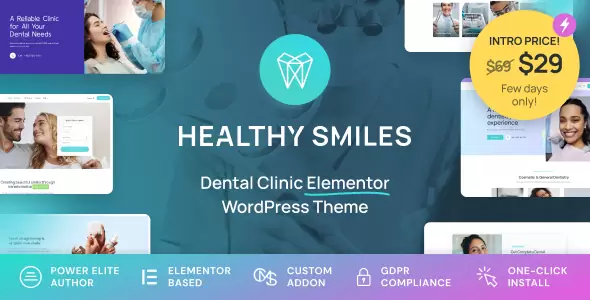
Healthy Smiles Dental WordPress Theme: A Website Building Solution Designed for Dental Clinics
Healthy Smiles Dental WordPress Theme is a professional website building tool for dental clinics and oral practices, addressing three core needs: clearly displaying treatment services, fully presenting dentist information, and smoothly guiding patients to make appointments. For medical websites, information accuracy and compliance are crucial, and this theme provides targeted support at the page-building and business component levels.
The theme uses the Elementor page builder and comes bundled with over 70 custom widgets and over 50 basic widgets, along with the Slider Revolution slider plugin. On the business side, it provides a doctor profile post type, doctor team page, dental service templates, service pages and service blocks, doctor and service scheduling blocks, and appointment form components. It is particularly important to note that the official documentation explicitly states that Peopleimages人物图 are not included in the main package and must be purchased separately with a license if needed. In addition, the scheduling blocks and appointment forms are display and lead-collection components, and are not equivalent to time-slot locking, duplicate appointment prevention, or online payment features; these capabilities require additional configuration.
Compliance Boundaries and Data Security Must Be Considered Upfront
Every piece of text on a medical website carries responsibility. Matters such as medical institution practice licenses, doctor practice qualifications, disclosure of treatment services and prices, patient authorization for before-and-after comparison images, statements about efficacy and success rates, and advertising review are regulated differently across regions. The theme itself does not provide qualification review, efficacy judgment, or legal advice, and this article does not constitute compliance advice; it is even less advisable to directly publish the placeholder doctor information from the demo.
Appointment forms collect names, phone numbers, and chief complaint information, which constitutes sensitive personal information. Be sure to enable HTTPS encrypted transmission, limit the visibility of backend data, clearly inform users of retention periods and deletion channels, and avoid forwarding chief complaint content casually via ordinary email. Before official launch, it is recommended to consult professional legal counsel to ensure that website content complies with local medical advertising and privacy protection regulations.
Healthy Smiles Theme Feature Details and Self-Preparation Checklist
| Item | Description |
|---|---|
| Page Building | Elementor; over 70 custom plus over 50 basic widgets included; Slider Revolution included |
| Business Components | Doctor profile post type; doctor team page; dental service templates and blocks; doctor and service scheduling blocks; appointment form components |
| Image Licensing | Official documentation states that Peopleimages人物图 are not included and must be purchased separately |
| Self-Supplementation Required | Practice licenses and doctor qualifications, treatment services and pricing standards, patient authorization, real doctor photos, appointment rules and email configuration, privacy statement |
It is recommended to first replace doctor information with real details, then import a second layout set. Each doctor should have an independently accessible page URL that clearly states their scope of practice and consultation hours, avoiding cramming multiple doctors into a single line of text under one group photo. Character images are not included, so please prepare authorized doctor photos and clinic photos before launch. For appointment functionality, after configuring the email service, submit a desensitized test entry yourself and verify whether the notification includes the name, intended service, and desired time; the automatic receipt should state "Received, we will confirm within [X] during business hours" rather than "Appointment successful." If time-slot locking and duplicate appointment prevention are needed, additional configuration and thorough testing are required. Do not stack widgets: the package already includes a large number of Elementor widgets, and installing other component packs on the same site may cause border radius and button styles to override each other.
Four Key Actions Before Launch
- Upload the theme from Appearance, install Elementor and the bundled widgets, then import only one demo set. Re-save permalinks, check menus and the static homepage, and delete sample doctors and demo images; if empty blocks appear on the front end, check whether Elementor is enabled. For page foundations, you can refer to Elementor Pro-related resources; for the hero slider, check Slider Revolution; do not stack another large component pack on the same site. For comparison, you can refer to Essential Addons for Elementor Pro, and keep only one set of similar widgets.
- Make doctors, services, and prices into verifiable entries. Scope of practice, consultation hours, and service descriptions can be uniformly named using ACF Pro or Meta Box AIO; service and price comparison tables can use Ninja Tables Pro or wpDataTables; for galleries, you can check Envira Gallery, and manage assets in folders with FileBird Pro; for multilingual and RTL support, use WPML.
- The appointment process must be tested in practice. After configuring SMTP email sending, submit a desensitized test, confirm the notification content and automatic receipt wording; check the visibility of backend data, and set retention periods and deletion channels.
- Verify compliance content item by item. Practice license, doctor qualifications, price disclosure, patient authorization forms, and privacy policy pages are all indispensable; before-and-after comparison images must have written authorization; efficacy statements should avoid absolute wording.
Frequently Asked Questions
How do I install the Healthy Smiles theme?
Upload the installation package in the WordPress backend under Appearance - Themes - Upload Theme. After activation, install and activate the Elementor plugin and bundled widgets, then import one demo content set. Please refer to the official documentation for specific steps.
What use cases is this theme suitable for?
It is suitable for official websites of dental clinics, oral practices, orthodontic specialty practices, and other medical institutions, used to display treatment services, doctor teams, and appointment entry points. It is also suitable for pages involving dental services in medical aesthetics institutions.
Is the theme compatible with the latest version of WordPress?
The theme is updated with version releases to adapt to WordPress core versions. It is recommended to check the official changelog before use to confirm compatibility. Please refer to the official documentation for details.
Can the appointment form prevent duplicate appointments?
The bundled appointment form components are mainly used for display and lead collection, and do not include time-slot locking or duplicate appointment prevention logic. If this functionality is needed, a third-party appointment system must be integrated separately and thoroughly tested.
How often is the theme updated?
The update frequency depends on the official release schedule. It is recommended to follow the official changelog for the latest version information. Please refer to the official documentation for details.


Comments (0)