
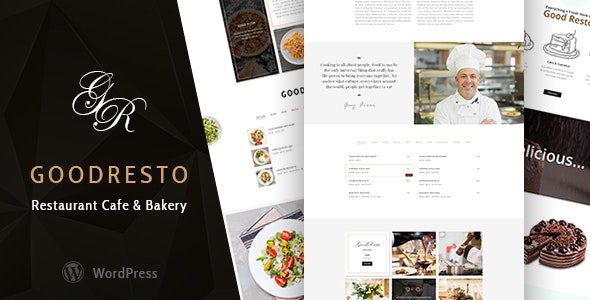
GoodResto v5.1 Restaurant WordPress Theme: A Complete Solution for Food and Beverage Brands
GoodResto v5.1 is a versatile WordPress theme designed specifically for restaurants, cafes, and bakeries. It integrates WooCommerce store functionality and offers a complete demo site with one-click import, allowing you to quickly build a professional restaurant website without writing any code. Whether you run a small cafe or a chain of restaurants, GoodResto helps you attract more customers through highly customizable layouts and smooth animations.
Why Choose the GoodResto Restaurant WordPress Theme?
GoodResto is more than just a good-looking restaurant WordPress theme — it focuses on practicality and performance. The theme comes with multiple pre-built page templates, including menu displays, online ordering, chef teams, event reservations, and more, covering the common needs of restaurant operations. Additionally, GoodResto is fully responsive, delivering perfect results on mobile phones, tablets, and desktop devices. If you're looking for more high-quality WordPress resources, visit bobohello.com for the latest themes and plugins.
Key Features of GoodResto
GoodResto v5.1 offers a rich set of feature modules:
- One-Click Demo Import: Quickly replicate demo site content and save setup time.
- WooCommerce Integration: Supports online sales of dishes, ingredients, or merchandise.
- Drag-and-Drop Page Builder: Compatible with popular editors like Elementor for free layout design.
- Pre-built Menus & Reservation System: Display dishes and accept table reservations.
- Animations & Interactive Effects: Eye-catching scroll animations and hover effects to enhance user experience.
For a more detailed feature list, please refer to the GoodResto official page.
GoodResto Theme Installation and Usage Guide
Installing GoodResto is very simple. First, go to "Appearance" > "Themes" in your WordPress dashboard, upload the theme ZIP file, and activate it. Then, follow the prompts to install the recommended plugins (such as WooCommerce, Elementor, etc.). Finally, use the "One-Click Import" feature to load the demo content, and you can start customizing your restaurant website. The entire process requires no programming knowledge and is suitable for users of all skill levels.
Compatibility and Update Frequency
GoodResto stays compatible with the latest WordPress versions and is regularly updated to fix bugs and add new features. The theme developer provides detailed documentation and video tutorials to help you resolve any issues you encounter. For specific compatibility information, we recommend consulting the official documentation.
Frequently Asked Questions
How do I install the GoodResto theme?
You can install it by uploading the theme ZIP file through "Appearance" > "Themes" > "Add New Theme" in your WordPress dashboard, or manually upload it using an FTP tool. After installation, activate it and import the demo content.
Does GoodResto support online ordering?
Yes, GoodResto integrates WooCommerce, allowing you to create dish menus and enable online ordering and payment functionality. For specific setup instructions, please refer to the official WooCommerce documentation.
Is GoodResto compatible with the latest version of WordPress?
GoodResto v5.1 has been tested and is compatible with the latest version of WordPress. To ensure optimal performance, please keep the theme and plugins updated to the latest versions.
Does the GoodResto theme provide updates?
Yes, after purchasing a legitimate license, you will receive automatic updates and official support. The update frequency depends on the developer's release schedule; please refer to the official documentation for details.


Comments (0)