
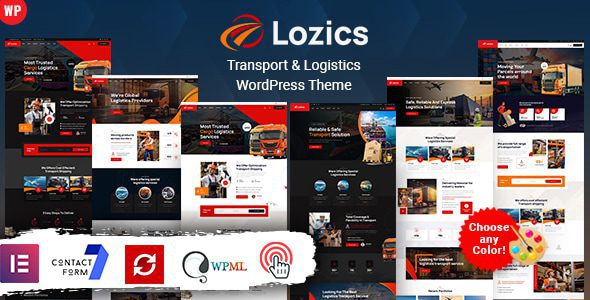
Lozics 4.0 is a WordPress theme specifically designed for the transportation and logistics industry, featuring a variety of built-in preset page elements to help you effortlessly build your own website. This theme is suitable for freight, corporate, courier, delivery services, logistics, moving companies, cargo transport, and various transportation businesses. Whether you're a small courier team or a large logistics group, Lozics delivers a professional and efficient website-building experience.
Core Features of the Lozics WordPress Theme
The Lozics theme integrates the Elementor page builder, is built on the Bootstrap framework, and boasts powerful theme options and a fully responsive layout. It offers 10 homepage layouts, 10 dark-style homepage layouts, and 10 one-page style homepage layouts to meet the brand display needs of different businesses. Additionally, the theme includes the Revolution Slider plugin, supports parallax scrolling sections, and brings your website's visuals to life.
Icon and Font Resources in the Lozics Theme
The theme comes with the Ion icon font (360+ icons), the 7 Stroke icon set (200+ icons), the Elegant icon font (360+ icons), the IcoMoon icon font (360+ icons), and the Font Awesome icon library (400+ icons), along with support for 800+ Google Fonts, providing a rich selection for your designs.
Compatibility and Extensibility of the Lozics Theme
Lozics supports WooCommerce e-commerce functionality, making it easy to build an online trading platform. It is also compatible with Contact Form 7, MailChimp email subscription forms, and supports the WPML multilingual plugin for seamless international operations. The theme offers 30+ Elementor shortcodes developed by ThemeMascot, as well as powerful shortcode capabilities, giving you greater flexibility in content layout.
In terms of browser compatibility, Lozics fully supports mainstream browsers such as Edge, IE9+, Firefox, Safari, Opera, and Chrome, ensuring a consistent experience across different devices. For logistics companies seeking high performance and visual appeal, Lozics is undoubtedly an ideal choice. For more related resources, refer to related anchor text.
Installation and User Experience of the Lozics Theme
Lozics offers a one-click demo data import feature, allowing you to complete your website setup within minutes. Its clean, crisp design and smooth animations enhance the user browsing experience. The theme's RTL layout supports right-to-left languages, making it suitable for special language environments such as Arabic.
The official page provides detailed product descriptions and demos. You can visit the Lozics official page to learn more details.
Frequently Asked Questions
How do I install the Lozics theme?
Installing the Lozics theme is similar to installing other WordPress themes. You can upload the theme zip file in the backend under "Appearance" -> "Themes," then install and activate it. After that, use the one-click demo data import feature to quickly build your website. For specific steps, please refer to the official documentation.
What scenarios is the Lozics theme suitable for?
Lozics is specifically designed for industries such as transportation, logistics, freight, courier, delivery, and moving services. It is suitable for corporate websites, service showcases, online bookings, and more. Its diverse homepage layouts and dark-style options cater to different brand tones.
Which plugins are compatible with the Lozics theme?
Lozics includes popular plugins like Revolution Slider and Elementor, and supports common plugins such as WooCommerce, Contact Form 7, MailChimp, and WPML, ensuring worry-free feature expansion.
How often is the Lozics theme updated?
The update frequency depends on the developer. Typically, developers release regular updates to fix bugs, add new features, and ensure compatibility with the latest WordPress versions. We recommend keeping an eye on the official changelog.
Does the Lozics theme have a Chinese version?
The Lozics theme supports multiple languages. You can use plugins like WPML or Loco Translate to localize and translate it, achieving a Chinese interface. Please refer to the official documentation for details.


Comments (0)