
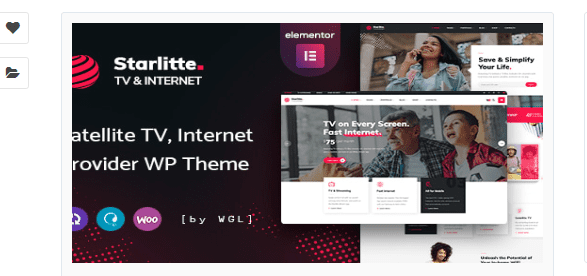
In-Depth Analysis of the Starlitte WordPress Theme for TV and Internet Service Providers
Starlitte is a WordPress theme built specifically for ISPs (Internet Service Providers) and TV operators. It comes with core features for an operator's official website, including broadband plan displays, network coverage lookup, and online installation appointments, and its tech-blue visual style is highly consistent with the industry's identity. Whether you are a regional broadband operator, a TV-plus-broadband bundle service agent, or an enterprise dedicated line or IDC service provider, Starlitte can help you quickly build a professional and trustworthy official website. The current version is v1.0.9; please refer to the official documentation for specific update details.
1. Use Cases for the Starlitte WordPress Theme
- Official websites for broadband operators and regional ISPs: Display plan pricing and coverage areas, and provide online sign-up entry points.
- TV and broadband bundle service agents: Clearly present the advantages of combination packages and guide users to book installation.
- Showcase sites for enterprise dedicated line and IDC service providers: Highlight network quality and service capabilities to build customer trust.
2. Core Feature Highlights
- Plan display: Built-in price comparison table modules for different speed tiers, making it easy for visitors to compare intuitively and choose.
- Coverage lookup: Visitors can enter an address to check network coverage, eliminating doubts before conversion and improving lead quality.
- Online booking: Provides an installation application form with fields such as address and preferred time, simplifying the booking process.
- Speed test entry: Guides visitors to test their network speed and then recommends matching plans, increasing conversion rates.
- FAQ: Provides answers to high-frequency questions such as pricing, contracts, and relocation rules, reducing customer service pressure.
3. Advantages of the Starlitte WordPress Theme
✅ Industry features are accurately anticipated, fully covering operators' core needs; ✅ The plan comparison module is clearly designed, reducing users' decision-making costs; ✅ The speed-oriented design language fits the selling point of internet speed and enhances the brand's professional image.
4. Shortcomings and Points to Note
❌ As a vertical industry theme, its features are redundant if used for other industries; ❌ The coverage lookup feature requires integration with a backend interface; if used for static display only, data must be maintained manually. It is recommended to clarify technical resources before building, or refer to WordPress website building resources for more support.
If you need more corporate templates, you can check the corporate official website WordPress theme tag page, where there is a summary categorized by industry. All resources on this site are collected from the internet, and software copyrights belong to the original authors. Please support genuine versions.
Frequently Asked Questions
How do I install the Starlitte theme?
In the WordPress dashboard, go to "Appearance" -> "Themes" -> "Add New" and upload the theme ZIP package to install and activate it. Please refer to the official documentation for specific steps.
What types of websites is the Starlitte theme suitable for?
It is best suited for broadband operators, regional ISPs, TV and broadband bundle service agents, and showcase sites for enterprise dedicated line and IDC service providers. Use in other industries may result in feature mismatches.
Which WordPress versions is the Starlitte theme compatible with?
It is recommended to use a relatively recent WordPress version for the best compatibility. Please refer to the official documentation for specific compatible versions.
How often is the Starlitte theme updated?
The theme update frequency depends on the developer. It is recommended to follow official channels for the latest version information. The current version is v1.0.9.
Does the coverage lookup feature require additional development?
Yes, the coverage lookup feature requires integration with a backend interface to enable dynamic queries. If used for static display only, coverage area data must be maintained manually.


Comments (0)