
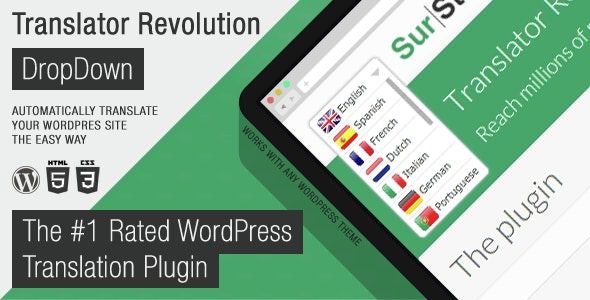
Ajax Translator Revolution DropDown WP Plugin is a powerful translation plugin designed specifically for WordPress websites, enabling easy multilingual support. This plugin utilizes Ajax technology to provide a dropdown menu-style language switching interface, allowing users to quickly build a multilingual website without manually translating content. Whether for corporate sites, blogs, or e-commerce platforms, this exclusively localized WordPress translation plugin enhances global user experience.
Why Choose Ajax Translator Revolution DropDown WP Plugin?
The core advantage of this WordPress translation plugin lies in its automated translation functionality. Unlike traditional manual translation, it leverages an automatic translation engine to convert entire website content into multiple languages within minutes. After installation, simple configuration allows visitors to freely switch languages via a dropdown menu, significantly reducing maintenance costs. For efficiency-focused website administrators, this is one of the essential WordPress plugins.
Key Features and Highlights
- One-Click Automatic Translation: No need to manually translate page by page; the plugin handles all content automatically.
- Dropdown Language Switcher: User-friendly interface design with customizable position and style.
- Highly Customizable: Adjustable translation engine, exclusion of specific content, cache settings, and more.
- Strong Compatibility: Seamlessly integrates with most WordPress themes and plugins.
- Lightweight Performance: Optimized code that does not affect website loading speed.
Ajax Translator Revolution DropDown WP Plugin v.2.2 Installation and Usage Guide
The installation process is straightforward: upload the plugin file, activate it, and configure it. This version is fully localized, with the backend interface supporting Chinese, lowering the barrier to entry. For first-time users, it is recommended to read the official documentation or refer to related WordPress tutorials for more assistance.
Configuration Steps
- Upload and activate the plugin on the WordPress backend plugins page.
- Navigate to the settings page, select the default language and the target languages for translation.
- Configure the translation engine (e.g., Google Translate or Yandex) and set the cache duration.
- After saving the settings, a language switching dropdown menu will appear on the frontend.
Frequently Asked Questions
How to activate the plugin after installation?
Upload the plugin file to the /wp-content/plugins/ directory, then activate it from the WordPress backend plugins list. No additional key is required.
Which translation engines are supported?
The plugin supports Google Translate and Yandex Translate. Please refer to the official documentation for details.
Is it compatible with the latest WordPress version?
Version v.2.2 has been tested with WordPress 6.x and offers good compatibility. It is recommended to keep the plugin updated.
What is the difference between the localized version and the official version?
The localized version includes language pack localization based on the official version, with the backend interface in Chinese, while functionality remains identical.
How often is it updated?
The developer releases new versions periodically based on WordPress updates and user feedback. Please follow the official channels.


Comments (1)