
 Tested Advanced Ads Pro 3.0.13 Ad Plugin: The Ultimate Revenue Optimization Tool">
Advanced Ads Pro is the professional version of the WordPress ad management plugin, offering advanced features to maximize ad revenue. This guide delves into its core features, installation methods, and usage tips to help you easily boost your website's profitability.
Detailed Overview of Advanced Ads Pro Core Features
Advanced Ads Pro provides a range of powerful tools that take ad management to the next level. Whether you are a blogger, e-commerce site owner, or content publisher, you can significantly enhance ad performance through precise targeting and optimized placement.
1. Optimal Ad Placement
With Advanced Ads Pro, you can place ads in the most attractive positions, such as within content, random locations, between posts on archive pages, ad grids, or background ads. These high-visibility areas effectively boost ad click-through rates.
2. Precise Targeting to Increase Revenue
Leverage additional display and visitor conditions such as geographic location, URL source, user role, browser language, keywords, cookies, ad impressions, and more to precisely target ads. Additionally, frequency capping and ad refresh features help you meet network requirements and attract more advertisers.
Improving Page Speed and Revenue Protection
Advanced Ads Pro focuses not only on revenue growth but also on website performance. Lazy loading technology resolves slow loading issues caused by external ad networks, reducing bounce rates and improving search engine rankings. Furthermore, click fraud protection prevents malicious clicks, safeguarding your ad account.
Through ad optimization tips, you can further enhance your ad revenue.
Advanced Ads Pro Installation and Activation Guide
Before installing Advanced Ads Pro, you need to install the free base version, Advanced Ads, from the WordPress backend. Then upload the Pro plugin and activate it. The tested version 2.26.1 works normally, and no additional configuration is required after activation.
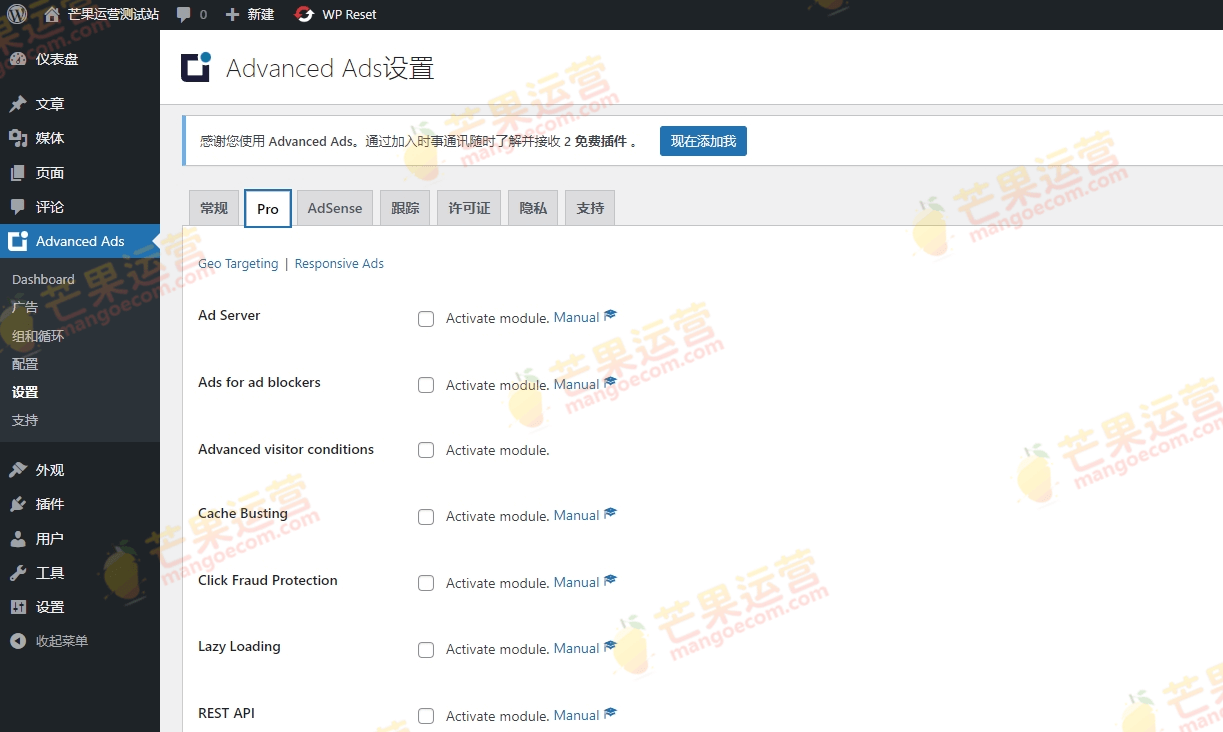
Monetizing Ad Block Users
Advanced Ads Pro allows you to display fallback ads to visitors using AdBlockers, thereby narrowing the revenue gap. Additionally, convenient integration features support seamless collaboration with popular plugins like BuddyPress, bbPress, and WPML, enabling setup without editing theme files.
Frequently Asked Questions
How to install Advanced Ads Pro?
First, install the free version of Advanced Ads from the WordPress backend, then upload the Pro plugin and activate it. For details, please refer to the official documentation.
What scenarios is Advanced Ads Pro suitable for?
It is suitable for any user looking to monetize their WordPress website through ads, including blogs, e-commerce sites, news websites, and more.
Is Advanced Ads Pro compatible with other plugins?
Yes, it is compatible with mainstream plugins such as BuddyPress, BuddyBoss, bbPress, GamiPress, WPML, WP Bakery, Paid Memberships Pro, and others.
How often is Advanced Ads Pro updated?
The developer regularly releases updates to fix bugs and add new features. It is recommended to keep the plugin updated to the latest version.


Comments (0)