
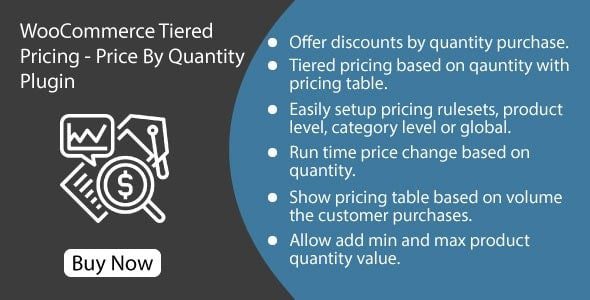
WooCommerce Tiered Pricing Price By Quantity Plugin is a tiered pricing plugin designed specifically for WooCommerce, allowing merchants to set different price levels based on the quantity purchased by customers, thereby encouraging bulk purchases. This article introduces the latest version v1.1.2 of the plugin, including its core features, installation methods, and frequently asked questions.
By displaying a clear quantity discount table on the product page, customers can intuitively see the discounted prices for different quantities, which helps increase the average order value. The plugin supports product-level, category-level, and global pricing rules, offering high flexibility. Whether you run a small store or a large e-commerce platform, WooCommerce Tiered Pricing helps you easily implement quantity discount strategies.
The WooCommerce Tiered Pricing plugin is fully compatible with the latest version of WooCommerce and has been localized for Chinese users. If you are looking for a reliable WordPress discount plugin, this tiered pricing tool is worth trying.
Official link: WooCommerce Tiered Pricing on CodeCanyon
WooCommerce Tiered Pricing Core Features
WooCommerce Tiered Pricing offers various pricing rule settings to meet the needs of different merchants. First, you can set tiered prices for each product individually, for example, $10 per unit for 1-10 units, $9 per unit for 11-50 units, and so on. Second, you can apply uniform pricing rules at the product category level, making it easy to manage similar products. Finally, global rules allow you to set a default discount structure for the entire store.
The plugin also supports real-time price updates in the cart: when customers change the quantity, the total price immediately reflects the discounted amount. Additionally, you can choose to display a discount table or just the discounted price to suit different page layouts.
WooCommerce Tiered Pricing Installation and Localization
Installing the WooCommerce Tiered Pricing plugin is very simple. You can install it directly via the plugin upload feature in the WordPress admin panel. Version v1.1.2 of the plugin includes a Chinese language pack, which is automatically recognized after upload. If you need to localize it manually, simply place the language files in the /wp-content/languages/plugins/ directory. After installation, find the "Tiered Pricing" option in WooCommerce settings to start configuring pricing rules.
Usage Scenario Example
Suppose you sell electronic accessories. For a single order of fewer than 10 units, each costs $5; for 10-50 units, each costs $4.5; for more than 50 units, each costs $4. With WooCommerce Tiered Pricing, you can clearly display these price tiers on the product page, attracting large customers to place orders. This plugin is also suitable for wholesalers, retailers, and any online store looking to offer quantity discounts.
WooCommerce Tiered Pricing Compatibility
WooCommerce Tiered Pricing is compatible with most WooCommerce themes and plugins, including popular page builders like Elementor and WPBakery. It has been rigorously tested to ensure stable operation on WooCommerce 3.0 and above. If you encounter any compatibility issues, it is recommended to first check that the plugin and theme are up to date.
Frequently Asked Questions
How to install the WooCommerce Tiered Pricing plugin?
You can upload the ZIP file via the WordPress dashboard under "Plugins" -> "Add New", or directly upload the plugin folder to the /wp-content/plugins/ directory via FTP. After activation, you will find the configuration options in WooCommerce settings.
What pricing rules does WooCommerce Tiered Pricing support?
It supports product-level, category-level, and global rules. You can set independent price tiers for each product, or apply uniform rules for an entire category or the whole store.
Is the plugin localized?
Yes, version v1.1.2 includes a Chinese language pack, and the interface will display in Chinese automatically after installation. If it does not, please ensure your WordPress language is set to Simplified Chinese.
How often is it updated?
The developer releases regular updates to fix bugs and ensure compatibility with new versions of WooCommerce. It is recommended to enable automatic updates or follow the official release notes.
Is the plugin compatible with WooCommerce 8.0?
According to official information, the plugin is compatible with WooCommerce 3.0 and above. The latest version has been tested with WooCommerce 8.0; if issues arise, please contact official support.


Comments (1)