
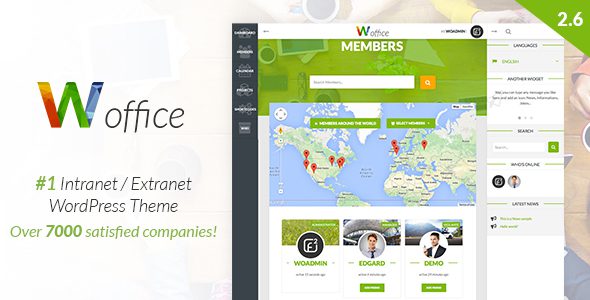
Woffice WordPress Theme: Professional-Grade Community and Intranet Solution
Woffice is a powerful multi-purpose WordPress theme designed for building corporate intranets, community portals, and online collaboration platforms. As a standout among WordPress community themes, Woffice combines rich features such as BuddyPress social networking, project management, knowledge base, and e-commerce, helping over 11,000 organizations efficiently build internal communication and collaboration systems. Whether you need to build an employee intranet, an education platform, or a customer community, Woffice provides a complete solution.
Why Choose the Woffice WordPress Theme?
Since its release, the Woffice theme has been updated over 140 times, continuously keeping up with the latest WordPress technical standards to ensure compatibility and security. Its core advantages include:
- Multi-purpose design: Suitable for intranets, extranets, communities, education, and more
- Deep integration: Native support for mainstream plugins like BuddyPress, BBPress, and WooCommerce
- Flexible customization: Built on the Unyson framework, offering rich theme options and a page builder
- Multi-language support: Translated into over 15 languages, with RTL layout support
- Continuous updates: An auto-updater ensures you always use the latest version
If you are looking for more high-quality WordPress resources, you can visit BoboHello Resource Site to get more themes and plugins.
Overview of Woffice Theme Core Features
Community and Collaboration Features
Woffice comes with complete social networking features built in, including user profiles, activity streams, friend systems, private messaging, groups, and more. With BigBlueButton web video conferencing and online chat extensions, team members can communicate and collaborate in real time. In addition, the theme also supports Trello integration and Slack extensions, making it easy to connect your existing workflows to the website.
Content Management and Knowledge Base
With the Wiki-Knowledge feature, you can easily build a corporate knowledge base. The theme supports various content formats such as file management, charts and tables, calendar events, photo albums, and videos. The blog supports masonry layout and front-end editing, making content creation more efficient.
E-commerce and Membership System
Woffice is compatible with WooCommerce, allowing you to quickly set up an online store. Advanced membership features support approving new users, badge rewards, and content access control, making it suitable for building paid communities or online course platforms.
Technical Features and Compatibility
The theme is built on HTML5 and CSS3, with clean and fully commented code. It supports multisite networks, Gravity Forms, RTMedia galleries, Revolution Slider, and other popular plugins. With 600+ Font Awesome icons and a mega menu extension built in, website design becomes more flexible.
Woffice Theme Installation and Usage Guide
The steps to install the Woffice theme are simple and intuitive: first upload the theme package in the WordPress admin and activate it, then follow the prompts to install the bundled plugins, and then install other recommended plugins online. Finally, import the demo templates under the "Tools" menu to quickly obtain a website structure similar to the official demo. Note that the theme itself does not include a Chinese language pack, but you can achieve Chinese localization through third-party translation files or plugins.
Frequently Asked Questions
Does the Woffice theme support Chinese?
The Woffice theme does not have a built-in Chinese language pack, but it supports multilingual functionality. You can achieve Chinese localization by adding translation files or using translation plugins. Please refer to the official documentation for details.
Which WordPress versions is the Woffice theme compatible with?
The Woffice theme is continuously updated to be compatible with the latest WordPress versions. It is recommended to use WordPress 5.0 or above for the best experience. Please check the official changelog for specific compatibility details.
How do I update the Woffice theme?
The theme has a built-in auto-updater, and you can receive update notifications directly in the WordPress admin. You can also download the latest version from official channels and update manually. Make sure to back up your website data before updating.
What use cases is the Woffice theme suitable for?
Woffice is suitable for corporate intranets, extranets, community portals, education platforms, online courses, membership websites, and many other scenarios. Its rich feature modules can meet the collaboration needs of different organizations.
Does the Woffice theme support multisite networks?
Yes, the Woffice theme supports WordPress multisite networks, allowing you to manage multiple subsites within a single installation. Please refer to the official documentation for specific configuration details.

