
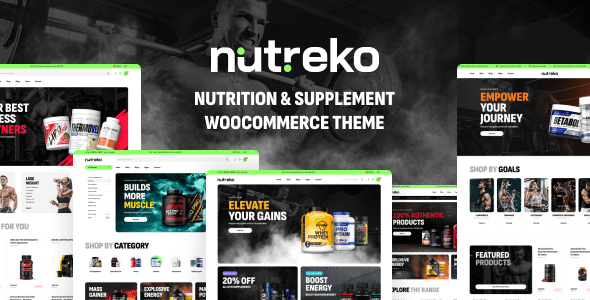
Nutreko is a WooCommerce theme specifically designed for the nutrition and supplement industry. It is clean yet powerful, offering over 5 beautiful demo versions suitable for various e-commerce stores to go live quickly. With the Nutreko WooCommerce theme, you can efficiently showcase products and drive sales growth. This article will detail the features, installation methods, and common issues of the Nutreko theme to help you make the most of this professional theme.
Core Features and Advantages of the Nutreko Theme
The Nutreko Nutrition & Supplement WooCommerce theme comes packed with rich features, including multiple homepage layouts, product display modules, blog styles, and more. It is optimized for nutrition e-commerce, highlighting product images, ingredient descriptions, and user reviews to boost conversion rates. Additionally, the theme is compatible with major WooCommerce plugins, making it easy to expand your store's functionality. If you are looking for a professional and customizable solution, related resources can provide additional references.
How to Install the Nutreko Theme and Import Demo Data
Installing the Nutreko v1.9.3 theme is very straightforward. First, upload the theme file in the WordPress backend and activate it. Then, the system will prompt you to install required plugins (such as WooCommerce, Elementor, etc.), follow the steps to complete. Finally, import the demo template through the theme options to obtain the same layout as the demo site. If the menu does not display automatically, manually set it under "Appearance > Menus." For more details, please refer to the official product page.
Applicable Scenarios and Customization Suggestions for the Nutreko Theme
The Nutreko theme is particularly suitable for e-commerce websites selling nutritional supplements, health products, vitamins, natural foods, and more. Its demo templates cover various niche markets, such as sports nutrition, children's nutrition, and herbal supplements. You can easily adjust colors, fonts, and layouts using the Elementor page builder to create a unique brand image. It is recommended to combine product SEO optimization to further improve search engine rankings.
WooCommerce Integration of the Nutreko Theme
As a WooCommerce theme, Nutreko seamlessly integrates shopping cart, checkout, product filtering, and other features. It supports quick view, wishlist, and product comparison to enhance user experience. Additionally, the theme's responsive design ensures perfect display on mobile devices.
Frequently Asked Questions
How to install the Nutreko theme?
Upload the theme zip file in the WordPress admin panel and activate it, then install the necessary plugins as prompted, and finally import the demo data. For specific steps, please refer to the official documentation.
What scenarios is the Nutreko theme suitable for?
It is specifically designed for e-commerce websites selling nutritional supplements, health products, vitamins, and natural foods, offering multiple demo templates to adapt to different niche markets.
Which plugins are compatible with the Nutreko theme?
The theme is compatible with major plugins such as WooCommerce, Elementor, Yoast SEO, ensuring worry-free functionality expansion. For a detailed compatibility list, please refer to the official instructions.
How often is the Nutreko theme updated?
The developer regularly releases updates to fix bugs and add new features. It is recommended to keep the theme updated to the latest version for the best experience.
Does the Nutreko theme support multiple languages?
The theme supports WordPress multilingual plugins like WPML and Loco Translate, making it easy to create a multi-language store.


Comments (0)