
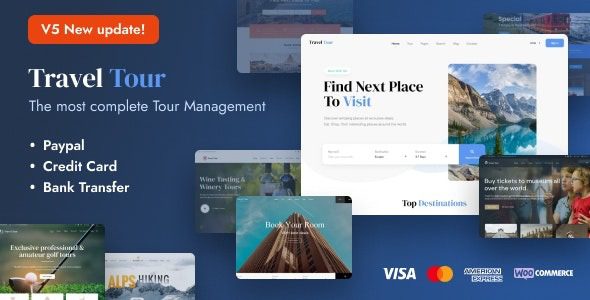
Travel Tour WordPress Theme: A Professional Solution for Travel Booking Systems
Travel Tour WordPress Theme is a premium responsive WordPress theme built specifically for the travel industry, featuring a complete travel management system. Whether you run a travel agency, sell tour packages, or operate a travel blog, city sightseeing service, or yacht charter business, this theme provides one-stop support from presentation to booking. It integrates core modules such as itinerary management, pricing plans, and online booking, helping you build a professional travel booking platform in a short time.
Key Feature Highlights of the Travel Tour WordPress Theme
The Travel Tour theme is designed around the actual needs of travel businesses, with main features including:
- Tour Package Management: Supports creating various product types such as multi-day tours, day tours, and sailing trips, with configurable itineraries, prices, inventory, and available dates.
- Online Booking System: Built-in booking forms and order management allow visitors to submit booking requests directly on the website.
- Responsive Design: Automatically adapts to mobile phones, tablets, and desktop devices to ensure a smooth browsing experience.
- Visual Page Building: Compatible with mainstream page editors, making it easy to customize the homepage and landing pages.
- Multilingual Support: Can be paired with translation plugins to create multilingual sites targeting visitors from different regions.
If you need more tips on using WordPress themes and plugins, you can visit bobohello resource site for related tutorials.
Installation and Configuration Steps for the Travel Tour WordPress Theme
Installing the Travel Tour theme is not complicated. Follow the steps below to get online quickly:
Step 1: Upload and Activate the Theme
In the WordPress admin panel, go to "Appearance → Themes → Add New Theme," upload the theme zip file, and activate it. After activation, the system will prompt you to install the required plugins; simply follow the prompts to install and activate them online.
Step 2: Import the Demo Template
The theme provides a complete demo template that can be imported with one click in the admin panel. If the slider is not imported automatically during the import process, you can manually import the slider files from the "Demo Template" folder in the download package.
Step 3: Customize Content and Settings
After importing the demo, modify the logo, color scheme, navigation menu, and tour package information according to your business needs. It is recommended to complete the payment and booking notification settings before starting official promotion.
For more official documentation on the Travel Tour theme, please refer to the official page.
Use Cases for the Travel Tour WordPress Theme
This theme is suitable for the following types of travel businesses:
- Travel agency websites: Display routes, quotes, and itineraries, and receive online inquiries and bookings.
- Travel blogs: Publish destination guides, travelogues, and photos to attract traffic through content.
- City sightseeing and day tour operators: Manage multiple departure dates and meeting points for easy visitor selection.
- Sailing trips and yacht charters: Display boat information, rental prices, and available schedules.
Since the theme uses a responsive layout, visitors can smoothly browse and book on mobile devices, which greatly helps improve conversion rates.
Frequently Asked Questions
How do I install the Travel Tour theme?
Upload the theme zip file in the WordPress admin panel and activate it, then follow the prompts to install and activate the required plugins, and finally import the demo template. If the slider is not imported, you can manually import the slider files from the Demo Template.
What use cases does the Travel Tour theme support?
This theme is suitable for travel agencies, tour package sales, travel blogs, city sightseeing, day tours, sailing trips, and yacht charters. For specific features, please refer to the official documentation.
Is the Travel Tour theme compatible with the latest version of WordPress?
The theme is continuously updated to maintain compatibility. It is recommended to use the latest version and check the official changelog to confirm compatibility. For details, please refer to the official documentation.
How often is the Travel Tour theme updated?
The update frequency is determined by the developer. New versions are usually released for feature improvements or security fixes. It is recommended to follow the official page for update information.

