
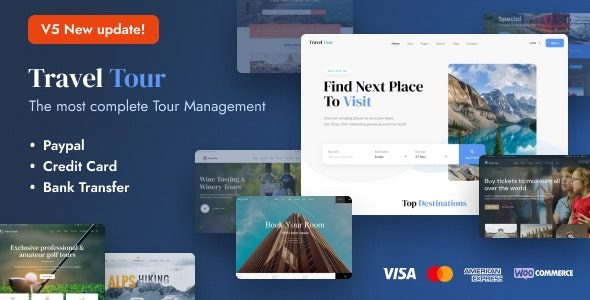
Travel Tour WordPress Theme: A One-Stop Travel Booking Solution
Travel Tour WordPress Theme is a premium responsive theme built specifically for the travel industry, featuring a complete travel management system. Whether you run a travel agency, offer tour packages, write a travel blog, or operate city tours, day trips, sailing excursions, and yacht rentals, Travel Tour helps you quickly build a professional online booking platform. The theme integrates numerous essential features, allowing you to manage complex travel products without writing any code.
If you're looking for more high-quality WordPress resources, visit BoboHello Resource Site for a rich collection of themes and plugins.
Core Features and Use Cases of the Travel Tour WordPress Theme
The Travel Tour theme is tailor-made for travel businesses and offers the following key features:
- Tour Package Management: Easily create and display various tour packages with support for pricing, itineraries, images, and inventory management.
- Online Booking System: Integrated booking forms and payment gateways let customers complete bookings directly online.
- Destination and Activity Showcase: Display city tours, day trips, sailing excursions, and yacht rentals through beautiful layouts.
- Blog Module: Built-in travel blog functionality makes it easy to share travel stories and guides while boosting SEO performance.
- Responsive Design: Renders perfectly on all devices, ensuring an excellent mobile user experience.
This theme is suitable for travel agencies, tour operators, travel blogs, city tour operators, day trip providers, sailing clubs, and yacht rental companies. You can learn more on the official page.
Installation and Configuration Steps for the Travel Tour WordPress Theme
Installing the Travel Tour theme is very straightforward. First, upload the theme file in the WordPress admin panel and activate it. Then, follow the prompts to install the required plugins. Next, import the demo template to quickly set up your website. If the slider doesn't import automatically when importing the demo template, you can import it manually — the relevant files are usually included in the download package. The entire process requires no technical expertise and can be completed in just a few minutes.
Why Choose the Travel Tour WordPress Theme?
The Travel Tour theme provides a complete travel management system. Compared to general-purpose themes, it better understands the needs of travel businesses. Its built-in booking functionality and package management can significantly reduce your reliance on third-party plugins, improving site performance and security. At the same time, the theme is built with high-quality code, is compatible with mainstream WordPress plugins, and is regularly updated to ensure compatibility with the latest version of WordPress. For travel businesses looking to launch quickly and focus on operations, Travel Tour is an efficient choice.
Frequently Asked Questions
How do I install the Travel Tour theme?
In the WordPress admin panel, go to "Appearance" -> "Themes" -> "Add New Theme," upload the theme ZIP file, and activate it. Then follow the prompts to install the necessary plugins, and finally import the demo template. For details, please refer to the official documentation.
What types of travel businesses does the Travel Tour theme support?
The theme is suitable for travel agencies, tour packages, travel blogs, city tours, day trips, sailing excursions, and yacht rentals. You can customize content types based on your business needs.
Is the Travel Tour theme compatible with the latest version of WordPress?
Yes, the Travel Tour theme is regularly updated to ensure compatibility with the latest version of WordPress. It's recommended to back up your website before updating.
How often is the Travel Tour theme updated?
The theme developer releases updates regularly to fix known issues and add new features. For specific changelogs, please refer to the official documentation.

