
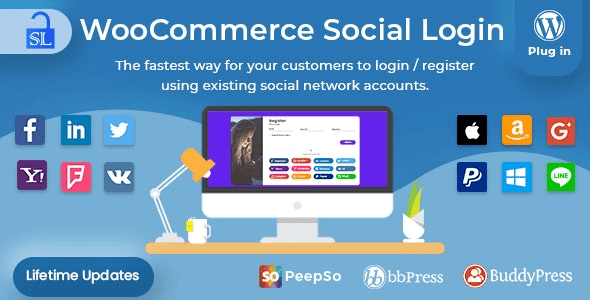
WooCommerce Social Login v2.8.8 is a powerful WordPress plugin that allows users to quickly log in and checkout through social networks such as Facebook, Twitter, Google, Yahoo, LinkedIn, Foursquare, Windows Live, VKontakte, PayPal, Amazon, LINE, and more. This WooCommerce Social Login plugin not only simplifies the registration process but also supports email login, making it an essential tool for boosting conversion rates.
By integrating major social platforms, your website users can log in with one click without the hassle of filling out registration forms. This enhances user experience and reduces bounce rates caused by registration barriers. The WooCommerce Social Login plugin supports over 10 social networks, covering a vast majority of global users.
Key Features of the WooCommerce Social Login Plugin
The WooCommerce Social Login plugin offers a rich set of features, including:
- Support for login via Facebook, Twitter, Google, Yahoo, LinkedIn, Foursquare, Windows Live, VKontakte, PayPal, Amazon, LINE, and other social networks.
- Seamless integration with WooCommerce, supporting both login and checkout processes.
- Users can link multiple social accounts for easy management.
- Automatic user account creation without manual registration.
- Customizable button styles and positions to fit any theme.
- Detailed statistical reports to track social login usage.
How to Install the WooCommerce Social Login Plugin
Installing the WooCommerce Social Login plugin is straightforward:
- Download the plugin zip file and upload it to the WordPress admin plugins installation page.
- After activating the plugin, navigate to the Social Login tab in WooCommerce settings.
- Configure API keys for each social application (e.g., Facebook App ID, Google Client ID, etc.).
- Save the settings, and social login buttons will appear on the frontend.
If you need a more detailed configuration guide, refer to the related tutorial.
Advanced Configuration of the WooCommerce Social Login Plugin
Beyond basic settings, the WooCommerce Social Login plugin offers advanced options such as:
- Enabling or disabling specific social networks.
- Setting the display location of login buttons (login page, checkout page, account page, etc.).
- Customizing button text and icons.
- Restricting social login to specific user roles.
Compatibility of the WooCommerce Social Login Plugin
The WooCommerce Social Login plugin is compatible with the latest versions of WordPress and WooCommerce, and supports most major themes. The plugin has been rigorously tested to ensure no conflicts with common extensions. If you encounter compatibility issues, it is recommended to update to the latest version or contact official support.
Official link: WooCommerce Social Login on CodeCanyon
Frequently Asked Questions
How to configure Facebook login?
First, create an app on the Facebook Developer platform to obtain the App ID and App Secret. Then, enter this information in the plugin settings and set the callback URL (which can be found on the plugin settings page).
Which social networks does the WooCommerce Social Login plugin support?
It supports Facebook, Twitter, Google, Yahoo, LinkedIn, Foursquare, Windows Live, VKontakte, PayPal, Amazon, LINE, and more. For details, refer to the official documentation.
Is the plugin compatible with my WordPress theme?
The plugin is compatible with most WordPress themes, but if you use a custom theme, minor CSS adjustments may be needed. It is recommended to test in a staging environment first.
How often is the plugin updated?
The plugin is regularly updated to maintain compatibility with the latest versions of WordPress and WooCommerce and to fix known issues. It is recommended to enable automatic updates.

Comments (0)