
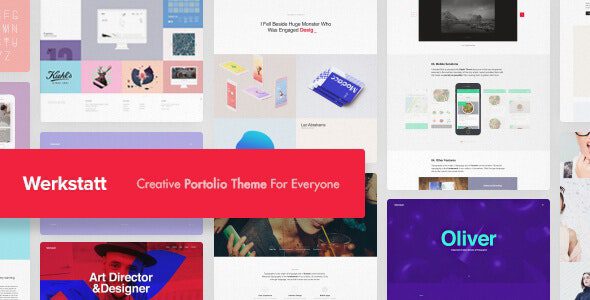
Werkstatt WordPress Theme: The Ultimate Solution for Creative Portfolios
Werkstatt is a WordPress theme designed specifically for creative portfolio scenarios, and the current version has been updated to v4.8.14. It is not the kind of outdated portfolio template that piles up stale features, but rather a professionally crafted solution that has been deeply refined to deliver a unique visual touch. Whether you are a designer, photographer, illustrator, or creative studio, Werkstatt can help you showcase your work to clients in a more impressive way, making every visit a memorable experience.
Unlike the many homogenized portfolio themes on the market, Werkstatt has taken a differentiated approach to layout rhythm, animation details, and content organization logic. It lets the work itself become the protagonist of the page, rather than having attention stolen by flashy decorations. If you are looking for a WordPress theme that combines both aesthetics and practicality, Werkstatt deserves a spot on your shortlist. For more quality themes and plugin resources, you can refer to the Curated WordPress Resource Collection.
Key Features of the Werkstatt Theme
Werkstatt offers a series of practical features centered around the core scenario of creative work display. It supports multiple portfolio layout options, making it easy to flexibly switch presentation formats based on project type. The theme includes optimized styles for images, videos, and mixed text-image layouts, ensuring that works in different media all receive appropriate presentation ratios and whitespace.
Werkstatt's Creative Portfolio Layout and Interactive Experience
The theme emphasizes smoothness and restraint at the interaction level. Scroll animations, hover feedback, and page transitions have all been fine-tuned, ensuring browsing remains engaging without distracting users from the work content. For creative industries that need to highlight visual impact, this balance is especially important.
Additionally, Werkstatt offers a rich set of controllable options in its typography system, with details such as heading hierarchy, font weight, and spacing all adjustable as needed. This means you can keep your website's style consistent with your personal or brand tone without being constrained by the template's fixed styles.
Use Cases and Compatibility of Werkstatt v4.8.14
Werkstatt is suitable for a variety of scenarios including personal portfolio websites, creative agency homepages, photography showcase sites, and design studio homepages. It is built on the WordPress ecosystem, follows standard theme development conventions, and can work alongside mainstream page builders and commonly used plugins. For specific compatible plugin versions and feature support, it is recommended to check the official documentation for confirmation.
For users who want to launch quickly without sacrificing visual quality, Werkstatt provides a relatively efficient path. You can build a clearly structured, professionally looking portfolio site in a short amount of time and focus more energy on the content itself.
How to Get and Use the Werkstatt Theme
Werkstatt can be obtained through official channels, and the developer continuously releases version updates to fix issues and optimize the experience. The current v4.8.14 version is already quite mature in terms of stability and detail performance. The installation method is the same as regular WordPress themes—upload and activate, then proceed to the setup process.
If you need to learn about licensing scope, update policies, or technical support details, you can visit the Werkstatt official page for complete information. It is recommended to confirm the theme's compatibility with your current WordPress version before正式 use.
Frequently Asked Questions
How do I install the Werkstatt theme?
Werkstatt is installed in the same way as most WordPress themes: go to Appearance > Themes > Upload Theme in the dashboard, submit the theme package and activate it, then follow the prompts to complete the basic setup. For detailed steps, please refer to the official documentation.
What use cases is Werkstatt suitable for?
It is primarily designed for creative portfolio display scenarios, including designer personal sites, photography portfolio sites, illustrator homepages, and creative studio websites. Any website that needs to highlight visual work can consider using it.
Which plugins is Werkstatt compatible with?
Werkstatt follows standard WordPress theme development conventions and can typically be used with mainstream page builders and commonly used plugins. For the specific compatibility list and version requirements, it is recommended to consult the official documentation for accurate information.
How often is Werkstatt updated?
The developer releases version updates in response to changes in the WordPress ecosystem, and it has currently been updated to v4.8.14. For the update schedule and specific details, please refer to the official release records.


Comments (0)