
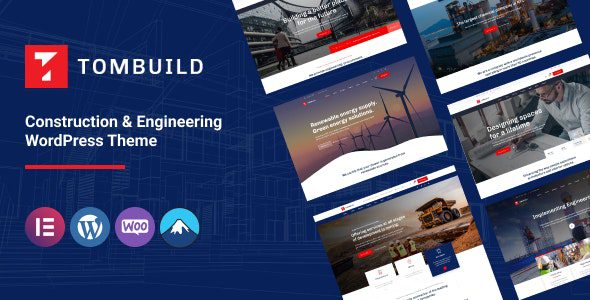
Tombuild WordPress Theme: A Professional Website Building Tool for the Construction and Engineering Industry
Tombuild WordPress Theme is a multi-purpose enterprise-grade theme specifically built for the construction, engineering, industrial, factory, renewable energy, mining, and chemical services sectors. Whether you want to build an official website showcasing engineering projects or need a marketing-oriented site that can directly capture project inquiries, Tombuild provides a complete solution. It natively integrates the Elementor page builder, allowing you to quickly generate professional-grade pages through drag-and-drop without writing any code.
For construction and engineering companies, a website must not only look professional and reliable but also clearly showcase project cases, service scope, and team qualifications. Tombuild comes with over 9 carefully designed demo sites and more than 10 inner page templates, covering common page types from homepage, about us, service details to project showcases, blog posts, and more. You only need to replace images and text to launch an industry-quality website in a short time.
Core Features and Advantages of the Tombuild Theme
Elementor-Powered Visual Editing Experience
Elementor is currently one of the most popular page builders in the WordPress ecosystem, and Tombuild deeply integrates it, providing a large number of preset blocks and templates. You can preview changes in real-time on the front end, adjusting layouts, colors, fonts, and spacing — the entire process is intuitive and efficient. For marketing staff at construction companies without a technical background, this means they can independently complete website updates without relying on developers every time.
WooCommerce and Contact Form 7 Compatibility
If your business needs to sell building materials, equipment online, or offer paid consulting services, Tombuild's solid support for WooCommerce allows you to quickly set up e-commerce functionality. Meanwhile, Contact Form 7 compatibility ensures stable operation of inquiry forms, making it convenient for visitors to submit project requirements or partnership intentions at any time. Combined with parallax backgrounds and smooth animations, the entire website has a greater sense of depth and professionalism visually.
Rich Icons and Animation Effects
Tombuild includes a built-in SVG icon library and multiple scroll animations that enhance the page's interactive experience without affecting loading speed. For engineering websites, moderate motion effects can guide users to focus on key information, such as project data, service processes, or client testimonials. If you want to further optimize website performance, you can refer to the relevant suggestions in the WordPress Website Optimization Guide.
Applicable Scenarios and Target Users
Tombuild was originally designed to serve various enterprises across the construction and engineering industry chain. Specifically, the following types of websites are especially suitable for using this theme:
- Construction companies: Showcase ongoing projects, completed cases, construction teams, and qualification certificates.
- Engineering consulting firms: Present service scope, industry solutions, and expert teams.
- Factories and manufacturing: Introduce production lines, product catalogs, and OEM/ODM capabilities.
- Renewable energy companies: Promote implementation cases of solar, wind energy, and other projects.
- Mining and chemical service providers: Highlight safety standards, environmental measures, and technical strength.
These industries share one thing in common: websites need to convey trust and professionalism. Tombuild's typography style leans toward stability and clarity, with color schemes primarily using neutral tones and industrial blue-gray, aligning with B2B clients' aesthetic preferences. You can visit the Tombuild official page to view the complete demo.
Installation and Configuration Tips
Installing the Tombuild theme follows the same process as regular WordPress themes. You can upload the theme ZIP file through WordPress admin under Appearance > Themes > Add New, or upload the theme folder to the wp-content/themes directory via FTP. After activation, it's recommended to import the demo content first, which allows you to quickly understand the layout logic of each page before replacing with your own branding.
During configuration, pay attention to the following points: First, ensure the server PHP version is 7.4 or above to guarantee Elementor's operational efficiency; second, install necessary plugins such as Elementor, Contact Form 7, and WooCommerce (if e-commerce functionality is needed); finally, adjust the Logo, color scheme, and fonts in the theme settings to align with your brand visuals.
Frequently Asked Questions
How do I install the Tombuild theme?
Log in to your WordPress admin, go to "Appearance > Themes > Add New," upload the Tombuild theme ZIP file and activate it. If the upload fails, you can extract the theme folder to the /wp-content/themes/ directory via FTP. After installation, it's recommended to import the demo content to quickly set up the page structure. Please refer to the official documentation for specific steps.
What types of websites is Tombuild suitable for?
Tombuild is specifically designed for the construction, engineering, industrial, factory, renewable energy, mining, and chemical services industries, and is also suitable for any multi-purpose enterprise website that needs to showcase project cases, service capabilities, and company qualifications. It can also be used for corporate websites, portfolios, or marketing landing pages.
Is Tombuild compatible with WooCommerce?
Yes, the Tombuild theme is compatible with the WooCommerce plugin. You can use it to build an online store, sell building materials, equipment, or offer paid services. For specific compatibility details and configuration methods, please refer to the official documentation or WooCommerce's official guide.
How often is the Tombuild theme updated?
The update frequency depends on the development team's release schedule. Typically, themes on ThemeForest are updated regularly to fix bugs, add new features, and maintain compatibility with the latest WordPress version. It's recommended to enable update notifications after purchase to get the latest version promptly. Please check the official page for specific changelogs.
Does Tombuild support Chinese?
The Tombuild theme itself supports multilingual environments and can be localized into Chinese through WordPress language packs or translation plugins. The theme's interface text and demo content can all be localized as needed. Please refer to the translation instructions in the official documentation for details.


Comments (0)