
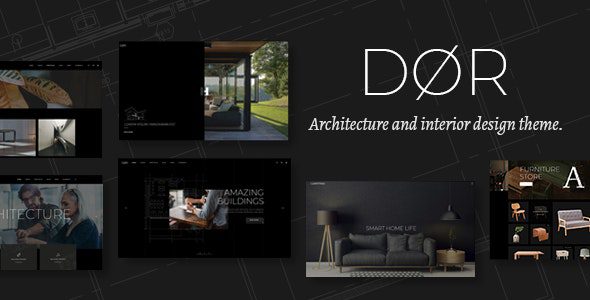
Dor v2.5: Professional Architecture and Interior Design WordPress Theme
Dor v2.5 is a modern architecture and interior design WordPress theme created by Mikado, tailored specifically for architects, interior designers, and related creative studios. It comes with a rich collection of ready-made layouts, powerful page-building tools, and a highly customizable admin interface, allowing you to build a professional-grade website without writing any code. Whether you need to showcase an architecture portfolio, interior design projects, or run a design blog, Dor provides a complete solution. If you are looking for more high-quality WordPress resources, you can visit BoboHello Resource Site to get more themes and plugins.
Core Features and Highlights of the Dor Theme
Dor v2.5 bundles two premium plugins: Slider Revolution Responsive WordPress Plugin (worth $26) and WPBakery Page Builder (worth $64), greatly enhancing the flexibility of page design. The theme includes 11 homepage demos and a large number of practical inner pages, is compatible with the Elementor page builder, and offers a rich collection of custom shortcodes. Here are some key features:
- Highly customizable admin interface with one-click demo content import
- Responsive and retina-ready design
- Multiple portfolio list layouts: masonry, gallery, slider, vertical loop, and more
- Multiple portfolio single layouts: full width, small images, vertical split, and more
- Rich shortcodes: team carousel, testimonials, social share, pricing tables, product lists, and more
- Mega menu, customizable Google Maps, smooth page transitions
- Multiple header types (minimal, vertical, standard) and behaviors
- 800+ Google Fonts and powerful typography options
- Compatible with WooCommerce and WPML plugins
- Includes a child theme, translation-ready
To learn more official details about the Dor theme, you can visit the official page.
Use Cases and Advantages of the Dor Theme
The Dor theme is ideal for architecture firms, interior design studios, landscape design companies, and freelance designers. Its pre-built portfolio modules can showcase projects in multiple ways, such as grids, sliders, or full-screen parallax. Through WPBakery or Elementor, you can quickly adjust layouts, colors, and fonts without touching any code. Additionally, the theme supports anchor link functionality for one-page websites, video background sections, and social widgets, helping you build an interactive branded site. For websites that require multilingual support, WPML compatibility ensures convenient global deployment.
How to Install and Use the Dor Theme
Installing the Dor theme is very simple. First, go to "Appearance" -> "Themes" in the WordPress admin panel, upload the theme ZIP package, and activate it. Then, follow the prompts to install and activate the bundled plugins (Slider Revolution and WPBakery Page Builder). Next, you can quickly replicate the demo site using the "One-Click Demo Content Import" feature, or start from scratch and customize pages using shortcodes and the page builder. The theme options panel provides a wealth of settings, including header, footer, typography, social icons, and more. If you encounter any issues during installation, it is recommended to consult the official documentation or contact the theme author's support team.
Frequently Asked Questions
What plugins does the Dor theme require?
The Dor theme recommends installing the Slider Revolution and WPBakery Page Builder plugins, both of which are premium plugins included in the theme package. The theme is also compatible with the Elementor page builder, which you can alternatively use to build pages. Please refer to the official documentation for details.
Does the Dor theme support WooCommerce?
Yes, the Dor theme is fully compatible with the WooCommerce plugin, allowing you to build an online store to showcase and sell design products, artwork, or services. The theme also provides shortcodes such as product lists and product carousels, making it easy to integrate e-commerce functionality.
How do I update the Dor theme?
Theme updates are typically delivered through ThemeForest or the marketplace where you purchased it. You can receive update notifications in the WordPress admin panel, or manually download the latest version and upload it as a replacement. It is recommended to back up your website before updating and check the changelog to learn about the changes. Please refer to the official documentation for specific update instructions.
Does the Dor theme support multiple languages?
Yes, the Dor theme is translation-ready and compatible with the WPML plugin, allowing you to easily create multilingual websites. The theme also supports RTL layouts, making it suitable for right-to-left languages such as Arabic.


Comments (0)