
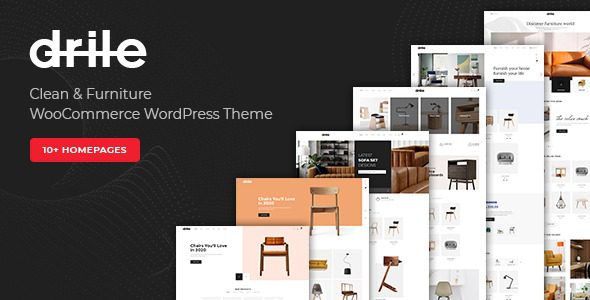
Complete Guide to the Drile Furniture Store WooCommerce WordPress Theme
Drile is a WooCommerce WordPress theme built specifically for furniture and home goods stores. Its layouts are designed around large items: wide scene images, dimension and material specifications, and delivery and installation instructions—product pages reserve more information slots than a typical store. If you're looking for a WordPress theme that can handle the complex needs of furniture e-commerce, Drile is worth a closer look.
Core Dependencies and Installation Preparation for the Drile Theme
The Drile theme requires the WooCommerce plugin to provide product, cart, and checkout functionality; the product catalog will not appear if the theme is enabled on its own. Before installation, make sure WooCommerce is installed and activated, and it's recommended to make custom modifications in a child theme to avoid directly editing parent theme files and losing changes on updates. The templates included in the package override WooCommerce's default structure, so layout changes require editing the child theme—this is the best practice for maintaining the Drile theme.
Product Display and Page Structure of the Drile Theme
The listing page uses a two- or three-column card layout, with scene images rather than white-background images placed on the cards. Furniture purchase decisions depend on a sense of space, so the theme sets the featured image ratio wider; portrait photos will have their sides cropped when placed in, so it's recommended to upload landscape scene images for the best display results.
The page structure of the Drile theme includes:
- Homepage: Category entry points, featured collections, and store information.
- Category pages: Listings categorized by space or material.
- Product pages: Scene images, specification tables, and delivery information.
- Collection pages: Combined displays of furniture sets.
- Service pages: Delivery, installation, and after-sales terms.
Product Specification Tables and Filter Categories in the Drile Theme
Product pages have an information section for dimensions and materials; the fields are provided by WooCommerce attributes, and the theme only changes how they're presented. Attribute items must be named consistently—if the same piece of furniture appears under two different names in the listing filters, filtering will miss results. Filtering is grouped into three sets: space, material, and price, and combinations use WooCommerce's native filter parameters. Stores with too many attribute items should hide the less commonly used ones; exposing a dozen or more filter options at once will make customers leave immediately.
Delivery Information and Color Palette in the Drile Theme
The theme reserves slots on product pages for delivery range and installation service descriptions; the content is a text box and does not participate in shipping calculations. Shipping rules for large furniture must be configured in WooCommerce's shipping zones—the descriptive text only explains them. The default color palette is fairly neutral, dominated by wood tones and gray-white, with dark-colored buttons. This type of theme is not suited to adding highly saturated promotional color blocks; home scene images are already busy with color, and layering more color blocks on top will look cheap.
Scope of Application and Template Examples for the Drile Theme
Drile is suitable for furniture brands, home goods multi-brand stores, and building materials stores for online display. Merchants with few product SKUs who mainly close sales in-store will find this parameter-heavy layout costly to maintain; conversely, stores with thousands of SKUs need to sort out their attribute system first. The package includes a set of furniture sample products and attribute values, and after importing them you can directly see the results on product pages and filters. The attribute naming of sample products affects filtering, so when changing to your own naming conventions, it's recommended to replace them in bulk rather than editing one by one.
If you need more WordPress theme and plugin resources, you can browse our resource library for related tools and tutorials.
Frequently Asked Questions
How do I install the Drile theme?
In the WordPress admin, go to Appearance > Themes > Add New, upload the Drile theme package, and activate it. Then install and activate the WooCommerce plugin. After importing the sample products, you'll see the complete result. For detailed steps, please refer to the official documentation.
What use cases is the Drile theme suitable for?
It's suitable for e-commerce websites such as furniture brands, home goods multi-brand stores, and building materials stores that need to display specifications and scene images for large items. For stores with many SKUs, it's recommended to plan your attribute system first.
Is the Drile theme compatible with the latest version of WordPress?
The Drile theme is continuously updated to be compatible with the latest versions of WordPress and WooCommerce. For specific compatible versions, please refer to the official documentation or changelog.
How often is the Drile theme updated?
The theme releases regular updates to fix issues and add new features. We recommend following official update notifications and upgrading promptly for the best experience.


Comments (0)