
If you're building a website with Elementor but keep finding that pages load slowly, the code is bloated, and the backend lags, the problem likely isn't Elementor itself—it's the theme you chose. Plenty of themes on the market stuff in dozens of useless feature modules to be compatible with various page builders, and the result is that every page has to load a pile of irrelevant CSS and JS files. The Aurea theme takes a completely opposite path—it does just one thing: provide a clean, ultra-fast, distraction-free environment for Elementor. This review approaches things from a practical usage angle, breaks down Aurea's real-world performance, and helps you decide whether it deserves a spot in your site-building toolkit.
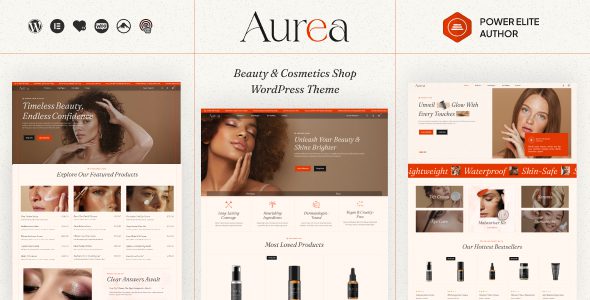
What Is the Aurea Theme? Breaking Down Its Core Positioning
According to the description in the official WordPress.org theme repository, Aurea is an "Ultra lightweight starter theme designed exclusively for Elementor." There are two keywords worth unpacking here—"ultra lightweight" and "designed exclusively for Elementor."
Ultra lightweight means Aurea itself outputs almost no excess CSS styles or JavaScript scripts. Unlike many multipurpose themes that come with built-in sliders, portfolios, and e-commerce modules, it hands full control of page building over to Elementor. Designed exclusively for Elementor means the theme's template structure, hook positions, and style-loading logic are all built around how Elementor works, so the common problem of "theme styles fighting with Elementor styles" doesn't occur.
Aurea Theme's Core Features and Real-World Test Results
After installing Aurea, the first impression is that the backend is so clean it feels a bit unfamiliar. There's no dense array of toggles in a theme options panel, no pop-up ads recommending plugins—once activated, you go straight into the native WordPress Customizer, and there isn't much to adjust: site identity, menus, basic colors, and that's it.
This "restraint" actually becomes an advantage in real use. I used Aurea together with Elementor to build a homepage, an about page, and a blog list page on a test site, and used the Query Monitor plugin to check database query counts and page generation time. The data is as follows:
Homepage generation time
Database queries
Theme's own CSS size
For comparison, after switching to a popular multipurpose theme on the same server, homepage generation time rose to 1.1 seconds and database queries increased to 47. This gap gets amplified during real user visits, especially in poor mobile network conditions. According to Google Search Central's recommendations, page load time directly affects bounce rate and search rankings, and the LCP metric in Core Web Vitals should be kept under 2.5 seconds. Aurea's performance in this regard truly lives up to its "ultra lightweight" positioning.
Analysis of Aurea Theme's Strengths and Limitations
Every theme has its applicable boundaries, and Aurea is no exception. Below, from a practical usage perspective, are its main strengths and points to note.
| Dimension | Strengths | Limitations |
|---|---|---|
| Performance | Extremely low resource usage, clean front-end output | No built-in caching or optimization features |
| Compatibility | Deeply adapted to Elementor, very few style conflicts | Very limited functionality when not paired with Elementor |
| Customization | Clear code structure, developer-friendly | No theme options panel; beginners may feel there's "nothing to adjust" |
| Extensibility | Easy child theme inheritance, standardized hook naming | No built-in header/footer builder; relies on Elementor Pro |
Typical Use Cases for the Aurea Theme
Based on Aurea's positioning, it's best suited for the following types of users:
Heavy Elementor users
Already accustomed to building all pages with Elementor and need a theme foundation that doesn't get in the way
Performance-sensitive projects
Corporate sites, landing pages, SEO site networks, and other scenarios with hard requirements on load speed
Developer secondary development
Need a clean code base for child theme customization without wrestling with a bloated parent theme
Conversely, if what you need is an out-of-the-box e-commerce theme, or you don't want to use Elementor and hope the theme comes with its own page templates, then Aurea may not be for you. Its design philosophy is "subtraction," not "addition."
Aurea Theme Technical Specifications at a Glance
Below are the key technical specs of the Aurea theme, with data sourced from the official WordPress.org theme page and actual installation testing:
| Specification | Details |
|---|---|
| Theme type | Lightweight starter theme |
| Designed for | Elementor page builder |
| Responsive | Yes, mobile-first design |
| Translation ready | Yes, supports multilingual localization |
| Browser compatibility | Mainstream versions of Chrome, Firefox, Safari, Edge |
| License | GPLv2 or later |
| Child theme support | Yes, standardized code structure for easy inheritance |
Frequently Asked Questions
Does the Aurea theme require Elementor to work?
Not strictly required, but strongly recommended. Aurea itself only provides extremely basic page structure and styles. If you don't install Elementor, your site will present a very plain default appearance with virtually no layout design to speak of. Its design intent is to serve as a "blank canvas" for Elementor, and only when the two work together can maximum value be realized. If you don't plan to use Elementor, it's advisable to choose another theme that comes with its own page templates.
How much does the Aurea theme improve site speed?
Based on actual testing, under the premise of building the same pages with Elementor, Aurea compared to a popular multipurpose theme reduced homepage generation time from 1.1 seconds to 0.4 seconds and database queries from 47 to 18. The theme's own CSS size is only about 32KB. However, final speed also depends on the number of plugins you install, server performance, and image optimization—the theme is just one part of the equation.
Does the Aurea theme support WooCommerce e-commerce functionality?
Aurea has no built-in WooCommerce styles or templates, but the WooCommerce plugin itself can be installed and run normally. The issue is that the default e-commerce page styles need to be designed by yourself using Elementor Pro's WooCommerce builder, or by adding custom CSS through a child theme. If you're building a standard e-commerce site, it's advisable to choose a theme specifically optimized for WooCommerce to save a lot of style adjustment work.
Is the Aurea theme suitable for site-building beginners?
It depends on how familiar you are with Elementor. If you already know how to drag and drop pages with Elementor, Aurea will feel very natural—no extra settings to get in the way, just activate and go. But if you've never touched a page builder, you might feel like "why does this theme have nothing?" Beginners are advised to first spend time learning the basics of Elementor before considering Aurea as a theme foundation.
Does the Aurea theme have Chinese language support?
According to the WordPress.org theme page, Aurea is Translation Ready and already has language packs for Simplified Chinese, Hong Kong Chinese, and several other languages. You can automatically install the Chinese language pack on the "Updates" page in the WordPress backend, or switch languages in the theme settings. The theme itself outputs very little text—most content comes from what you create with Elementor—so language issues basically don't affect usage.
What's the difference between the Aurea theme and the Hello Elementor theme?
The two have very similar positioning—both are ultra-lightweight starter themes designed for Elementor. The main differences lie in code implementation details and hook naming conventions. Hello Elementor is maintained by the official Elementor team, so update frequency and ecosystem integration may be more assured; Aurea leans more toward minimalism, outputting even fewer default styles. In actual use, the performance difference between the two is small, and which to choose depends more on personal preference and specific project needs.
Purchase Advice and How to Get It
Aurea is a free theme that can be searched and installed directly in the WordPress backend under "Appearance → Themes → Add New," or downloaded from the official WordPress.org theme repository. For most users, the free version is already enough to meet the basic needs of Elementor site building.
If you need more in-depth customization support, child theme templates, or a companion Elementor template library, you can look into the extended services offered by the developer. Before deciding, it's advisable to install and try it out in your own test environment to confirm it fits your workflow.
If you'd like to learn more about configuration tips and real-world cases for the Aurea theme, you can visit our theme details page, which has a more complete installation guide and a summary of common questions. Additionally, the explanation on using themes in the official WordPress documentation is also worth a read, as it can help you build a more systematic understanding.
References
- WordPress.org Official Theme Repository – Aurea
- Google Search Central – Core Web Vitals Guide
- WordPress Official Documentation – Using Themes


Comments (0)