

What Is the Wallet for WooCommerce Plugin?
Wallet for WooCommerce is a WordPress wallet plugin designed specifically for WooCommerce e-commerce websites. It allows users to top up funds within the site and use their wallet balance to quickly complete payments in subsequent purchases. For e-commerce operators looking to boost repeat purchase rates and optimize the checkout process, this plugin provides a complete wallet solution covering top-ups, transfers, withdrawals, and automatic subscription renewals.
The latest version of the plugin is v6.8.0. After actual testing, it can be used directly after uploading, installing, and activating, with no additional activation steps required. For more WordPress resources and tutorials, you can refer to the related content on bobohello.com.
Detailed Breakdown of Wallet for WooCommerce Core Features
Wallet for WooCommerce offers a series of powerful wallet management features, covering user top-ups, fund usage, reward mechanisms, and withdrawal processes:
- Wallet Top-Up: Users can add funds to their wallet account and use these funds for future purchases.
- Top-Up Rewards: When users top up and meet preset conditions, the system can automatically reward additional bonus funds.
- Cart and Checkout Discount: The wallet redemption field can be used on the cart and checkout pages, allowing users to apply available funds to offset the order amount (applicable to cart subtotal only).
- Manual Order Support: The plugin is compatible with manually created orders, making it convenient for administrators to handle special transactions.
- Withdrawal Requests: Users can submit requests to withdraw funds from their wallet.
- Peer-to-Peer Transfers: Users can access the fund transfer menu through the wallet dashboard, search for the target user, enter the transfer amount, and submit.
- Subscription Auto-Renewal: Automatically renew WooCommerce subscriptions using wallet balance.
- Auto Top-Up: Supports automatic wallet top-ups via the WooCommerce Stripe payment gateway.
- Gift Voucher Module: Can generate gift vouchers for marketing and promotion purposes.
- Balance and Validity Period: Wallet balance can be set with unlimited validity for flexible management.
- Registration Reward: The wallet actions module can credit wallet balance when users register.
- Tax-Free Top-Ups: Wallet top-ups are not subject to tax.
- Expiration Reminders: Sends email reminders before wallet balance expires.
- Daily Login Reward: Users can earn wallet balance credit for logging in daily.
- Product Review Reward: Users can earn wallet balance credit for writing product reviews.
- Widget Support: Provides widgets to conveniently display wallet information in website sidebars and other locations.
- Frontend Dashboard: Improved frontend dashboard demo for a better user experience.
- Transaction Log: Improved transaction log demo for easy tracking of fund flows.
- CRON Information: Displays CRON names and last update times to users.
- User Table Balance Display: Directly displays wallet balance in the user table.
Wallet for WooCommerce Installation and Usage Tutorial
Installing Wallet for WooCommerce is very simple. You just need to go to the WordPress admin panel, navigate to "Plugins" -> "Add New" -> "Upload Plugin," select the downloaded plugin zip file, upload it, and activate it. According to actual testing, v5.8.0 can be used directly after uploading, installing, and activating, with no activation required. The latest v6.8.0 version continues this convenient feature as well.
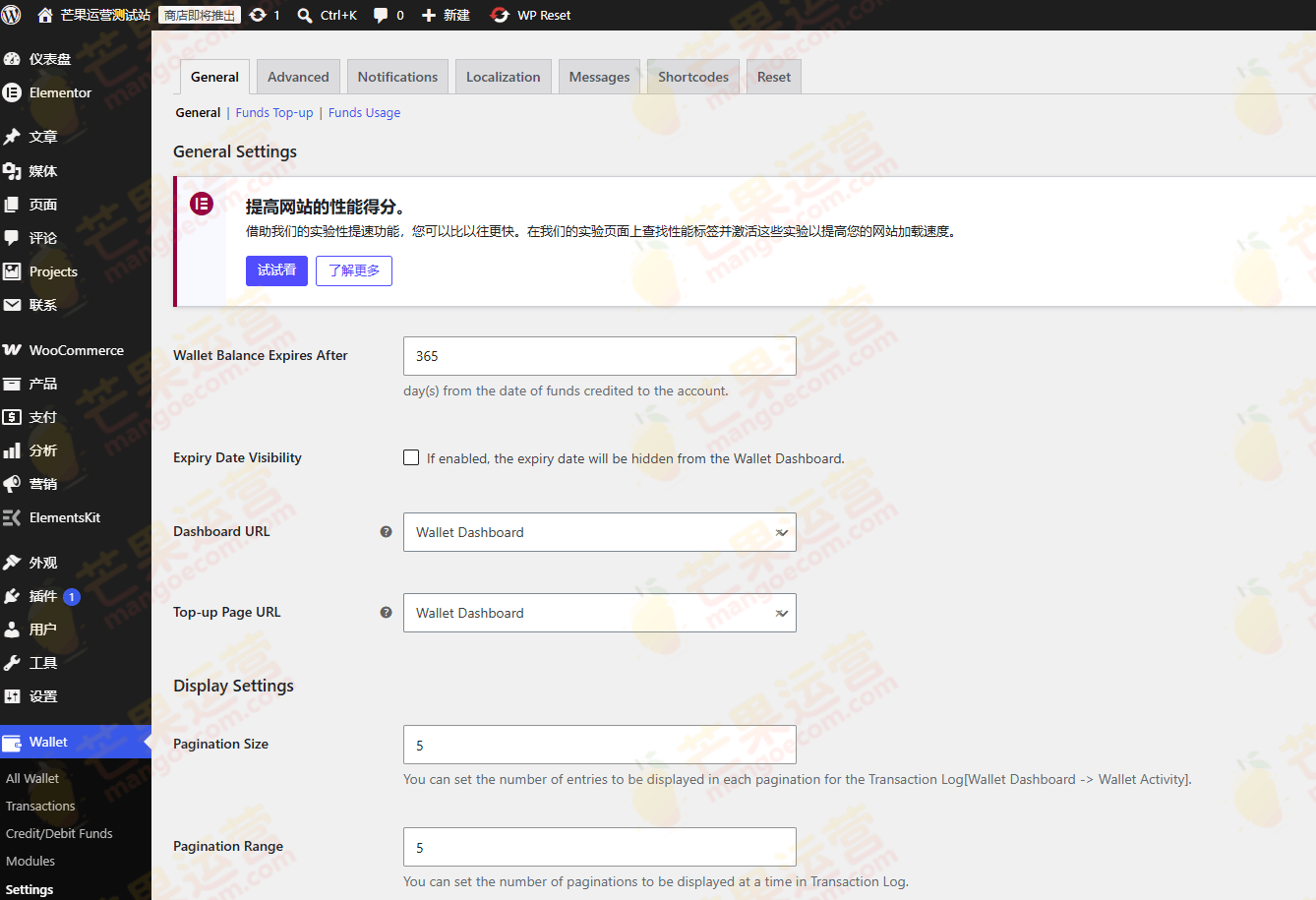
After activation, you can find wallet-related options in the WooCommerce settings to configure top-up rewards, withdrawal rules, auto top-up, and other parameters. Users can access the wallet dashboard on the "My Account" page to perform top-ups, transfers, withdrawals, and other operations.
If you need more official information about Wallet for WooCommerce, you can visit the official link.
Why Choose Wallet for WooCommerce?
For WooCommerce e-commerce websites, Wallet for WooCommerce can significantly improve user stickiness and repeat purchase rates. Through features like wallet balance, top-up rewards, and auto-renewal, users can manage their funds more conveniently, and merchants can lock in revenue in advance. Additionally, the plugin supports peer-to-peer transfers and withdrawals, further enhancing the practicality of the wallet system.
Compared to other wallet plugins, Wallet for WooCommerce's advantage lies in its deep integration with the WooCommerce ecosystem and its excellent compatibility with extensions such as subscriptions and the Stripe payment gateway. Whether it's a small shop or a large e-commerce platform, both can benefit from it.
Frequently Asked Questions
How Do I Install Wallet for WooCommerce?
Go to the WordPress admin panel, navigate to "Plugins" -> "Add New" -> "Upload Plugin," select the plugin zip file to upload, and then activate it. According to actual testing, it can be used directly after uploading, installing, and activating, with no activation required.
What Use Cases Does Wallet for WooCommerce Support?
It is suitable for scenarios such as user top-up shopping, balance deduction, peer-to-peer transfers, withdrawals, subscription auto-renewal, and gift voucher distribution. For specific features, please refer to the official documentation.
Is Wallet for WooCommerce Compatible with the Latest Version of WordPress?
The plugin is continuously updated, and v6.8.0 is compatible with current mainstream WordPress and WooCommerce versions. It is recommended to use the latest version for the best experience.
How Often Is Wallet for WooCommerce Updated?
The plugin is maintained by the official team, and the update frequency is relatively stable, typically following WooCommerce core version updates for compatibility. For specific update logs, please refer to the official documentation.

