
Core Features of Free Gifts for WooCommerce Plugin
In the highly competitive e-commerce market, boosting customer satisfaction and repeat purchase rates is a top priority for every store owner. Free Gifts for WooCommerce is a professional WordPress plugin that provides flexible and diverse gift solutions for WooCommerce stores. By offering free gifts to customers, you can not only effectively stimulate spending but also significantly enhance user loyalty. This plugin supports four gift distribution methods: manual assignment by the admin, automatic addition to the cart, customer-selected gifts, and "Buy X Get Y" promotions, fully covering the needs of different marketing scenarios.
This guide will walk you through the plugin's key features, installation process, and common questions, helping you get started quickly and leverage gift strategies to boost your store's performance. Whether you're new to e-commerce or a seasoned operator, you'll find valuable insights here.
Four Gift Modes of Free Gifts for WooCommerce
The plugin makes gift campaigns simple and efficient through the following four methods:
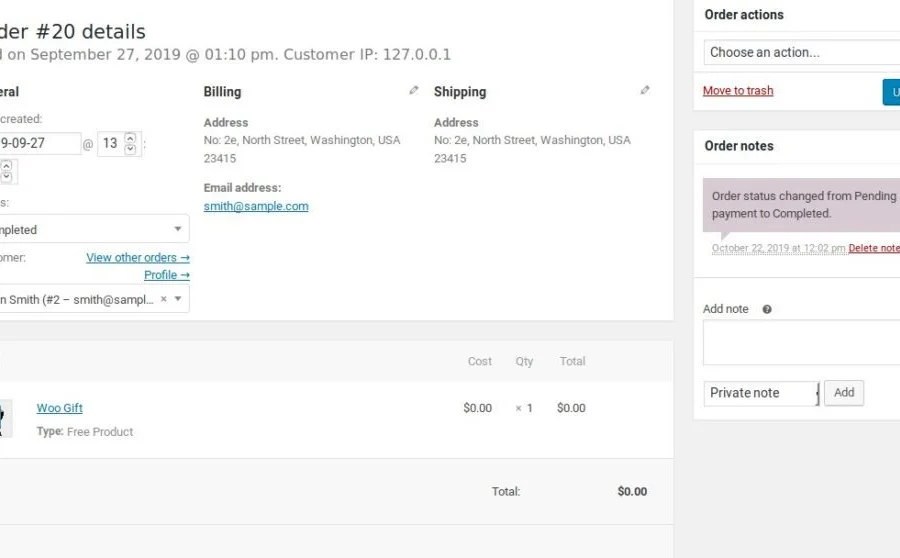
- Manual Gifting: Admins can send free gifts directly to specific users from the backend, ideal for VIP customer care or order compensation.
- Automatic Addition: When specific conditions are met (such as reaching a cart total threshold), gifts are automatically added to the user's cart, increasing average order value.
- Customer Selection: On the cart page, customers can choose their preferred gift from a preset list, adding interactive engagement.
- Buy X Get Y: Set up promotional rules like "purchase a specific product to get another product free," effectively driving sales of targeted items.
These modes can be flexibly combined and are suitable for various scenarios such as holiday promotions, inventory clearance, and new product launches. You can freely configure gift rules based on your actual needs to achieve precise marketing.
Free Gifts for WooCommerce Installation and Configuration Guide
Installing this plugin is very simple—just upload and activate it from the "Plugins" menu in your WordPress admin panel. This version has been tested and works out of the box, with no additional activation steps required. Once activated, you can find the "Free Gifts" option in your WooCommerce settings to configure it in detail.
During configuration, you can create gift rules, set trigger conditions (such as cart total, specific products, etc.), and choose the gift distribution method. The plugin features a user-friendly interface with intuitive operations, making it easy to master even without a technical background. Additional advanced settings, such as gift inventory management and email notifications, can all be adjusted based on your business needs.
To maximize the impact of your gift campaigns, we recommend designing attractive gift offers aligned with your store's operational goals. For example, setting up an automatic gift rule like "Spend $199 and receive a free gift" or launching a "Buy A, Get B Free" bundle promotion can effectively improve order conversion rates.
Why Choose Free Gifts for WooCommerce?
Compared to other gift plugins, this plugin offers the following advantages:
- Comprehensive Features: Covers four mainstream gift modes to meet diverse needs.
- Easy to Use: No coding required, visual configuration lowers the barrier to entry.
- Highly Flexible: Supports custom rules to adapt to different marketing strategies.
- Stable and Reliable: Built on WooCommerce's native architecture, ensuring compatibility and stability.
Additionally, the plugin offers compatibility with popular page builders, and you can find more usage tips and case studies at related resource sites.
Frequently Asked Questions
How do I install the Free Gifts for WooCommerce plugin?
In your WordPress admin panel, go to "Plugins" > "Add New Plugin," click the "Upload Plugin" button, select the downloaded plugin zip file, and install it. After installation, click "Activate" to enable it. This version has been tested and works normally once activated.
What gift distribution methods does Free Gifts for WooCommerce support?
The plugin supports four methods: manual gifting by the admin, automatic addition to the cart, customer-selected gifts on the cart page, and "Buy X Get Y" promotions. You can flexibly configure these based on your campaign needs in the backend.
Which WordPress themes or plugins is this plugin compatible with?
As an official WooCommerce extension, this plugin is compatible with most mainstream WordPress themes and WooCommerce plugins. We recommend checking that your theme and plugins are updated to the latest versions before installation to ensure optimal compatibility. For specific compatibility information, please refer to the official documentation.
How often is the plugin updated?
The update frequency depends on the official development schedule, with new versions typically released when WooCommerce core updates or security vulnerabilities are patched. We recommend regularly checking update notifications in your admin panel and upgrading promptly to maintain full functionality and security.

