
WooCommerce Product Options Chinese Version Plugin Introduction
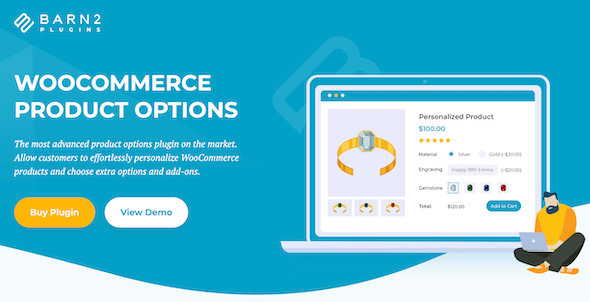
WooCommerce Product Options is a professional-grade WooCommerce product options plugin developed by Barn2 Media, widely regarded as the most feature-complete product customization solution on the market today. It allows store owners to add interactive custom fields such as checkboxes, radio buttons, text boxes, and file uploads to any WooCommerce product, enabling customers to easily customize products and select extra options and add-ons, significantly enhancing the shopping experience and conversion rates.
The plugin features an intuitive visual interface that lets you create complex product add-ons without writing any code. You can either build new option fields from scratch or directly use existing product attributes and variations. All configurations support real-time preview with a what-you-see-is-what-you-get experience.
WooCommerce Product Options Core Features Explained
Flexible Product Options and Custom Fields
WooCommerce Product Options supports adding multiple types of input fields to any product, including checkboxes, radio buttons, dropdown menus, text boxes, text areas, file uploads, date pickers, and more. Store owners can freely combine these fields based on business needs to create highly personalized product customization workflows. Whether selling custom gifts, printed materials, apparel, or digital services, you can find the right option types.
Dynamic Pricing and Conditional Logic
The plugin offers a powerful pricing engine that supports fixed fees, percentage changes, per-character pricing, per-file-upload pricing, and even complex price calculations through advanced custom formulas. More importantly, you can set up conditional logic to dynamically show or hide subsequent options based on the customer's previous selections, avoiding irrelevant fields that interfere with user decisions and making the entire customization process smoother and more natural.
Upselling and Average Order Value Boost
With unique product add-ons, store owners can display related upsell products above the "Add to Cart" button, such as custom installation services, free gifts, accessories, and more. This strategy effectively increases average order value, transforming simple product browsing into higher-value transactions. Through carefully designed option combinations, you can create more perceived value for customers while increasing store revenue.
WooCommerce Product Options Installation and Usage Guide
Installing the WooCommerce Product Options plugin is very straightforward. Simply go to the "Plugins" page in your WordPress admin, upload the plugin zip file, and activate it. Once activated, a "Product Options" tab will appear on the WooCommerce product edit page, where you can add and configure various custom fields. It is recommended to test the complete workflow with a test product before going live to ensure the option logic and pricing rules meet your expectations.
If you'd like to learn more WordPress site-building and plugin usage tips, visit BobohELLO Resource Site for more practical tutorials.
For official documentation and the latest version information about the plugin, please refer to the Barn2 Media official page.
Why Choose WooCommerce Product Options Chinese Version
For Chinese-speaking users, the WooCommerce Product Options Chinese version provides a localized interface and documentation support, lowering the barrier to entry. The plugin's interface design is intuitive and user-friendly, allowing even store owners without development experience to get started quickly. Additionally, the plugin maintains good compatibility with mainstream WooCommerce themes and extensions, seamlessly integrating into existing e-commerce ecosystems.
Furthermore, the Barn2 Media team continuously updates the plugin, fixing known issues and introducing new features to ensure it always remains compatible with the latest versions of WordPress and WooCommerce. Choosing this plugin means you'll get a stable, scalable, and powerful product customization solution.
Frequently Asked Questions
How do I install WooCommerce Product Options?
Go to the "Plugins" page in your WordPress admin, click "Upload Plugin," select the plugin zip file, and install and activate it. Once activated, a "Product Options" tab will appear on the product edit page, and you can start creating custom fields.
Which product types does the plugin support?
WooCommerce Product Options supports all standard WooCommerce product types, including simple products, variable products, virtual products, and downloadable products. For specific compatibility details, please refer to the official documentation.
Does it support conditional logic and dynamic pricing?
Yes. The plugin has built-in conditional logic functionality that can dynamically show or hide options based on user selections, and supports multiple pricing methods including fixed fees, percentages, per-character or per-file pricing, and more.
How often is the plugin updated?
The Barn2 Media team regularly releases updates to fix bugs, improve performance, and maintain compatibility with the latest versions of WordPress and WooCommerce. It is recommended to enable automatic updates or regularly check the official changelog.
Does it support a Chinese interface?
The WooCommerce Product Options Chinese version provides localized language packs that automatically load after setting the site language to Chinese in the WordPress admin. If you encounter any untranslated fields, you can manually supplement the language files.

