
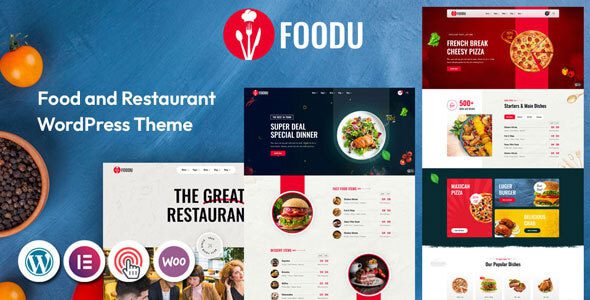
Foodu Theme Overview: Homepage Count and Menu Layouts for Restaurant Sites
Foodu is a WordPress theme built specifically for the food and beverage industry, developed by validthemes. It suits a wide range of businesses, including restaurants, cafes, fast-food chains, bakeries, coffee delivery, and online ordering. The theme treats the two most essential parts of a restaurant website—the menu and reservations—as standalone pages, while the homepage focuses on showcasing the brand image and popular items. For site owners who need to quickly build a professional restaurant website, the Foodu theme offers a rich selection of layouts and flexible customization options.
Foodu's Editor and Block System
Page building is based on the Elementor editor, and the official package provides over a hundred ready-made blocks, covering dish cards, combo bars, chef introductions, store environment galleries, business hours tables, delivery entry points, and testimonial carousels. These blocks can be used individually without importing the entire set, making it easy to combine them flexibly according to actual needs. The header and footer come with a builder; the header can be set to sticky so navigation stays visible while scrolling. Parallax and entrance animations are supported between blocks, but they should be used in moderation to avoid distracting from the visual focus of dish images. For more WordPress theme resources, see Premium Theme Collection.
Foodu's Menu Display Options
The menu page offers three layouts: grid, tab switching, and list. The grid suits shops with complete dish photography, where images carry the visual appeal; tab switching suits restaurants with detailed categories such as appetizers, main courses, and drinks, letting customers switch categories with a click; the list suits scenarios with many dishes and heavy text information, where price and description can be read in a single line. All three layouts share the same set of dish entries, so switching layouts requires no re-entering of content. Dish images, names, descriptions, and prices are all maintained within the entries, so a seasonal update only needs to be done once. Online sales are handled through WooCommerce, where dishes can be converted into products, supporting online ordering and delivery settings. Both the Shop and single product pages have style adaptations, and the cart and checkout follow the standard store flow.
Foodu's Reservation Features and Content Pages
The reservation page provides an instant table-booking entry point; customers select a date, time, and party size and submit, and the shop confirms via notification. The form is handled by Contact Form 7, with email notifications after submission, and both fields and styles can be modified. Content pages include About, Menu, Reservation, Shop, Blog, Contact, FAQ, and 404 pages. The FAQ is ideal for placing reservation rules, parking information, private room bookings, and delivery coverage, which helps reduce repetitive inquiries. The official listing highlights SEO structure, loading speed, and full responsiveness as features, and also supports RTL and multilingual solutions with broad cross-browser compatibility. Fonts use Google Fonts plus Font Awesome, and icons can be replaced directly. To learn more about restaurant themes, visit WordPress Theme Recommendations.
Foodu Theme Installation and Configuration Guide
Before installing the Foodu theme, make sure your WordPress version and PHP environment meet the requirements. After uploading the theme package and activating it, install the required plugins (such as Elementor, WooCommerce, and Contact Form 7) as prompted. Importing the demo content can quickly set up the site framework, after which you can replace images and text according to actual needs. The menu structure can be managed centrally in the backend, and switching layouts requires no additional configuration. It is recommended to test the reservation form and online payment flow before going live to ensure everything works properly.
Frequently Asked Questions
Does the Foodu theme require WooCommerce?
If you only use it for menu display, WooCommerce is not required; if you need online ordering and delivery features, you need to install and enable the Shop page. Please refer to the official documentation for details.
Can the demo images be used directly?
No. Demo images are for display purposes only; in actual operation, you need to shoot your own dish and store photos to avoid copyright issues.
How do I choose the right homepage layout?
Choose according to your business type: cafes and bakeries suit a still-life image style; fast food and delivery focus on product grids plus ordering entry points; full-service and chain restaurants lean toward environment images plus reservation buttons. Once you've chosen one, simply delete the other imported content—the menu structure does not need to be rebuilt.
How often is the Foodu theme updated?
The update frequency depends on the official release schedule. It is recommended to check the changelog regularly for the latest features and security patches. Please refer to the official documentation for details.

