
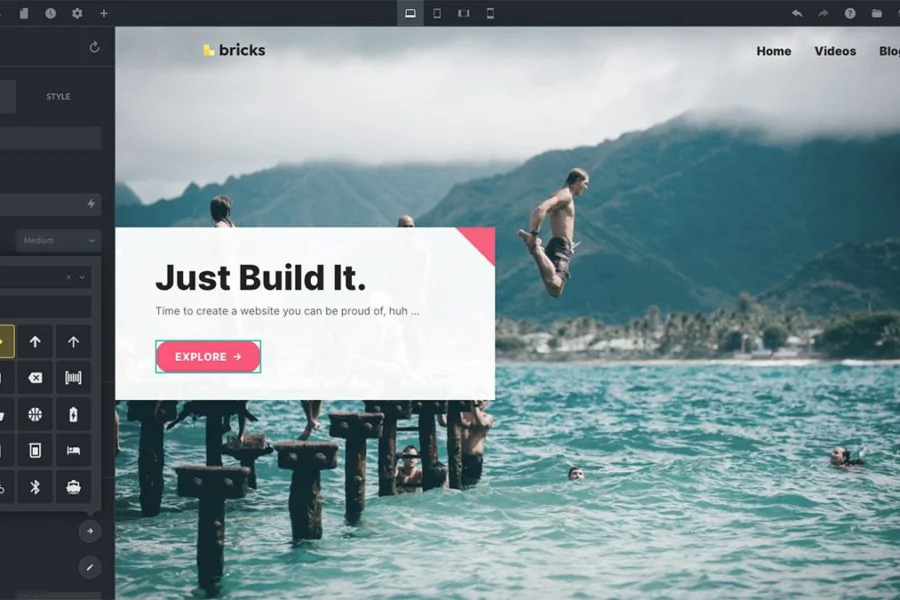
Bricks Theme v2.4.2 Visual Builder WordPress Theme Chinese Version Comprehensive Analysis
Bricks Theme is a visual website builder theme designed specifically for WordPress, allowing you to design your entire site from header to footer entirely within the builder. Without writing code, you can insert dynamic data, edit multiple responsive breakpoints, and preview mobile effects in real time. Bricks Theme merges design and development into one, helping you build more professional websites in less time.
Why Choose Bricks Theme Visual Builder
Bricks Theme breaks the limitations of traditional page builders, offering a native visual editing experience. Whether you are a seasoned developer or a newcomer to WordPress, you can quickly build pages through an intuitive drag-and-drop interface.
Core Feature Highlights
- Full-Site Visual Editing: From header and footer to content areas, all elements can be adjusted directly in the builder.
- Dynamic Data Support: Insert custom fields, post data, and other dynamic content to meet complex website needs.
- Multi-Breakpoint Responsive Control: Edit and preview for different devices, ensuring perfect display on mobile.
- Smart Style System: Create custom theme styles, color palettes, upload fonts and SVGs, easily matching your brand visuals.
- Advanced Design Tools: Edit images with CSS filters, add unlimited gradients and shape dividers.
- Custom Code: Support adding custom CSS and JavaScript globally or per individual block, unlocking unlimited possibilities.
If you are looking for more high-quality WordPress resources, you can visit Bobohéllo Resource Site to get more themes and plugins.
Bricks Theme Use Cases and Advantages
Bricks Theme suits all kinds of website building needs, whether it's a corporate website, personal blog, or e-commerce site, all can be quickly realized through its powerful builder. For those who are not good at design, Bricks comes with multiple ready-made templates that can be imported with one click to start running. You can also create custom theme styles based on templates, making the design truly your own.
Need more programmatic design capabilities? Bricks allows you to add custom CSS and JavaScript globally or for individual blocks, achieving highly customized interactive effects. This flexibility makes Bricks stand out among many WordPress builders.
Bricks Theme Installation and Usage Instructions
Installing Bricks Theme is very simple. In the WordPress admin, go to "Appearance" -> "Themes" -> "Add New Theme", upload the theme zip file and activate it. After activation, you will see Bricks' dedicated settings panel in the admin. According to testing, both Bricks v1.7.3 and v1.10.1 versions can be used directly without additional activation steps. The current version v2.4.2 continues its consistent stability and ease of use.
The theme comes with a Chinese language pack, so you can use the Chinese interface immediately after installation, reducing language barriers. If you need to learn more about official information regarding Bricks Theme, you can visit the Bricks Official Website.
Frequently Asked Questions
Does Bricks Theme require an additional page builder plugin?
No. Bricks Theme comes with its own visual builder, and all editing features are integrated into the theme, with no need to install third-party plugins like Elementor or WPBakery.
Does Bricks Theme support Chinese?
Yes, Bricks Theme provides a complete Chinese language pack, and you can switch to the Chinese interface directly in the admin after installation.
Which WordPress versions is Bricks Theme compatible with?
Bricks Theme is compatible with WordPress 5.0 and above. It is recommended to use the latest version of WordPress for optimal performance and security. For specific compatibility, please refer to the official documentation.
How often is Bricks Theme updated?
The Bricks team releases updates regularly to fix vulnerabilities and add new features. The update frequency is usually once a month; please follow the official changelog for details.
Can Bricks Theme import ready-made templates?
Yes. Bricks provides multiple preset templates that you can import and customize directly in the builder to quickly build a website.

