
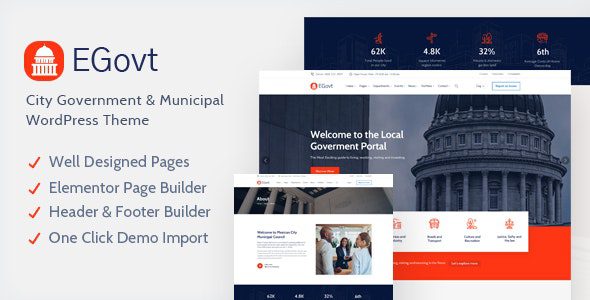
EGovt City Government WordPress Theme: A Complete Solution Built for Government Agencies
The EGovt City Government WordPress Theme is a professional theme designed specifically for municipal websites, government departments, local governments, and town portals. Flexible and feature-rich, it helps government agencies efficiently showcase policy information, achievements, and development history, while publishing important events and receiving public feedback. Whether you're a tech novice or an experienced developer, EGovt makes it easy to manage your website content, enabling instant updates and issue reporting without writing any code.
Core Features and Use Cases of the EGovt Theme
The EGovt theme is deeply optimized for the unique needs of government websites. It comes with a variety of practical modules built in, such as policy announcement boards, event calendars, and citizen feedback forms, making it easy to quickly build an official portal that is transparent and highly interactive. The theme design emphasizes accessibility and responsive layout, ensuring a smooth browsing experience across different devices. For agencies that need to frequently update news or handle public inquiries, EGovt provides an intuitive backend management interface that makes content maintenance simple and efficient.
Why Choose the EGovt City Government WordPress Theme
Compared to other general-purpose themes, EGovt places greater emphasis on the security and compliance of government websites. It follows common accessibility standards and offers extensive customization options, allowing you to adjust colors, fonts, and layouts to match your agency's image. In addition, the theme is compatible with mainstream page builders, making it easy to extend functionality. If you're looking for more similar resources, you can visit the WordPress Theme Resource Library for more options.
EGovt Theme Installation and Usage Tutorial
Installing the EGovt theme is very simple. First, in the WordPress backend, go to "Appearance" -> "Themes" -> "Add New Theme," upload the theme zip file, and activate it. Next, install the recommended plugins (such as page builders, form plugins, etc.) as prompted, then import the demo content to quickly set up your website framework. The entire process requires no activation code—just follow the wizard to complete it. If you need official support or to purchase a license, please visit the EGovt official page.
Frequently Asked Questions
How do I install the EGovt theme?
Upload the theme package in the WordPress backend and activate it, then install the required plugins as prompted, and finally import the demo content. For detailed steps, please refer to the official documentation.
What types of websites is the EGovt theme suitable for?
It is designed specifically for city governments, government departments, local governments, town portals, and similar agencies. It is also suitable for any public organization that needs to display policies, events, and receive feedback.
Is the EGovt theme compatible with the latest version of WordPress?
The theme is regularly updated to maintain compatibility. It is recommended to use the latest version of WordPress for the best experience. For specific compatibility information, please refer to the official documentation.
How often is the EGovt theme updated?
The developer regularly releases theme updates based on WordPress core updates and user feedback to ensure security and feature completeness. For the specific changelog, please check the official page.

